

No — The Knot does not have a drag-and-drop seating chart tool. What you get instead is printable seating chart templates and a guest list manager: track RSVPs and meal choices, then print a blank chart and fill it in by hand. There is no digital floor plan to arrange, and no way to drag a guest into a seat.
That is the wall couples hit. You finish RSVPs inside The Knot, the wedding gets close, you open the dashboard looking for a floor plan creator — and there isn’t one.
Here is exactly what The Knot offers for seating, where it stops, and what to use for the part it leaves to you.
Skip ahead: open SeatCanvas and start your layout free — no account needed, drag-and-drop in the browser.
Does The Knot Have a Seating Chart Maker?
The Knot lacks a drag-and-drop seating chart builder. You cannot visually place tables or assign guests to specific seats on a digital floor plan.
What they do offer:
- A Guest List Manager: Good for tracking “Yes” RSVPs and meal choices.
- Static Templates: Printable PDF templates. You print them. You use a pen.
Paper circles and pencils fail the moment Aunt Susan demands to sit further from the speakers. You need a modern, digital way to map out your venue and drag-and-drop your guests into seats.
The Knot vs. SeatCanvas: What You Actually Need
Try SeatCanvas — Free
Build your seating chart visually. Import guests, drag to tables, export a print-ready PDF.
Start Planning Free →We built SeatCanvas to handle the one massive headache The Knot ignores: spatial visualization. Venues have physical constraints. Pillars block lines of sight. Rectangular tables fit differently than round ones. A spreadsheet cannot show you that. Our wedding seating chart maker page walks through the full feature set.
Here is how the two platforms compare for layout tasks:
| Feature | The Knot | SeatCanvas |
|---|---|---|
| Collect RSVPs & Meals | ✅ Yes | ❌ No |
| Group Families | ✅ Yes | ✅ Yes (Tags & Import) |
| Drag-and-Drop Floor Plan | ❌ No | ✅ Yes |
| Custom Table Shapes | ❌ No | ✅ Yes |
| Visual Seat Assignments | ❌ No | ✅ Yes |
| High-Quality PDF Exports | ❌ No | ✅ Yes |
SeatCanvas is a lightweight companion. Keep The Knot for RSVPs. Use SeatCanvas to build the room.
Comparing against a dedicated seating tool instead? See SeatCanvas vs AllSeated — covers the AllSeated rebrand to Prismm and the Cvent acquisition.
How to Pair The Knot with SeatCanvas
You can easily use both tools together. No friction.
Step 1: Export Your Guest List from The Knot
Wait until your RSVPs are finalized. Go to your Guest List dashboard on The Knot. Export your list. You get a clean spreadsheet containing all your guests’ names.
Step 2: Open SeatCanvas
Go to SeatCanvas. You don’t need to create an account immediately. You drop straight onto a blank floor plan.
Step 3: Draw Your Room
Recreate your venue. Drag and drop round tables, rectangular tables, the dance floor, and the DJ booth. Match the exact dimensions your caterer needs.
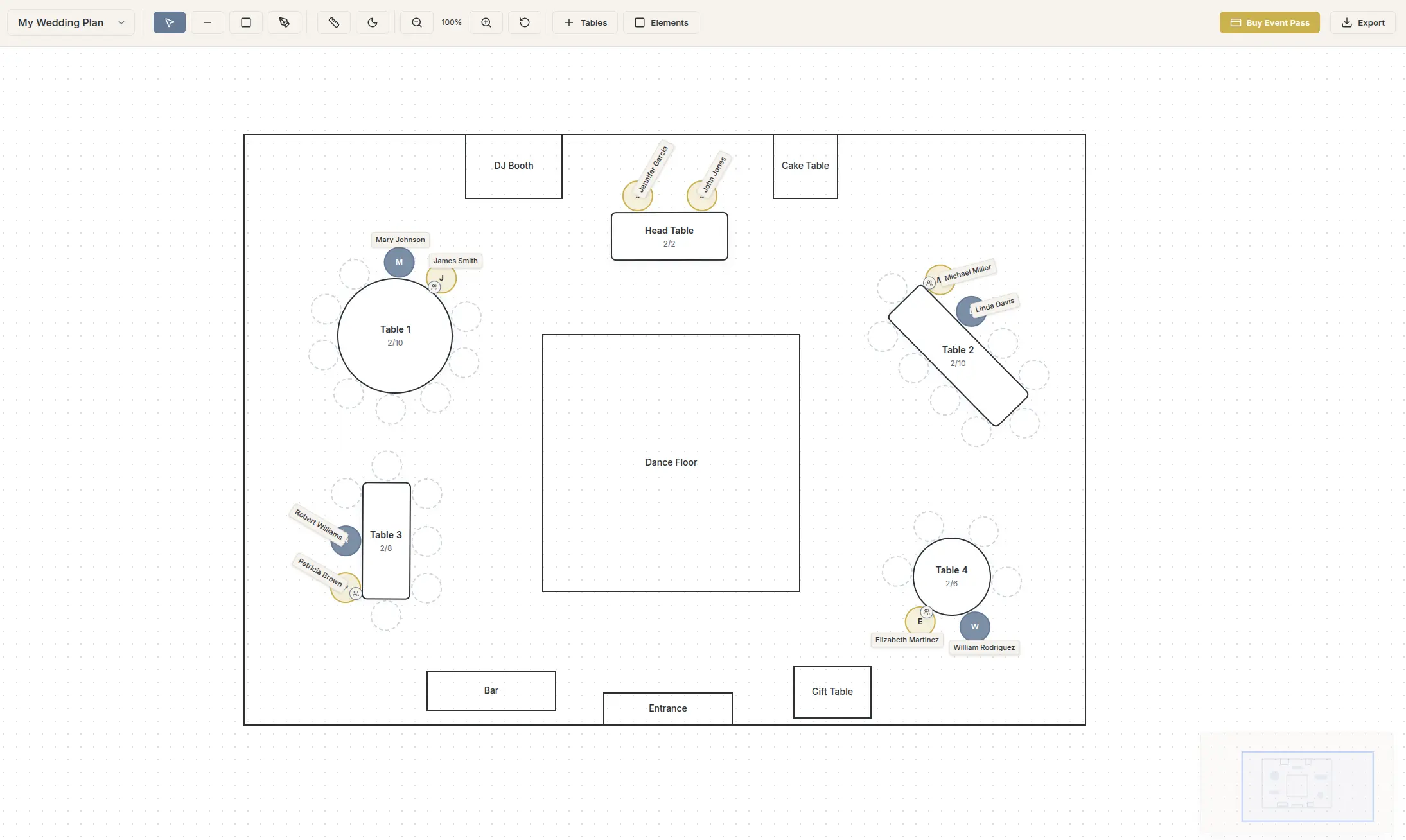
Step 4: Import and Seat Your Guests
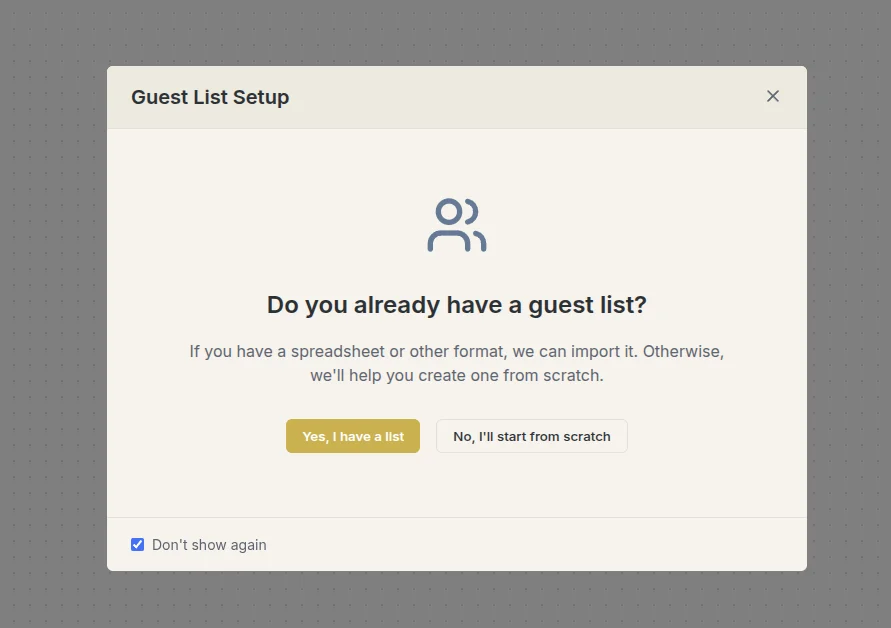
Take that spreadsheet from The Knot. Drop it directly into SeatCanvas. Your guests appear in a neat list. Now, simply drag them onto their seats at the tables. Done.
Why Visual Layouts Matter
A spreadsheet matrix hides physical reality. A list of names under “Table 4” doesn’t tell you if Table 4 blocks the fire exit.
When you visualize the layout, you notice problems early. You see the gaps. You fix them before the coordinator has to rearrange heavy furniture on the morning of the wedding. Once it looks perfect, export a high-quality PDF and hand it straight to your vendors.
Ready to try a seating chart creator? The editor opens instantly in your browser.
If you invite over 50 guests, trying to manage this on paper is masochism. Upgrade to a simple Event Pass for the larger layouts, or use the free tier to test it out.
Frequently Asked Questions
Can I import my guest list directly from The Knot?
Yes. Export your final guest list from The Knot as a CSV or Excel file. SeatCanvas accepts that file directly through the Import Wizard, mapping names and parties instantly.
Is SeatCanvas free to use?
Yes. You can start mapping your venue, drawing tables, and testing the layout immediately without paying. We use an Event Pass model for unlocking premium exports and larger guest lists when you actually need them.
Will The Knot add a seating chart feature?
They haven’t yet. Their focus is heavily on their core marketplace and registry products. It is usually faster to use a dedicated tool built precisely for spatial layout.
Does The Knot have a seating chart template?
The Knot gives you guest-list and planning tools, but not a dedicated, editable seating chart template where you drag tables around your room. If you want a reusable visual layout — round and rectangular tables you arrange and export — that is what a purpose-built tool like SeatCanvas is for. Export your guest list from The Knot and build the chart in minutes.
Can you make a seating chart on The Knot?
You can manage your guest list on The Knot, but it is not built for spatial seating layout — arranging tables in your actual room and giving each guest a seat. For that, export your list and drop it into a dedicated seating chart maker. The two pair well: The Knot for the guest list and wedding website, SeatCanvas for the visual chart.
Is there a table planner on The Knot?
The Knot centers on its registry, website, and vendor marketplace rather than a dedicated table planner. A tool made specifically for table layout lets you draw your room, place round or rectangular tables, assign guests, and export a print-ready PDF for your venue or caterer.
The Verdict
Do not abandon The Knot. Keep it for your website. But when the RSVPs are in and you need to assign seats, export the list. Bring it over to a dedicated tool.
Stop erasing names on printed PDFs. Start your layout on SeatCanvas for free today.
✦ Google Preferred Source
Want to see more SeatCanvas stories on Google?
You can ask Google to show SeatCanvas more often in your own Top Stories and supported Google experiences. This personalizes your account; it does not raise SeatCanvas for everyone.
Google's control loads only after you choose Continue with Google.