
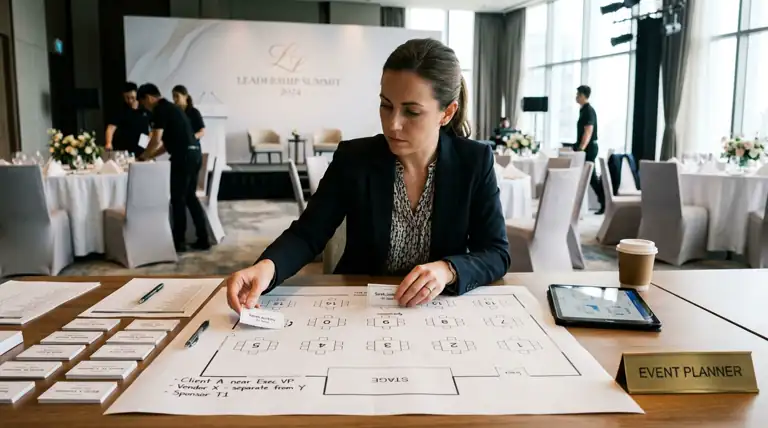
A corporate event seating chart is not a comfort puzzle. It is a business decision wearing a floor plan. Where you put the client relative to the account exec, whether the two competing vendors end up at the same table, which sponsor gets the seats closest to the stage — every one of those is a call that someone above you will notice if you get it wrong.
So when you go looking for a seating chart generator for corporate events, you are not shopping for the same thing a bride is. You need speed, because the attendee list changes until the day before. You need a real floor plan, because the room has a stage and AV and sightlines that matter. And you need a clean export you can hand to a venue, a caterer, and a registration desk without explaining it.
Here is the honest answer for a corporate event, plus the mistake most planners make and the order I would build the chart in.
The short version: Corporate event seating optimizes for outcomes, not just comfort. The right generator opens to a blank canvas so you can draw the real ballroom, imports your attendee list straight from the registration export, and lets you drag people onto tables as the list shifts. SeatCanvas does all three. It seats 40 attendees free with full export, no account needed to start. Past 40 — which most corporate events clear — it is $19.99 one-time, not a subscription. Draw the room, import the list, assign by relationship, export the PDF for the venue.
What corporate seating asks for that wedding tools ignore
Most seating chart tools are built for weddings, and it shows. They assume one host, a fixed guest list, and a goal of “everybody has a nice time.” A corporate event breaks all three assumptions.
The list is never final. Registrations come in until the night before. Three executives get added the morning of because a deal closed. A whole table of a partner company cancels. A wedding guest list is locked weeks out; a corporate attendee list is a live document. The tool has to make reshuffling cheap, because you will reshuffle constantly.
Seating is strategy, not sentiment. You are not asking who gets along. You are asking who should meet. The regional sales lead sits with the two prospects she is trying to close. The board members go near the stage. The new hires get salted into existing teams so they actually network instead of huddling. A grid of names cannot express any of that. You need to see the room to place people with intent.
The handoff is bigger. A wedding chart goes to a caterer and maybe a day-of coordinator. A corporate chart goes to the venue, the AV team, the catering captain, the registration desk, and often a client’s executive assistant who wants to confirm her boss is not stuck behind a pillar. One ambiguous diagram and you are fielding emails for a week. You need an export that reads clearly to people who were not in the planning meetings.
Cheap, fast, visual, and clean to hand off. That is the bar. Most tools clear maybe two.
The spreadsheet trap, corporate edition
Try SeatCanvas — Free
Build your seating chart visually. Import guests, drag to tables, export a print-ready PDF.
Start Planning Free →Almost every corporate planner starts in a spreadsheet, and for the attendee list that is exactly right. Names, companies, titles, meal choices, the VIP flag, the column tracking who has paid and who has RSVP’d — that all belongs in a spreadsheet, or in whatever your registration platform exports. Keep it there.
The trap is trying to seat people in the spreadsheet. You add a “Table” column, you start typing “Table 4” next to forty names, and within an hour you have a list that technically assigns everyone and shows you nothing. Is Table 4 near the stage or by the kitchen door? Are the two finance vendors you separated actually separated, or did they both land on tables next to each other? Does the sponsor who paid for premium placement have a clear line to the podium? A spreadsheet cannot answer any of that, because a column of table numbers is not a room.
The fix is not to abandon the spreadsheet. It is to import it. SeatCanvas imports your CSV or Excel attendee list and maps the columns — name, company, title, meal, table — so every registrant comes in as a seat you can move. Your registration export stays the source of truth. The canvas becomes the place you actually make decisions.
What to look for in a corporate seating chart generator
Judged against the cheap-fast-visual-clean test, here is what matters and what is noise.
A blank canvas that matches the real venue
Your event is not a stock ballroom. It is a specific hotel banquet hall with a stage on the long wall, a bar in the back corner, and two structural columns the venue conveniently forgot to mention. A tool that drops you into a pre-drawn template fights you immediately, because your room is not that room.
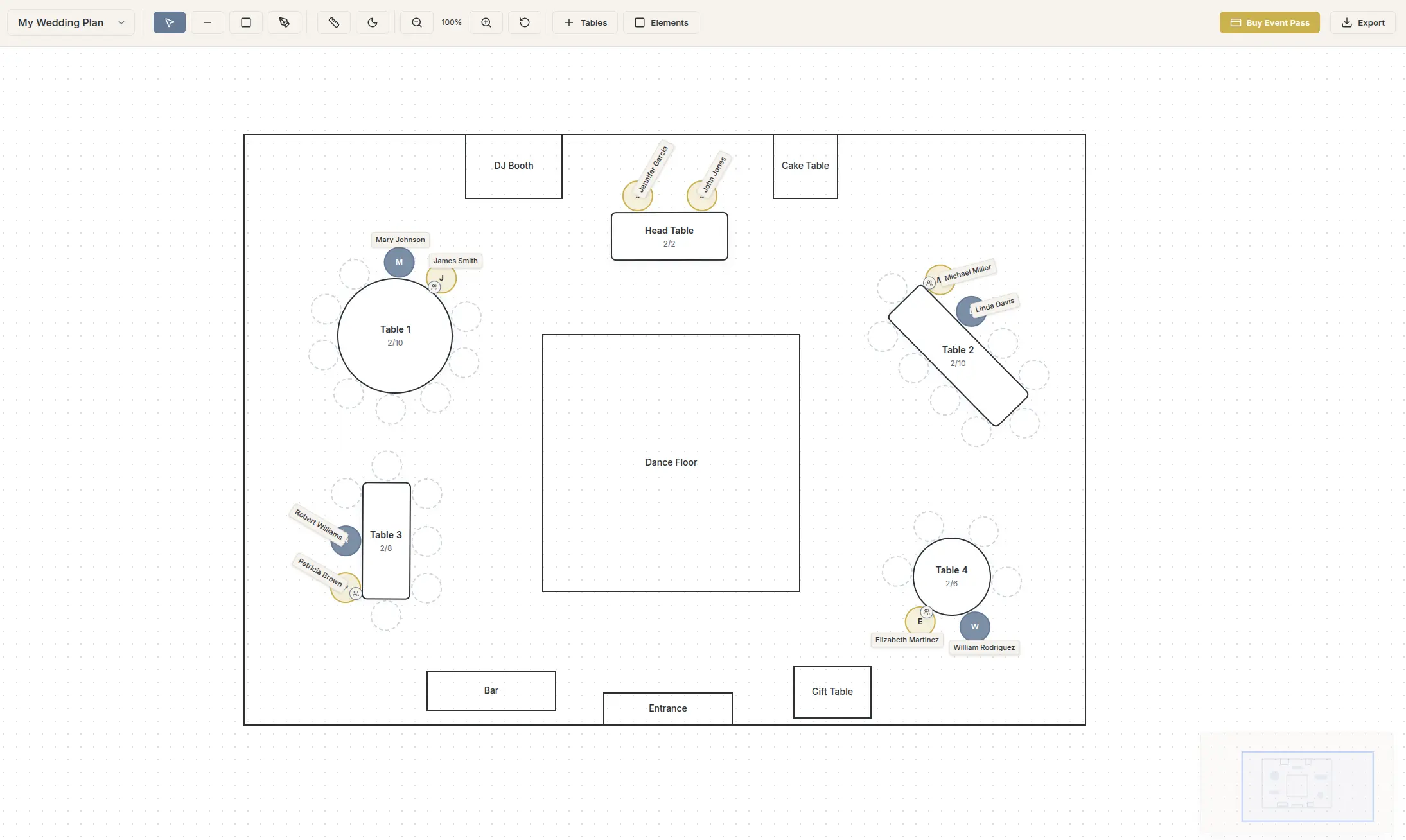
You want a generator that opens empty and lets you draw what you actually have. SeatCanvas opens to a blank canvas. Place round tables for the floor, a long head or stage table where the program runs, rectangles along a tight wall, and block out the stage, the dance floor, the AV booth, the registration table. Now the chart is the room, and “near the stage” means something you can point at.
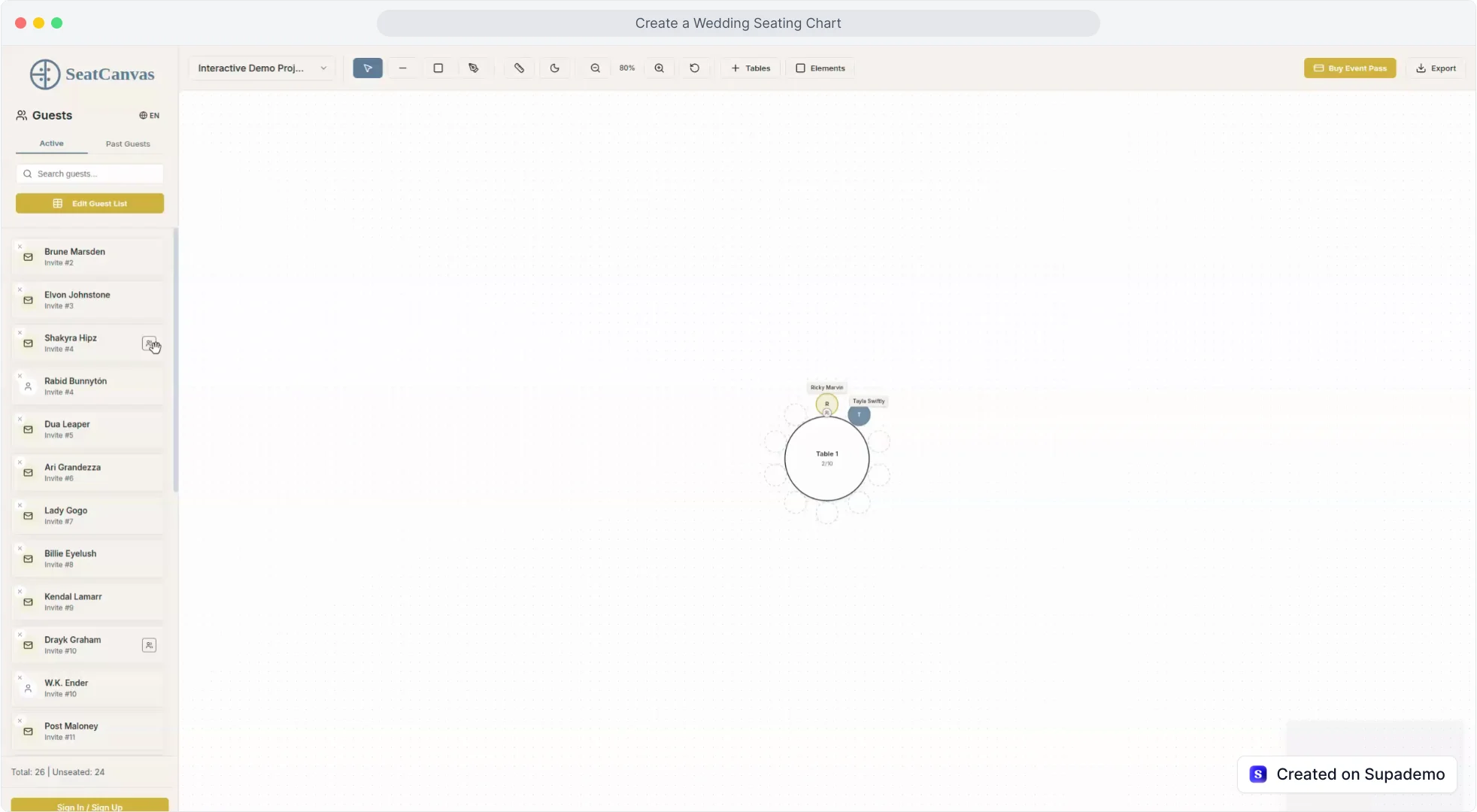
Drag-and-drop, because the list will not hold still
This is the one that separates corporate from everything else. You will redo this chart five times. A VIP gets added Tuesday. A whole sponsor table cancels Wednesday. The CEO wants to be moved off the table with the competitor’s CFO. Every one of those is a thirty-second drag in a visual tool and a frustrating renumber-everything exercise in a spreadsheet. The point of a visual generator is that moving someone is dragging a name, not retyping a paragraph.
An export that survives the handoff
The caterer needs meal counts by table. The venue needs the floor plan to set the room. The registration desk needs a clean map to tell arriving guests where they sit. SeatCanvas does high-quality PDF and PNG export plus a CSV of the attendee-to-table mapping. One PDF you email the venue, one PNG for the registration screen, one CSV the catering captain sorts by meal. No design software, no watermark, no “can you re-send that in a format I can open.” A design tool can draw a handsome chart and then make you redraw it — the Canva seating chart comparison covers where that breaks down.
Pricing that fits a one-off event
A corporate event is a project, not a subscription. You build the chart, you run the event, you are done. Paying a monthly fee for seating software — and remembering to cancel it before next quarter — is the wrong shape for the job. SeatCanvas seats 40 attendees free with the full canvas, import, and export, plus a Smart Seat AI seating preview, and past that the Event Pass is $19.99 one-time, which also lets Smart Seat seat every attendee. For a 250-person gala, that is a rounding error against the catering invoice, and it comes out of one expense line instead of a recurring SaaS bill your finance team has to track.
How to build a corporate seating chart in one sitting
This assumes your attendee list lives in a spreadsheet or a registration platform and you have the venue’s room dimensions. Block out an afternoon, close your email, and work it in order.
Pull the floor plan and the goals. Get the venue diagram — stage wall, exits, bar, columns, the works. Then get clear on the strategy before you place a soul: which clients need face time with which execs, which sponsors paid for premium placement, who absolutely cannot sit together. The seating chart is downstream of those decisions, so make them first.
Open the canvas and draw the room. Go to the SeatCanvas planner. Drop the head or stage table where the program happens. Place premium sponsor and VIP tables closest to it. Fill the floor with rounds, use rectangles where the room is narrow, and mark the stage, the bar, and the registration table so you are placing people in the space that is actually left.
Import the attendee list. Drop in the CSV or Excel export from your registration system, map the columns, confirm. Every registrant lands as a movable seat with their company and meal choice attached. A 300-row list that would take half a day to retype comes in over a coffee.
Assign by relationship, not alphabet. This is the real work and no tool can do it for you. Seat the prospects with the reps closing them. Cluster a department so it networks. Keep the two competing vendors on opposite sides of the room. Put the keynote speaker where they can reach the stage without crossing the dance floor. Seeing it laid out is exactly when you catch that you accidentally sat your biggest client next to their direct competitor.
Export and distribute. PDF to the venue and the AV team. A by-table meal-count CSV to catering. A clean PNG for the registration desk. Save the project so when the inevitable morning-of changes hit, you open it, drag the three new VIPs in, and re-export in five minutes. For a high-headcount event, the large-event seating playbook goes deeper on managing a big room, and how to create a seating chart covers the assignment logic itself.
What to skip, because thorough is not the same as done
The corporate-planner instinct is to over-prepare. With the seating chart, three things look diligent and are actually just delay.
Drawing the venue to the millimeter. You are making a seating plan, not a fire-marshal floor plan. Tables roughly where they go, the stage and bar and exits marked, aisles wide enough to walk and for a server to pass. The venue’s setup crew works from their own measurements anyway. An hour spent matching the exact column placement is an hour stolen from the assignments that actually matter.
Locking the chart before registration closes. There is always a batch of late registrants and a few day-of additions. Do not hold the entire chart hostage waiting for a final number that never quite arrives. Build it now with everyone confirmed, leave a little slack at a couple of tables, and drag the stragglers in when they land. That is the whole reason you used a tool that makes changes cheap.
Color-coding for its own sake. Color earns its place when the caterer is running four meal options across thirty tables, or when you need to flag VIP tables at a glance. It is busywork when you have one menu and a single tier of guests. Reach for it when the complexity of the event actually demands it, not before.
A corporate seating chart is a real room drawn once, an attendee list imported once, and a PDF you re-export every time the headcount moves. Everything past that is preparation standing in for the decision you are avoiding — who sits next to the client.
Common questions
What is the best seating chart generator for corporate events?
SeatCanvas. It opens to a blank canvas so you can draw the actual ballroom, import the attendee list straight from your registration export, and drag names onto tables. It seats 40 guests free with the full canvas, CSV and Excel import, and PDF, PNG, and CSV export. Past 40, which most corporate events clear, the Event Pass is $19.99 one-time with no subscription and no watermark on the chart you hand the venue.
How is corporate event seating different from wedding seating?
A wedding optimizes for who enjoys sitting together. A corporate event optimizes for business outcomes. You are placing clients near the executives who should court them, keeping competitors apart, seating the keynote speaker where they can reach the stage, and grouping a department so it actually networks. The seating chart is a tool for the agenda, not just a comfort puzzle, so you need to move people fast as the attendee list shifts.
Can I import my attendee list from Eventbrite or a registration export?
Yes. Most registration platforms export a CSV or Excel file of attendees, and SeatCanvas imports it directly. The wizard maps your columns — name, company, title, meal choice, table — so every registrant lands on the canvas as a movable seat. You keep the registration system as your source of truth and pull a fresh export in whenever the headcount changes.
How do I handle a head table and sponsor tables?
Draw them first, before you place anyone. Put a long head or stage table where the program happens, then place the premium sponsor and VIP tables closest to it, since proximity to the stage is the thing sponsors are paying for. Round tables for the floor, rectangles where the room is tight. Build the hierarchy into the room layout, then assign people into it.
Do I need to install software to plan corporate event seating?
No. SeatCanvas runs in the browser, so there is nothing for IT to approve and nothing to install on a locked-down work laptop. Sign in with Google or Microsoft to save to the cloud, then open the same plan from the office, the venue walkthrough, or your phone the morning of the event.
The seating chart is the last thing standing between a planned corporate event and a run one. It is also the part most likely to get noticed if it goes wrong — by the client behind the pillar, by the sponsor who wanted the stage, by the exec seated across from a competitor. A good generator should take that risk off your plate, not add a subscription to it.
Open SeatCanvas and start with your real venue. The first 40 attendees are free, no account needed. If your event runs bigger — and a corporate event usually does — the Event Pass is $19.99 one-time, once, for the event you are building it for. Draw the room, import the list, place people with intent, and hand the venue a chart that reads itself.
✦ Google Preferred Source
Want to see more SeatCanvas stories on Google?
You can ask Google to show SeatCanvas more often in your own Top Stories and supported Google experiences. This personalizes your account; it does not raise SeatCanvas for everyone.
Google's control loads only after you choose Continue with Google.