Avoid the Stress of Guest Organization
Planning where everyone sits shouldn't be a headache. SeatCanvas is an online seating chart planner that replaces sticky notes and spreadsheets with a visual drag-and-drop canvas.
Planning a wedding? See how SeatCanvas handles it →
Manage Guest Lists
Import from CSV or add manually. Keep track of who is seated and who isn't.
Visual Layouts
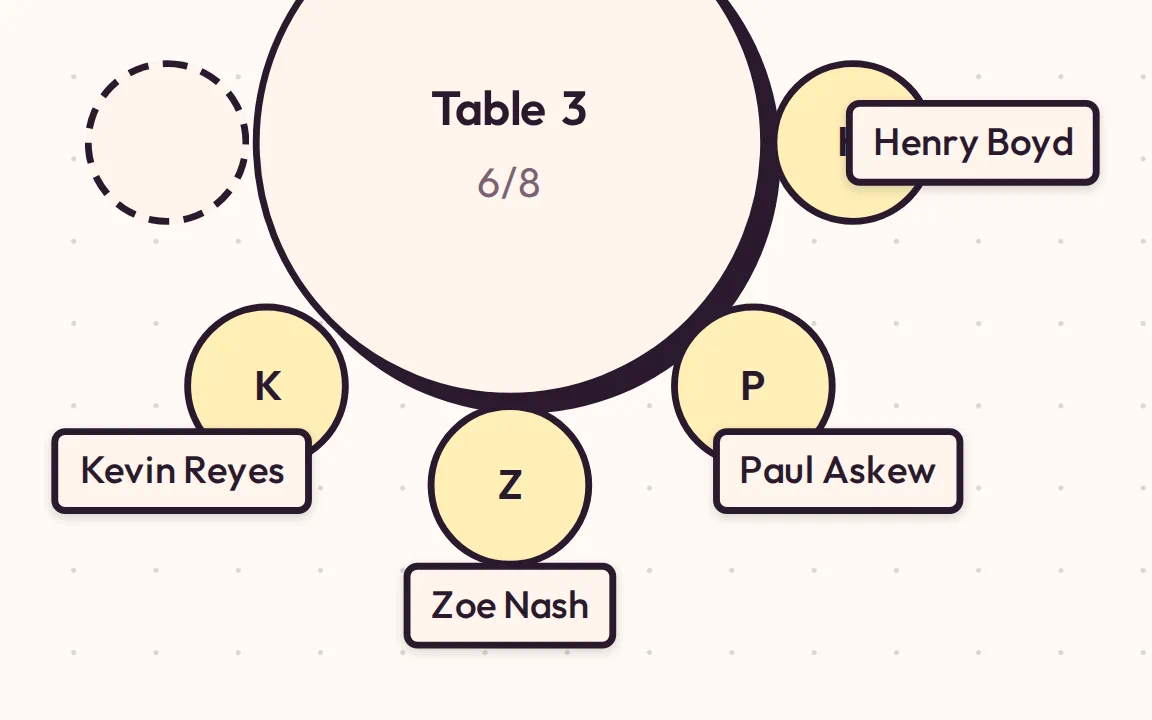
Create round or rectangular tables. Drag and drop to rearrange the room.
Easy Export
Download your plan as a PDF, Image, or CSV to share with vendors.
Powerful Seating Chart Software for Any Event
Drag-and-Drop Seating Chart Builder
Intuitively move guests between tables. Our smart collision detection ensures you place them exactly where you want.
Table and Layout Designer
Mix and match table types. Add round banquet tables or long rectangular ones to match your venue.
Guest List Manager
Keep your guest list organized. Import thousands of guests via CSV or add them one by one.
Export & Share
Get a professional PDF for your caterer, a CSV for your records, or a high-res image for your planning binder.
Simple, Fair Pricing
Free Tier
- Unlimited guests in your list
- Seat up to 40 guests
- Full canvas features
- PDF & PNG exports
- Cloud save with Google or Microsoft
- No credit card required
Event Pass
- Unlimited guest seating
- All exports (PDF, PNG, CSV)
- Access until 30 days after event
- 7-day refund guarantee
- Priority support
A Seating Chart App for Every Type of Event
Whether it's an intimate gathering or a grand gala, SeatCanvas scales to your needs.
How to Create a Seating Chart
Import Guests
Upload your guest list CSV or add names manually.
Create Tables
Add tables to your canvas and arrange the room.
Assign Seats
Drag and drop guests onto seats or tables.
Export
Download your plan and share it with your team.
Frequently Asked Questions
Is SeatCanvas free?
Yes. SeatCanvas is a free seating chart maker — all features, up to 40 seated guests. For larger events, a one-time Event Pass is $19.99. If you want the wider comparison first, here is my breakdown of the free seating chart maker options.
What do I get with the Event Pass?
Unlimited guest seating, full exports, and access until 30 days after your event date. No subscriptions.
What if the tool doesn't work for me?
We offer refunds within 7 days if the tool doesn't work as described. Test with 40 guests before paying.
How long can I access my seating chart?
Your data is available until 30 days after your event date, then stored for 30 more days before deletion.
Can I import my guest list from a spreadsheet?
Yes. Export your spreadsheet as a CSV file, upload it, and SeatCanvas maps your columns — names, dietary needs, table preferences, all of it. Guests appear in the sidebar ready to drag onto tables. Learn more about importing your guest list from a CSV file.
What types of tables can I create?
Round tables and rectangular tables, each with adjustable seat counts. Mix both in the same layout. Most venues use rounds for 8–10 and rectangles for head tables or long banquet setups.
Does SeatCanvas work for events besides weddings?
Absolutely. The seating chart creator works the same for quinceañeras, corporate dinners, galas, baby showers, and birthday parties. Any event with assigned seating.
How do I share my seating chart with vendors?
Export as PDF for a printable summary with your layout and full guest list. Use PNG for a high-resolution image. CSV gives your caterer or coordinator the raw guest data in spreadsheet format.
Do I need to download a program?
No. SeatCanvas runs in your browser — there is nothing to install and no program to download. It works on any laptop or tablet with an internet connection.
Ready to seat the room?
Join thousands of planners who trust SeatCanvas for their events.
Start Planning for Free