AllSeated Alternative: SeatCanvas for Small Weddings (2026)
SeatCanvas is the $19.99 one-time seating chart for couples and independent planners who want to arrange tables, import guests from a spreadsheet, and export print-ready PDFs without an enterprise sales call.
AllSeated became Prismm, and Cvent is now winding Prismm down: new events can only be created in Cvent Event Diagramming, existing Prismm events stay editable through June 2027, and Prismm-created work becomes view-only after that. Venue and event teams that need professional diagramming now start new events in Cvent Event Diagramming.
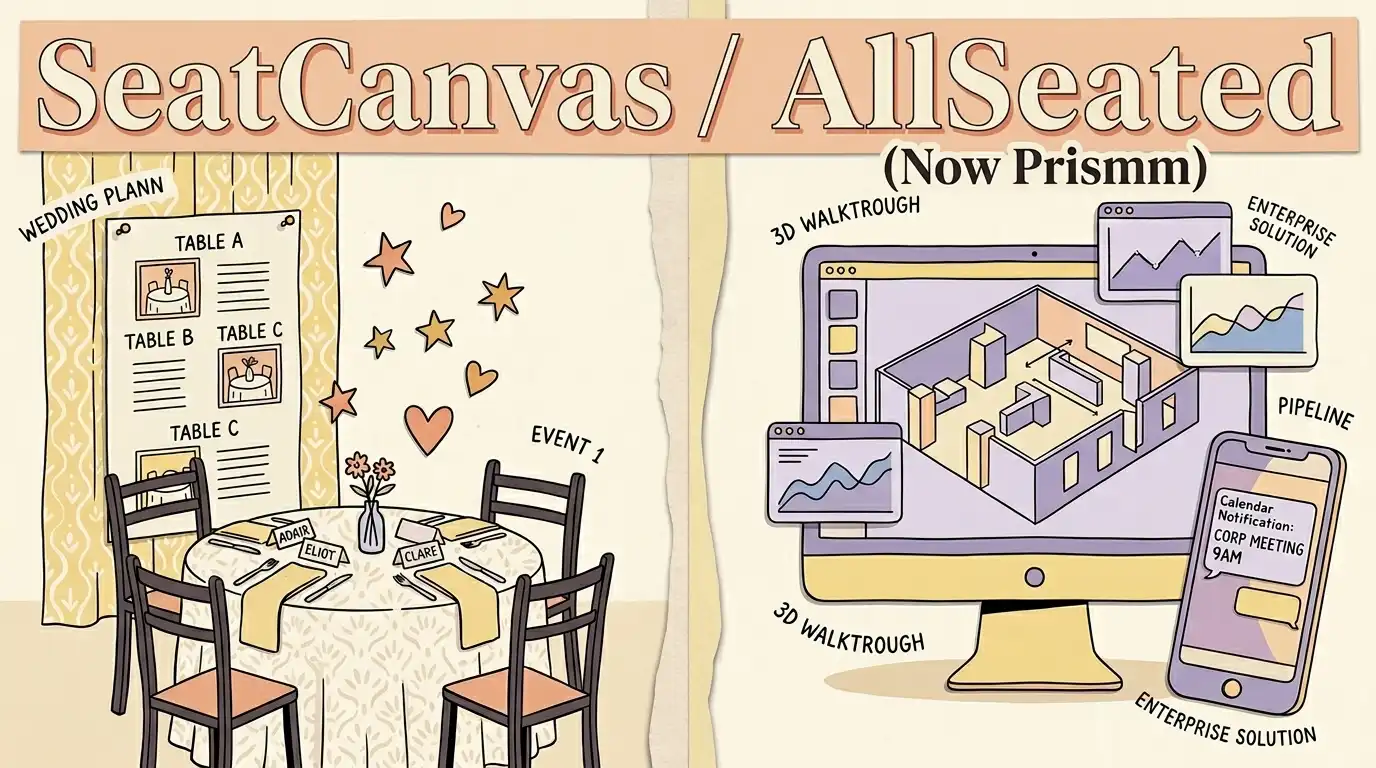
Which one fits you
Choose based on your real event scale and team workflow.
Pick SeatCanvas if
- Couples and independent planners organizing one wedding or private event
- Anyone who wants a permanent free tier for up to 40 seated guests without entering credit card details
- Planners who need to import an existing guest spreadsheet and export a print-ready PDF in minutes
- Teams wanting a straightforward, published one-time price with no recurring subscription
Pick AllSeated if
- Your venue already has events built in Prismm and needs to keep editing them, which Cvent allows through June 2027
- You need to export the Prismm floor plans and reports you want to keep before Prismm access ends in June 2027
- You have a paid Prismm account and want to keep its current plans, prices and limits, which Cvent says you keep unless you choose a new plan
- Your clients already use Prismm collaboration links on events you built there, and Cvent keeps those links active through June 2027
The five differences that decide this
The load-bearing distinctions between the two products, stated directly.
| Criterion | SeatCanvas | AllSeated |
|---|---|---|
| What you pay | $19.99 one-time Event Pass per event, or free up to 40 guests | Published Cvent Event Diagramming plans, which prismm.com now links to: a free plan, then monthly or annual subscriptions, with Enterprise by quote |
| How you get started | Instant self-serve sign-up via browser; start designing immediately | New Prismm events are no longer possible; prismm.com's sign-up now opens the free plan of Cvent Event Diagramming |
| Venue 3D walkthroughs | 2D canvas focused strictly on table arrangements and guest assignments | 3D venue visualizations on events already built in Prismm, editable through June 2027 |
| Guest list workflow | Direct CSV/Excel spreadsheet upload with visual column mapping | Built-in guest reporting and CRM-integrated attendee tracking |
| Primary audience | Couples and independent planners organizing a single celebration | Hospitality enterprises, convention properties, and venue operators |
What one wedding actually costs
Standardized baseline: One wedding, 120 guests, one person planning it
- Free tier covers up to 40 seated guests permanently
- $19.99 one-time Event Pass unlocks unlimited guests and exports
- No subscription, no recurring renewal, no cancellation needed
- prismm.com's pricing link now opens the published Cvent Event Diagramming plans
- The free plan needs no credit card; paid plans bill monthly or annually
- No one-time payment option; Enterprise is quoted by the Cvent team
Checked at https://www.cvent.com/en/event-marketing-management/cvent-event-design-software/prismm-pricing on 2026-10-19. If it changes, this page changes.
When AllSeated is the better choice
- If your venue already built events in Prismm, Cvent keeps them editable there through June 2027, so a booked season does not have to be rebuilt mid-flight.
- Those existing events keep Prismm's photorealistic 3D visualizations and virtual walkthroughs, which SeatCanvas, a 2D seating planner, does not offer.
- Collaboration links and invites created in Prismm stay active through June 2027, and paid Prismm accounts keep their current plans and prices.
Prismm is the better choice only for events already built there: Cvent keeps them editable through June 2027, and view-only after that.
Moving your guest list over
What to expect before you spend time switching.
- ✓ Guest first and last names
- ✓ Party sizes and plus-one counts
- ✓ Table assignments and meal preferences
- — 3D spatial scans and CAD floor plan geometry
- — Cvent CRM attendee tags and historical sales data
- — Venue lighting and decorative object models
Reversible: Yes. Your original file/account is never modified or locked.
Step-by-step transfer guide
- Sign in to Prismm and navigate to the event you want to migrate.
- Open the Reports section and select Guests as the Report Type.
- Configure the Fields dropdown to include guest names, party size, and meal data, then click GENERATE.
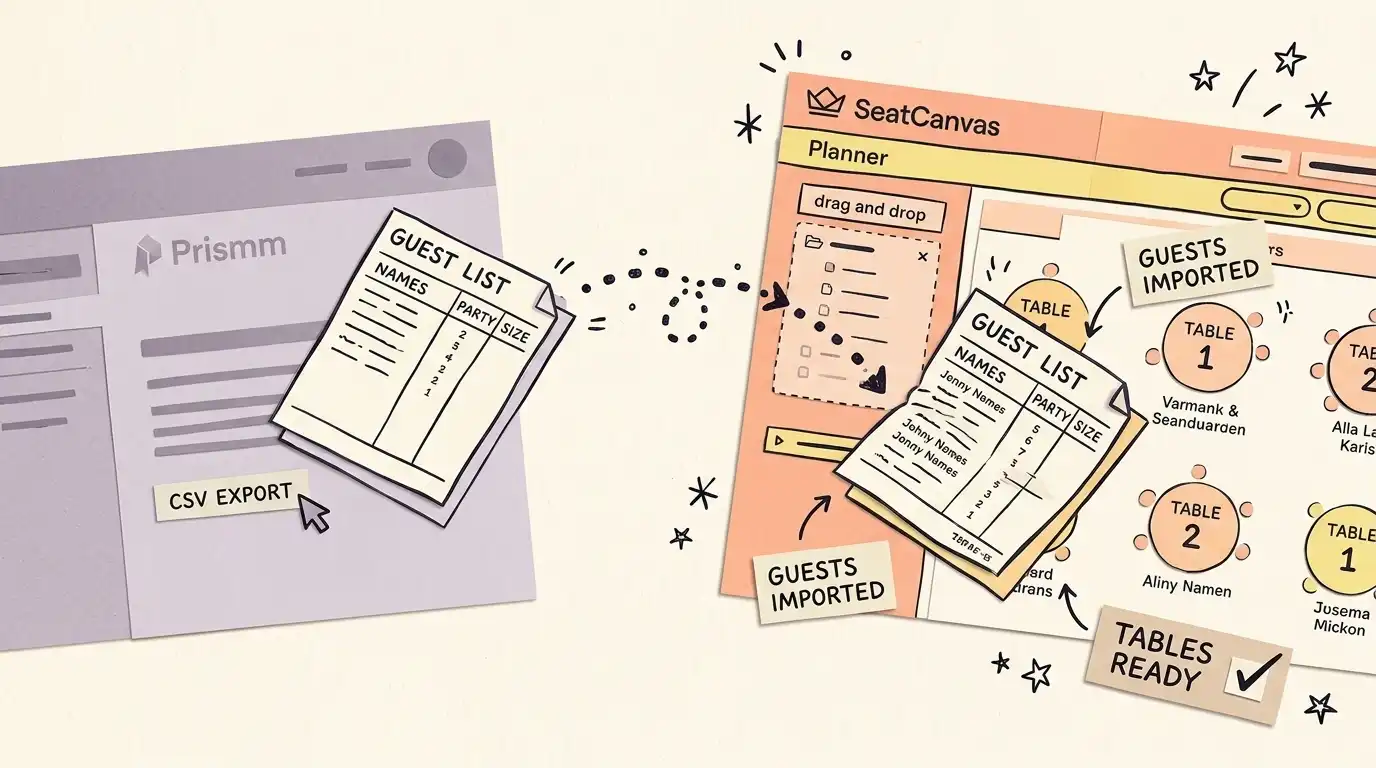
- Select Export to CSV (Excel) to download your guest list spreadsheet.
- Open SeatCanvas in any browser and launch the CSV import wizard.
- Map the exported Prismm column headers to SeatCanvas's guest name and party size fields.
- Drag guests directly onto tables and export your finished PDF floor plan.
Every feature, side by side Full comparative audit across both platforms Toggle table
| Feature | SeatCanvas | AllSeated | What that means |
|---|---|---|---|
| SEATING | |||
| Drag-and-drop table layout | ✓ Included | Limited | Visually arrange round, rectangular, and custom tables on an interactive canvas |
| Custom table shapes | ✓ Included | Limited | Support for banquet, serpentine, oval, and bespoke table configurations |
| 3D venue walkthroughs | Not available | Limited | Spatial 3D digital twin rendering of physical venue architecture |
| GUESTS | |||
| CSV/Excel guest import | ✓ Included | Limited | Upload spreadsheets and map columns without retyping guest names |
| Permanent free tier | ✓ Included | Limited | Full canvas functionality for up to 40 seated guests at zero cost |
| EXPORTS | |||
| Print-ready PDF export | ✓ Included | Limited | Generate high-resolution vector PDFs formatted for caterers and venue staff |
| PRICING | |||
| One-time payment option | ✓ Included | Not available | Pay once for the event without recurring monthly or annual subscription fees |
| Self-serve instant checkout | ✓ Included | Limited | Purchase directly online without waiting for a sales call or custom quote |
| SUPPORT | |||
| Enterprise CRM integration | Not available | Limited | Bi-directional data synchronization with enterprise hospitality platforms like Cvent |
| Bilingual interface (EN/ES) | ✓ Included | Not available | Complete native interface in English and Spanish for bilingual planning teams |
What happened to AllSeated (and why it matters)
AllSeated launched in 2014 as a lightweight seating-chart and floor-plan tool. Couples used it. Small venues used it. The interface was simple enough that you could lay out a 120-guest reception in an hour.
In January 2024, the company rebranded to Prismm and pivoted hard toward enterprise hospitality — 3D venue walkthroughs, virtual collaboration spaces, sales-team onboarding. Then in April 2025, Cvent bought it. Cvent serves 24,000+ customers in the meetings-and-events industry; Prismm joined a software stack designed for hotels, convention centers, and event-management firms running ongoing sales pipelines.
The AllSeated brand the consumer market remembered — fast, free-or-cheap, self-serve — does not exist anymore. The planner couples used in 2019 became part of an enterprise platform aimed at venues and professional planners, not couples.
Now the Prismm product itself is being retired into Cvent’s own stack. Cvent’s migration page for Prismm customers says the Prismm workspace “now lives inside Cvent Event Diagramming”, that new events “can only be created in Cvent Event Diagramming” (the cutover to Cvent-only event creation came on August 26, 2026), and that existing Prismm events stay editable through June 2027. Then Prismm access ends, and Prismm-created work “remains available in Cvent in view-only mode”.
So “what happened to AllSeated” now has two answers. Where the brand went: it became Prismm, and Cvent bought Prismm in April 2025. Where your seating chart goes next: whatever your wedding date, a new Prismm event is already not an option, because Cvent now requires new events to start in Cvent Event Diagramming. If your guest list is still inside Prismm, the export path below works while your existing events stay editable, and Cvent itself tells Prismm customers to export the floor plans and reports they want to keep before the sunset.
This page exists because the search graveyard didn’t move on. People still type “AllSeated alternative” and “what happened to AllSeated” and “Prismm too expensive” into Google. The honest answer to each is the same: if you wanted what AllSeated used to be, look at SeatCanvas. (Other comparisons worth reading: SeatCanvas vs The Knot and SeatCanvas vs Canva.)
What SeatCanvas does that the new Prismm does not
SeatCanvas costs $19.99 one-time for the Event Pass. There’s no subscription. No demo call. No sales engagement. You sign up with Google or Microsoft, drag tables onto a canvas, import a CSV of your guests, and seat them.
The free tier is permanent: events up to 40 guests get the full canvas, guest import, and full export tools, plus a Smart Seat preview. No trial countdown, no card on file. If your wedding is small enough that 40 guests covers it, you can plan and export the whole chart for free.
The bigger difference is who the product is for. SeatCanvas is built for one person planning one event. The UI assumes you’ll use it a few times across a couple of months — once to lay out the room, twice more to revise after RSVPs come in, then a final print before the day. Prismm’s UI assumes you’re a venue running this every weekend.
The trade-off is real. If you need a 3D walkthrough of the room before your fiancé sees it, SeatCanvas doesn’t do that. If you need CRM-integrated invoicing for ten weddings a quarter, SeatCanvas doesn’t do that either. But for a single wedding with a guest list under 200 people, the enterprise machinery is overkill — and the price reflects that.
What Prismm does that SeatCanvas does not
Everything in this section now describes events already built in Prismm. Cvent has moved new events to Cvent Event Diagramming and Prismm access ends in June 2027, so read it as a description of what you are moving away from, not a reason to start there.
Prismm’s 3D venue walkthroughs are a real feature. You can scan a venue with a phone, generate a virtual walkthrough, and let clients explore the space before they sign. For hotels and convention centers that close high-value events on the strength of a virtual tour, that capability earns its custom-quote pricing.
The Cvent CRM integration is also real. Sales teams running ongoing pipelines get pipeline data, attendee analytics, and lead-routing baked into the same surface where the seating gets done. SeatCanvas has no equivalent and no plans to build one.
Prismm’s collaboration features are useful for teams. Multiple planners can edit a layout in real time, leave comments, hand off across shifts. SeatCanvas’s collaboration story is “share a link, the other person can view it” — fine for one couple plus one planner, weak for a five-person event-management firm.
The honest version of this comparison: if your job depends on running events professionally, Cvent’s own path for new events is Cvent Event Diagramming, not Prismm. SeatCanvas is the right tool if your job depends on getting one event done well.
How to move your guest list from Prismm
The Prismm export path is documented in their help center. The flow:
- Sign in to Prismm and open the event you want to migrate.
- Open the Reports section. Select Guests as the Report Type.
- Configure the Fields dropdown to include name, party size, and any RSVP or meal data you want to keep.
- Click GENERATE, then export to CSV (Excel).
That gives you a CSV with whatever columns you picked. In SeatCanvas, open the planner and use the CSV import wizard. Map the Prismm column names to SeatCanvas’s name and party-size fields. Most wedding-scale guest lists transfer in a few minutes — under ten if your list is under 200 people.
One caveat: Prismm’s CSV column headers are customizable, so the exact names depend on which Fields you selected. The import wizard handles this — pick the source column for each SeatCanvas field via a dropdown. There’s no rigid format requirement.
If you can’t access Prismm anymore (account locked, subscription expired, sales team unresponsive), the fallback is screenshot the guest list page and re-enter manually. Tedious for 200 guests, manageable for 50. SeatCanvas’s free tier covers the latter.
Bottom line
The structural choice: subscription software for people who run events regularly, or a one-time-pay tool for the single event you’re planning right now. Cvent, which now owns Prismm, picked the first; SeatCanvas picks the second.
Three reasons SeatCanvas wins for a wedding:
- $19.99 one-time vs a monthly or annual subscription once you outgrow the free plan of Cvent Event Diagramming. The Event Pass costs less than a single month of its cheapest self-serve paid plan.
- One-time payment: no subscription to cancel when the wedding is over.
- Built for one person planning one event, not for a venue running events every weekend.
For other comparisons, the alternatives hub has the full set — including SeatCanvas vs Zola if you are weighing the consumer wedding suites rather than the enterprise end.
If you’re a hotel running corporate events: Cvent Event Diagramming, which is where Cvent now requires new events that would once have started in Prismm. If you’re planning one wedding: open the SeatCanvas planner. Or see the full pricing breakdown first.
Frequently asked questions
- What happened to AllSeated?
AllSeated rebranded to Prismm in January 2024. Cvent acquired Prismm in April 2025 and is now retiring it into Cvent Event Diagramming: since August 26, 2026, new events can only be created in Cvent Event Diagramming, existing Prismm events stay editable through June 2027, and after that Prismm-created work becomes view-only. The lightweight planner that couples and small venues used in the early AllSeated days no longer exists as a separate offering.
- What should I switch to now that Prismm is going view-only?
It depends on who is planning. Cvent's migration page says new events can only be created in Cvent Event Diagramming, existing Prismm events stay editable through June 2027, and after June 2027 Prismm-created work remains available in Cvent in view-only mode. If you run events professionally for a venue or hotel, Cvent Event Diagramming is where Cvent has moved Prismm workspaces. If you are planning one wedding, SeatCanvas is built for that: export your guest list from the Reports section in Prismm as a CSV, import it into SeatCanvas, and seat it. Either way, export any Prismm floor plans and reports you want to keep before Prismm access ends in June 2027.
- Is AllSeated still free?
AllSeated itself no longer exists as a product. Prismm's sign-up and pricing links now lead to Cvent Event Diagramming, which has a free plan that needs no credit card, then monthly or annual subscriptions. Paid Prismm accounts keep their current plans and prices. SeatCanvas keeps a permanent free tier for events up to 40 seated guests.
- How do I export my guest list from Prismm to SeatCanvas?
Open the Reports section in Prismm, pick Guests as the Report Type, configure the Fields you want, and click GENERATE then Export to CSV. Then open SeatCanvas's planner and use the CSV import wizard. Map the Prismm column names to SeatCanvas's name and party-size fields. The whole transfer takes a few minutes for most wedding-scale guest lists.
- Is SeatCanvas cheaper than Prismm?
It depends on whether a free plan covers your event. Prismm's pricing link now opens the Cvent Event Diagramming plans: a free plan, then monthly or annual subscriptions. SeatCanvas is $19.99 one-time for the Event Pass, which costs less than a single month of the cheapest self-serve paid Cvent Event Diagramming plan. For one wedding that outgrows a free plan, the one-time charge is the cheaper path.
Try SeatCanvas free
Up to 40 guests free. No credit card required. No sales calls.
Cited sources and verification dates
- "Prismm's pricing link opens the published Cvent Event Diagramming plans, including a free plan with no credit card required"
- "Cvent acquired Prismm in April 2025"
- "AllSeated rebranded to Prismm in January 2024"
- "New events can only be created in Cvent Event Diagramming; existing Prismm events stay editable through June 2027, then Prismm-created work becomes view-only"
Compare other seating chart tools
Detailed, verified breakdowns of how SeatCanvas compares to alternatives.