PerfectTablePlan Alternative: SeatCanvas Online (2026)
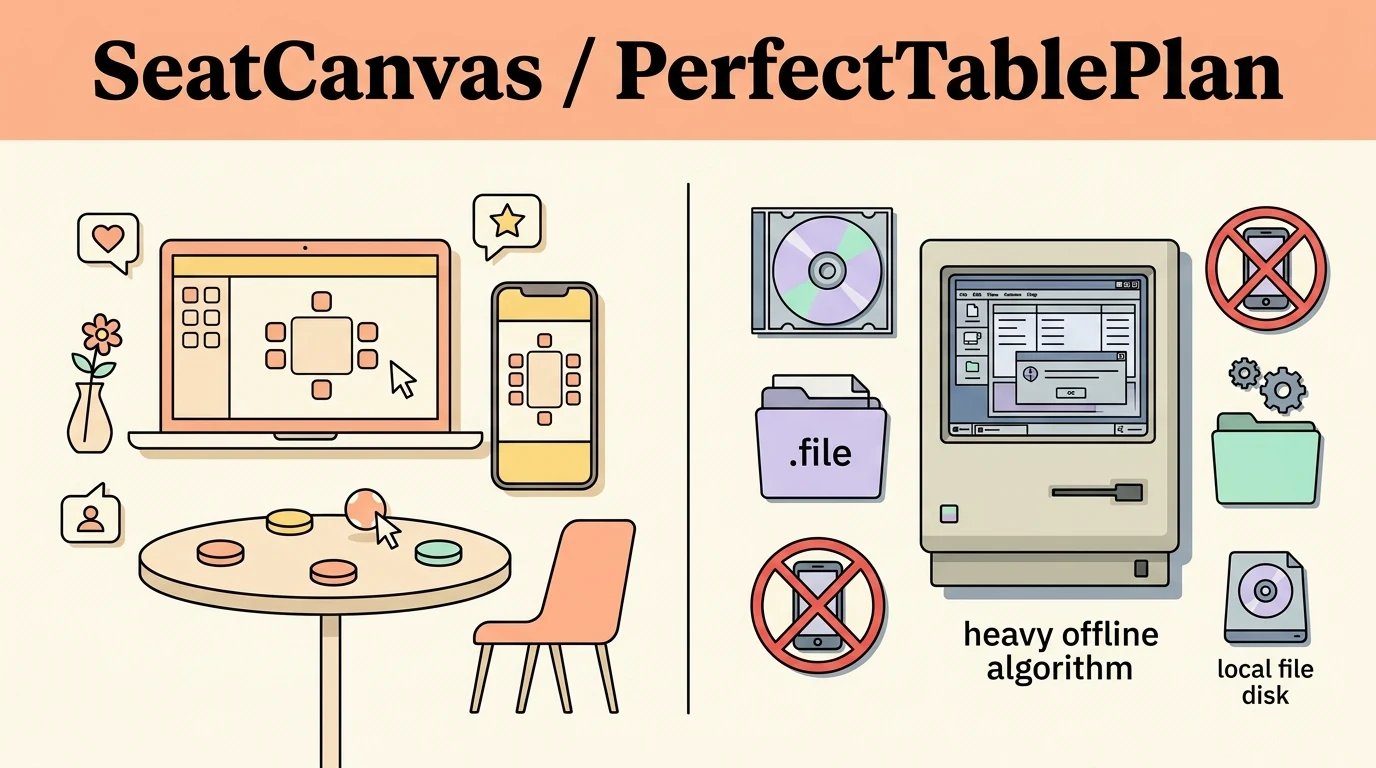
PerfectTablePlan is a 20-year-old Windows/Mac desktop tool with a genuinely powerful auto-seating algorithm — but it requires an install, stores plans as local files, and has no mobile access. SeatCanvas runs in any browser at $19.99 one-time, with a permanent free tier up to 40 guests and cloud save built in.
Who should use what
Pick SeatCanvas if
Couples who want a seating chart in a browser — on any device, no install, with a permanent free tier and cloud save.
Pick PerfectTablePlan if
Power users who want a deep local auto-seating algorithm, work offline, and are comfortable managing a desktop application and version upgrades.
Feature comparison
| Feature | SeatCanvas | PerfectTablePlan |
|---|---|---|
| Drag-and-drop seating | ✓ | ✓ |
| Auto-seating algorithm | ✗ | ✓ |
| Browser-based (no install) | ✓ | ✗ |
| Mobile + tablet access | ✓ | ✗ |
| Cloud save and sync | ✓ | ✗ |
| Permanent free tier | ✓ | ✗ |
| One-time pricing | ✓ | ✓ |
| CSV/Excel guest import | ✓ | ✓ |
| PDF export | ✓ | ✓ |
| Offline use (no internet needed) | ✗ | ✓ |
| Spanish-language interface | ✓ | ✗ |
| Real-time collaboration | ✗ | ✗ |
Pricing
SeatCanvas
Free + $19.99 one-time
Free up to 40 guests
Unlimited guest seating, one-time payment
PerfectTablePlan
Paid one-time desktop license (Home / Advanced / Professional editions)
Free tier: Free trial only — no permanent free plan
Three editions — Home, Advanced, and Professional — each a one-time purchase per user, covering up to 5 personal PCs/Macs. Major version upgrades (V6→V7) require an additional payment, at a discount from the full edition price. Check PerfectTablePlan's pricing page for current figures.
How to migrate
- Open your event in PerfectTablePlan. Go to File → Export and select 'guest and seating data to Excel/CSV/delimited text file.'
- In the Export Data window, choose CSV as the format. Select whether to export a record per guest or per group, set the file location, and save.
- Open the SeatCanvas planner in your browser. No sign-in required for events up to 40 guests.
- Click the guest list icon and choose Import CSV. Upload the CSV file you exported from PerfectTablePlan.
- Use the column-mapping dropdowns to match PerfectTablePlan's column names to SeatCanvas's name and party-size fields.
- Redraw your room layout in SeatCanvas — the floor plan does not transfer from PerfectTablePlan's .ptp format. Then drag guests into seats and export the finished chart as a PDF.
The 20-year desktop tool vs the browser tab
PerfectTablePlan launched in 2005. Two decades of iteration on one idea: help someone lay out a seating chart without a spreadsheet. The auto-seating algorithm is the most-cited reason people stick with it — a genetic algorithm that scores seating arrangements against your proximity rules (who should sit near whom, who definitely should not) and surfaces the highest-scoring plan. For a guest list with complex social constraints, 200 people, and a half-dozen family fault lines, that algorithm earns its keep.
The tradeoff is the delivery model. The answer to “where does this run?” in 2005 was Windows. Then Mac. Twenty years later, that’s still the answer. Plans are local files. There’s no cloud. There’s no mobile version. Syncing across devices means emailing a .ptp file. If you want to check the chart on your phone at the venue, you can’t.
SeatCanvas works from a browser tab. No install, no file management, no version cycle. The free tier covers 40 guests — enough for a smaller wedding or ceremony with no card required. The Event Pass is $19.99 one-time for anything over 40 guests. When you’re done, you export a PDF and close the tab. That’s the whole transaction.
What PerfectTablePlan does better
The auto-seating algorithm is the real win. PerfectTablePlan’s genetic algorithm processes proximity rules — sit X near Y, keep A away from B — across hundreds of permutations and finds the best arrangement it can. For a couple managing divorced parents, multiple friend groups that don’t mix, and elderly relatives who need a specific corner of the room: run the algorithm, then tweak manually. SeatCanvas doesn’t have an equivalent; you drag and seat everyone yourself.
Offline use is a genuine advantage for some situations. PerfectTablePlan installs on your computer and runs without an internet connection. If your venue has unreliable Wi-Fi and you’re updating the chart on a laptop day-of, PerfectTablePlan doesn’t care. SeatCanvas needs a browser connection for saving and rendering.
The Professional edition also targets coordinators running multiple events as a business tool, not just one wedding. If you’re a professional planner doing 20+ events a year, PerfectTablePlan’s depth — meal tracking, place card printing, custom reports — fits that workflow. SeatCanvas prices per event, not per planner.
What SeatCanvas does instead
Any device. A browser on a laptop, a phone at the venue, a tablet the coordinator can carry through the room. PerfectTablePlan’s answer to “can I check the chart on my phone?” is no.
Cloud save. Update the chart at home on your laptop; your partner can open it from work an hour later. No file attachment, no version-number confusion. PerfectTablePlan requires manually sharing the .ptp file each time it changes.
A permanent free tier. Forty guests, full canvas, full export tools, no timer. A small wedding or cocktail party costs nothing. PerfectTablePlan’s trial eventually runs out and you buy or you stop.
And $19.99. PerfectTablePlan’s licenses are priced per user — fine for one person, but if two of you are managing the plan, you’re paying for two seats, with no cloud sync to share the file anyway. SeatCanvas’s $19.99 Event Pass is per event, accessed from any device under the same account.
Moving your guest list from PerfectTablePlan
The floor plan itself doesn’t migrate — PerfectTablePlan’s .ptp format is proprietary and SeatCanvas can’t read it directly. You’ll redraw the room layout, which takes a few minutes. The guest list is the more time-consuming part, and that does transfer cleanly:
- Open your plan in PerfectTablePlan. Go to File → Export and select “guest and seating data to Excel/CSV/delimited text file.”
- In the Export Data window, choose CSV format. Select whether you want a record per guest or per group, then save the file.
- Open the SeatCanvas planner. No account required for events under 40 guests.
- Click the guest list icon → Import CSV and upload the file.
- Map PerfectTablePlan’s column names to SeatCanvas’s name and party-size fields using the dropdown.
Most wedding-scale lists transfer in a few minutes. The redraw of the room layout adds another 10-15 minutes, but also gives you a chance to update the setup if anything changed since you last touched PerfectTablePlan.
See the CSV import feature page for column mapping details, and the alternatives hub for other comparisons, including SeatCanvas vs AllSeated if you’re also evaluating enterprise event tools.
The honest comparison
PerfectTablePlan has 20 years of polish and an auto-seating algorithm that’s genuinely useful for complex guest lists. For a professional coordinator or a couple with intricate seating logic, that algorithm is worth the install.
For a couple planning one wedding from a laptop — and occasionally checking things on a phone — the install, the local file management, and the absence of mobile access are friction for two months of use. SeatCanvas skips all of it. Open a tab, import the guest list, seat everyone, export the chart, close the tab.
Start the SeatCanvas planner or see the full pricing breakdown first. Both free.
Frequently asked questions
- Is PerfectTablePlan available online or as a web app?
No. PerfectTablePlan is a desktop application for Windows and Mac only. There is no browser-based or online version. Plans are saved as local .ptp files on your computer with no cloud sync.
- How is PerfectTablePlan priced?
PerfectTablePlan V7 comes in three editions — Home, Advanced, and Professional — each a one-time payment per user, covering up to 5 personal PCs or Macs. The Home edition is the entry tier; Advanced and Professional add capacity and features for power users and planners. A free trial is available without signing up, and major version upgrades (V6 to V7, for example) require an additional payment at a discount from the full edition price. See PerfectTablePlan's pricing page for current figures.
- Does PerfectTablePlan have a free plan?
No permanent free plan. PerfectTablePlan offers a time-limited trial — you can download and try the software without signing up, but purchasing a license is required to keep using it. SeatCanvas has a permanent free tier: events up to 40 guests use the full planner at no cost, with no trial countdown.
- Can I use PerfectTablePlan on my phone or tablet?
No. PerfectTablePlan is Windows and Mac only. There is no iOS app, no Android app, and no mobile browser version. SeatCanvas runs in any mobile browser — you can drag guests into seats on a phone or tablet.
- How do I export my guest list from PerfectTablePlan to SeatCanvas?
In PerfectTablePlan, go to File → Export and select 'guest and seating data to Excel/CSV/delimited text file.' In the Export Data window, choose CSV format and save the file. Then open the SeatCanvas planner, click the guest list icon, choose Import CSV, and upload the file. Use the column-mapping step to match PerfectTablePlan's column names to SeatCanvas's name and party-size fields.
Try SeatCanvas free
Up to 40 guests free. No credit card required.