Perfect Vector Layouts
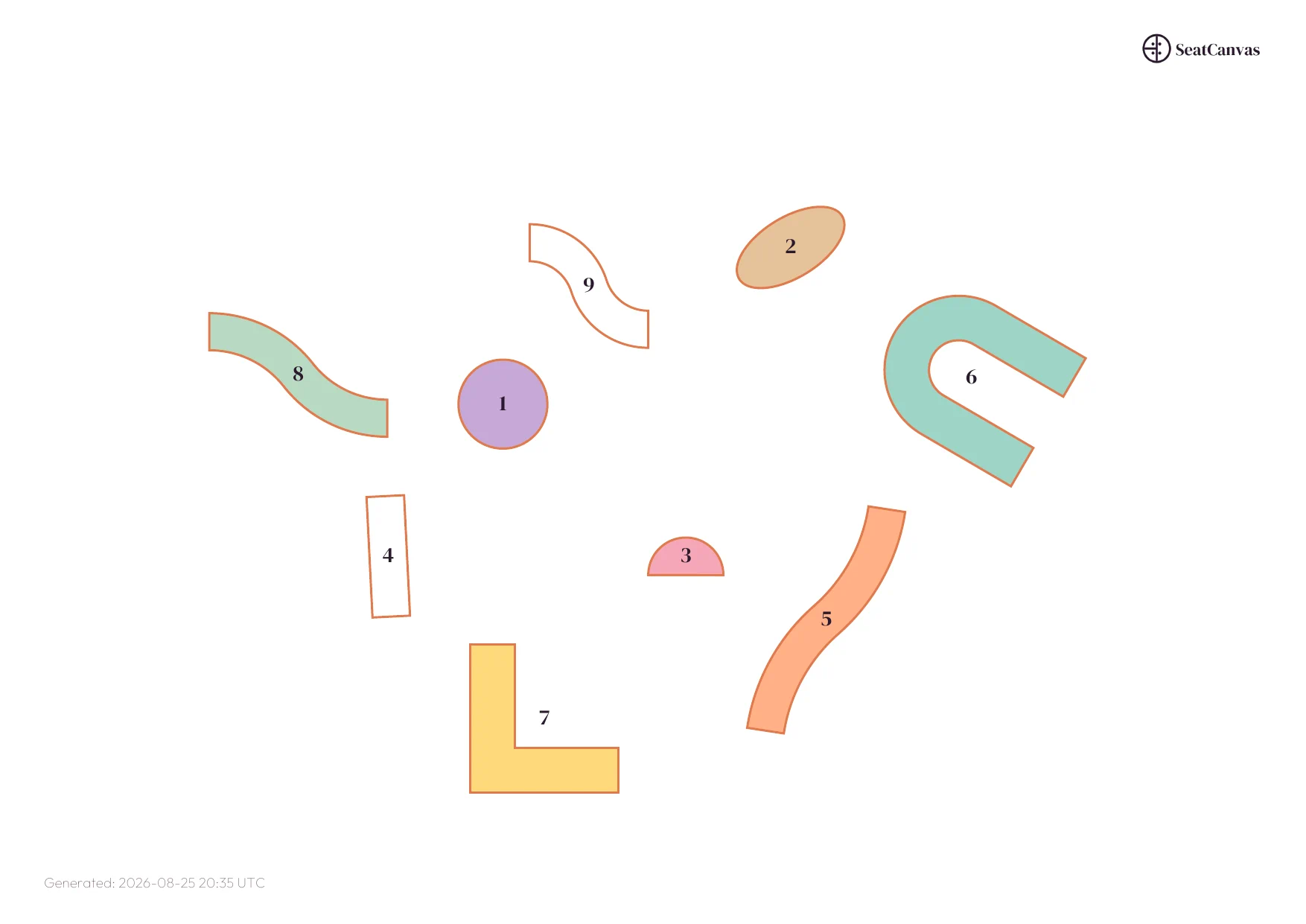
We draw our PDFs with native vectors. They scale infinitely. Table boundaries, room borders, text—everything you built with the drag & drop builder —all stay sharp. Print it on a massive board at the venue. To keep things clean, we hide the individual seats and punch up the table numbers. The result is flawless.
- Razor-sharp text at any size
- True vector lines. No pixelation.
- High-contrast grayscale. Perfect for the printer.
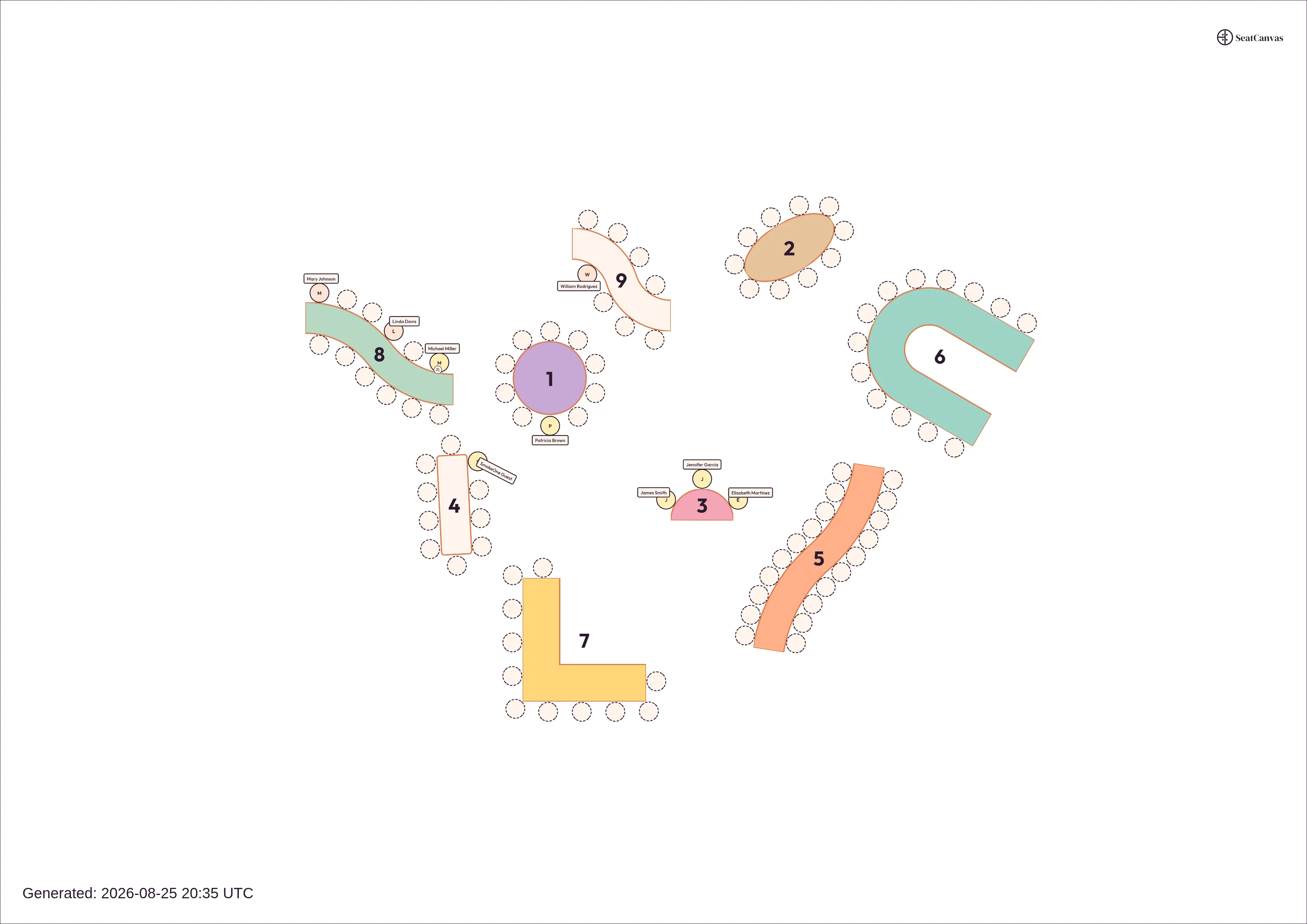
High-Resolution PNGs in One Click
Stop taking blurry screenshots of your layout. When you need to drop an update into a WhatsApp group or email thread, export your canvas as a 300 DPI image.
One click gives you an A4 digital master. Full color. Completely ready to share.
Give Vendors What They Need
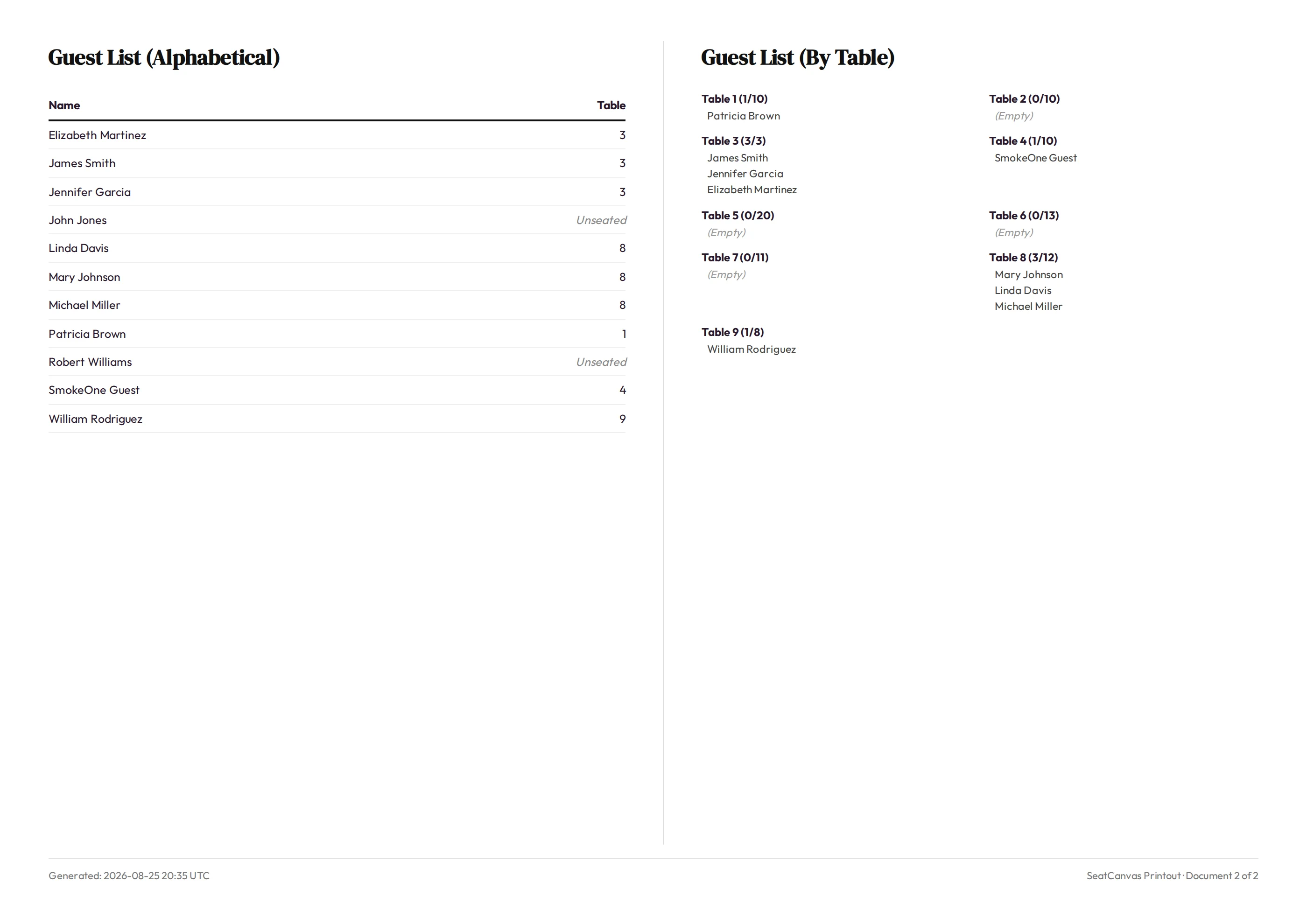
Vendors need clear instructions, not guessing games. Import your guest list first, and our PDF generator builds the visual layout and attaches the guest lists automatically. Alphabetical. Table-by-table. The venue gets a perfectly aligned map. The caterer gets the numbers. You get the peace of mind. Want to see the full workflow? Read our wedding seating chart guide.
Frequently Asked Questions
Do you add watermarks?
Free users can preview exports to check the quality. Upgrading to the Premium Event Pass removes the watermark entirely. Clean downloads. Ready for professional use.
How big are the files?
A4 landscape. Both PDF and PNG formats. If your layout is portrait, we rotate it for you. PNGs come out at 300 DPI (3508 x 2480 pixels). Every pixel matters.
What about the guest list?
We attach it directly to the PDF. You get an alphabetical index and detailed table summaries. Everything formatted beautifully over multiple pages. No extra work.
Ready to print?
Thousands of planners use SeatCanvas to deliver professional floor plans. Build yours.
Start Free Project