How Smart Seat works
Sort your guests
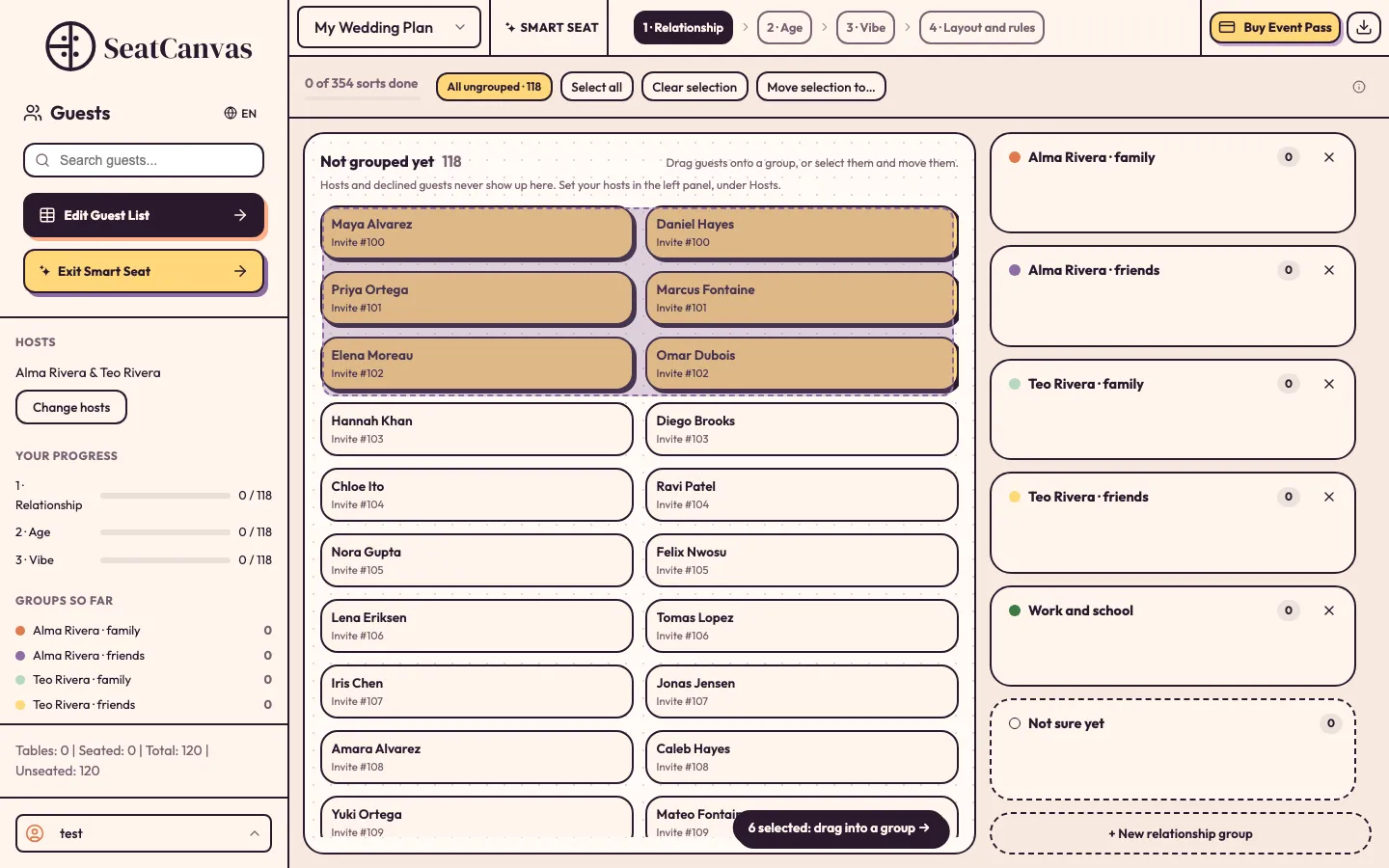
Group guests by relationship, then by age, then by vibe. Box-select or Shift-click a whole table's worth of cards and drag them onto a group in one move. For weddings, Smart Seat pre-sorts what it can from the side and relationship already on your list, and you adjust the rest.
Set the rules
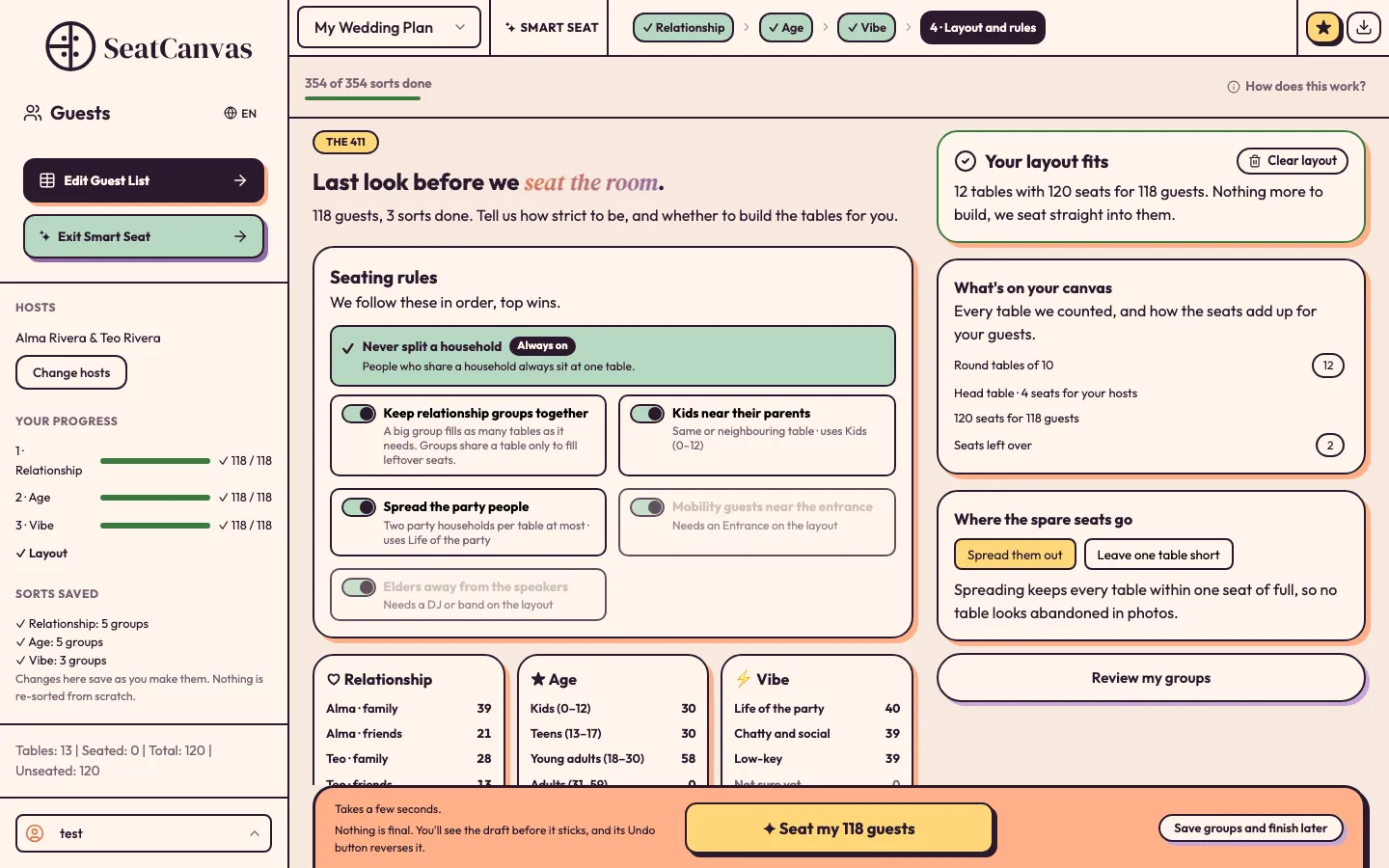
Households always stay together. Turn on the rules you care about. They are listed in priority order, and Smart Seat follows them from the top down.
Seat the room
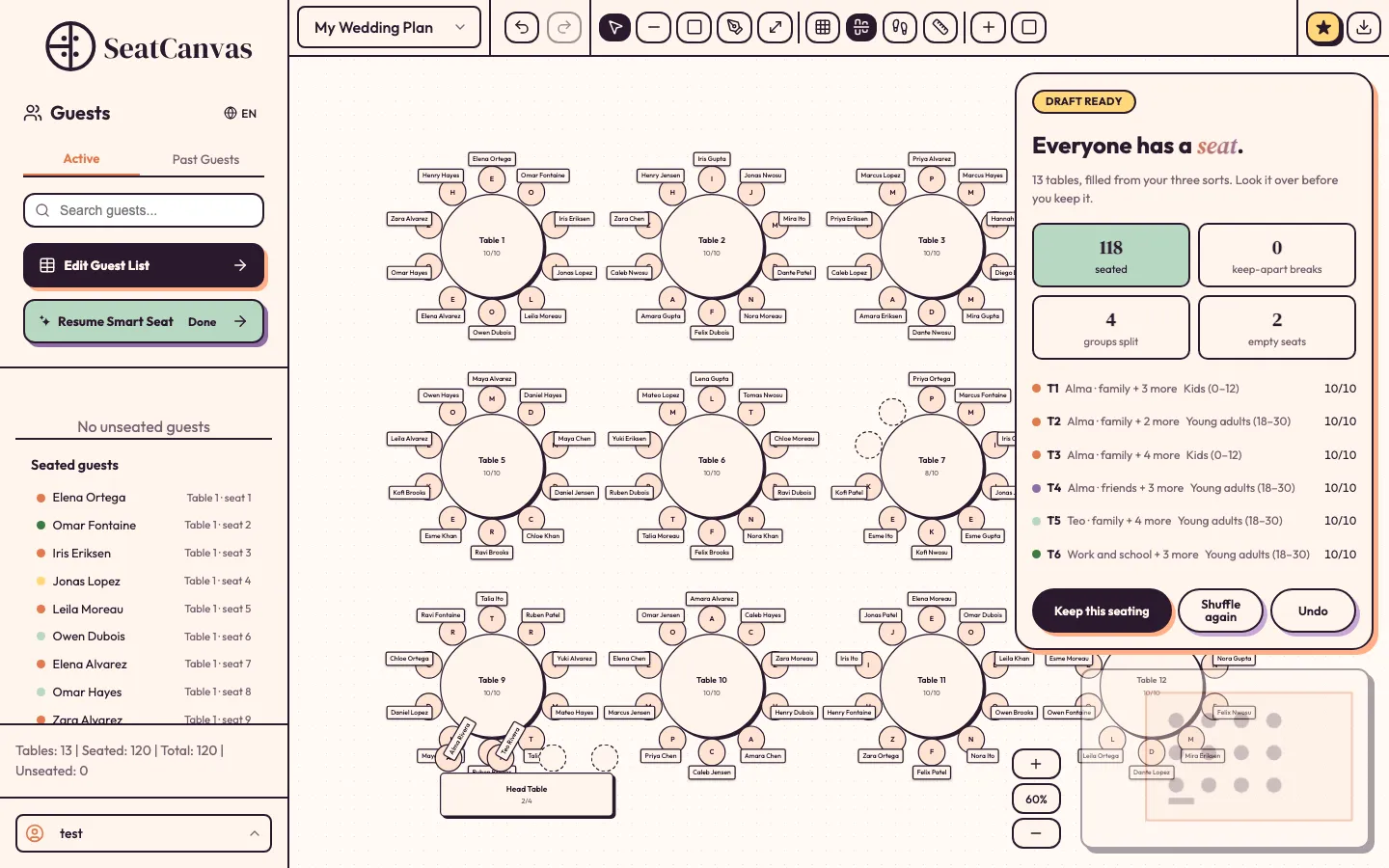
One click turns your groups into a full seating draft on your real canvas, with notes that explain every compromise.
If you would rather brainstorm a seating plan in a chat assistant first, our guide to AI seating chart generators walks through that approach.
The rules Smart Seat follows
Always on
- Never split a household: people who share a household always sit at one table.
- Keep relationship groups together: a big group fills as many tables as it needs.
- Keep-apart pairs from Collision Creator are a hard rule, and Smart Seat tells you if a pair cannot be separated.
- Your hosts (the couple, the quinceañera or the event hosts) stay out of the sorting and sit at the head table.
Applied once your plan has them
- Kids near their parents, once you have an age group named Kids.
- Party people spread out, two party households per table at most, once you have a vibe group named Life of the party.
- Guests with mobility needs near the entrance, once the entrance is on your layout.
- Elders away from the speakers, once your layout has a DJ or band and you have an age group named Elders.
No tables yet? It builds them
If your canvas is empty or short on seats, Smart Seat offers to build the layout: round, rectangular or mixed tables with 8, 10 or 12 seats, an optional head table for your hosts, and extra tables for late RSVPs. The tables it builds stay in your plan.
You stay in control
Smart Seat gives you a draft first. The result panel shows how many guests are seated, any keep-apart pair it could not separate, any group it had to split and the empty seats, with a summary line for each table. Shuffle again for a different draft or undo it. With the Event Pass you keep the seating and drag anyone by hand, like any other seat.
Free preview, or every guest seated
With a free account you can sort every guest, set the rules, build tables and run Smart Seat as a preview: it shows the seating with your hosts and up to 40 guests by name, and everyone else as Guest. Your groups and any tables it builds stay in your plan. The $19.99 one-time Event Pass lets Smart Seat seat every guest for real, ready to edit and keep.
Compare plans on the pricing pageFrequently Asked Questions
What is Smart Seat?
Smart Seat is the AI seating assistant built into SeatCanvas. You sort your guests by relationship, age and vibe, choose the seating rules, and it seats every table on your canvas. It is available on a laptop or desktop.
Is Smart Seat free?
You can try it free with a SeatCanvas account: sort your guests, build tables and run a preview that shows up to 40 guests by name. Seating every guest for real is part of the one-time $19.99 Event Pass.
Does Smart Seat split households or couples?
No. People who share a household always sit at the same table, so couples and families listed as one household stay together. Smart Seat also treats your keep-apart pairs as a hard rule and tells you if one cannot be separated.
Can I change the seating after Smart Seat runs?
Yes. Smart Seat gives you a draft first. You can shuffle again or undo it, and once you keep it with the Event Pass, every seat is a normal seat you can drag by hand.
Do I need tables first?
No. If your canvas has no tables, or not enough seats, Smart Seat can build round, rectangular or mixed tables with 8, 10 or 12 seats, plus an optional head table and extra tables for late RSVPs.
Does Smart Seat work on my phone?
Not yet. Smart Seat runs in the planner on a laptop or desktop browser. On a phone, the planner opens without Smart Seat.
Ready to let AI seat your guests?
Sort your guests once, set your rules, and let Smart Seat draft the room.
Try Smart Seat free