We Take Your Spreadsheet
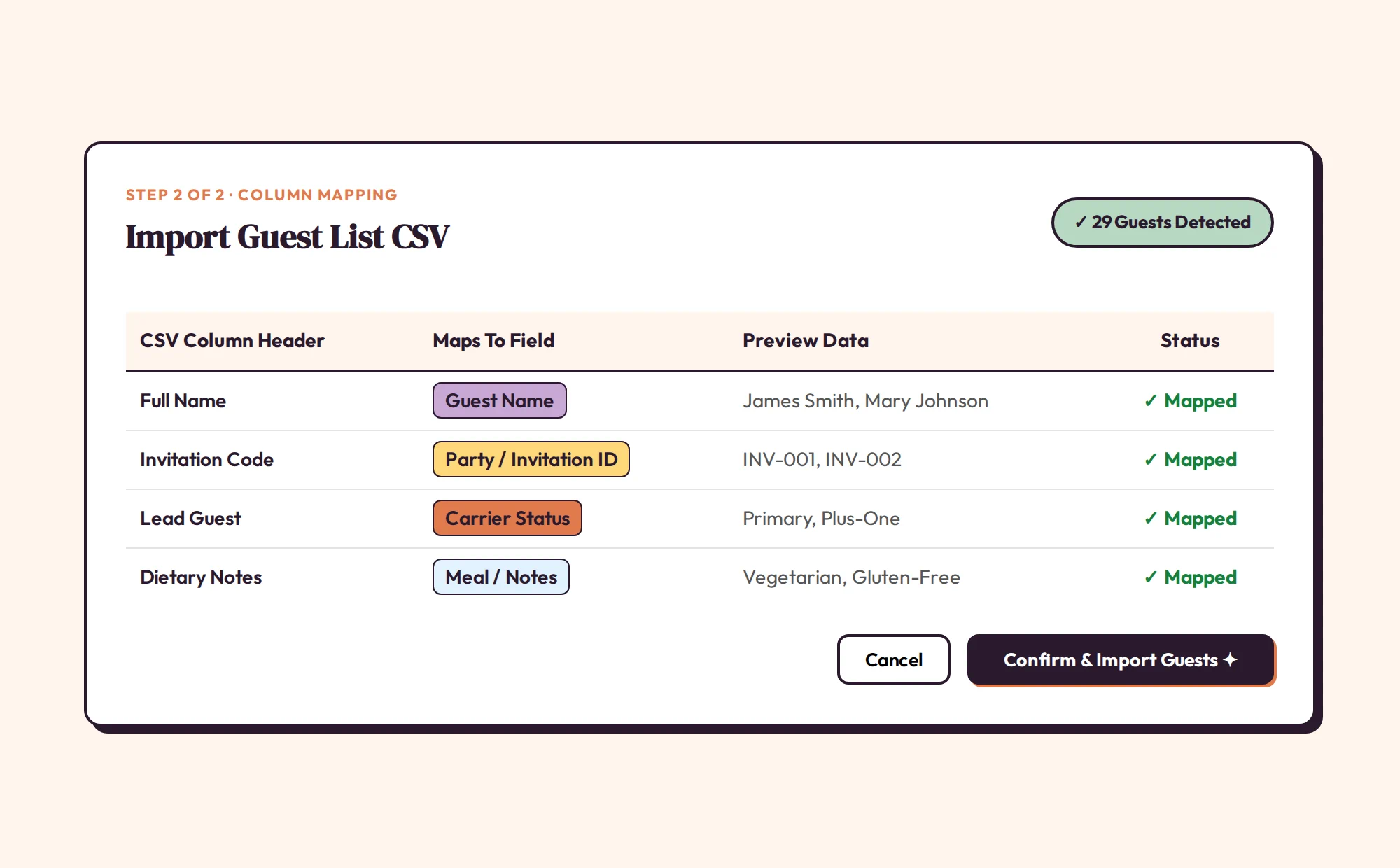
Building a floor plan shouldn't start with endless copy-pasting. Export your guest list to a .csv file and drop it right into SeatCanvas. If you're using The Knot, see exactly how to export and import your guest list . You can even use ChatGPT to pre-sort your guests before importing. We grab Name, Invitation ID, and Carrier status. You confirm it looks right. Then your guests appear on screen, ready to seat.
- Strict .csv support for clean imports.
- Maps Name, Invitation ID, and lead guest.
- Preview everything before confirming.
Move Families as a Block
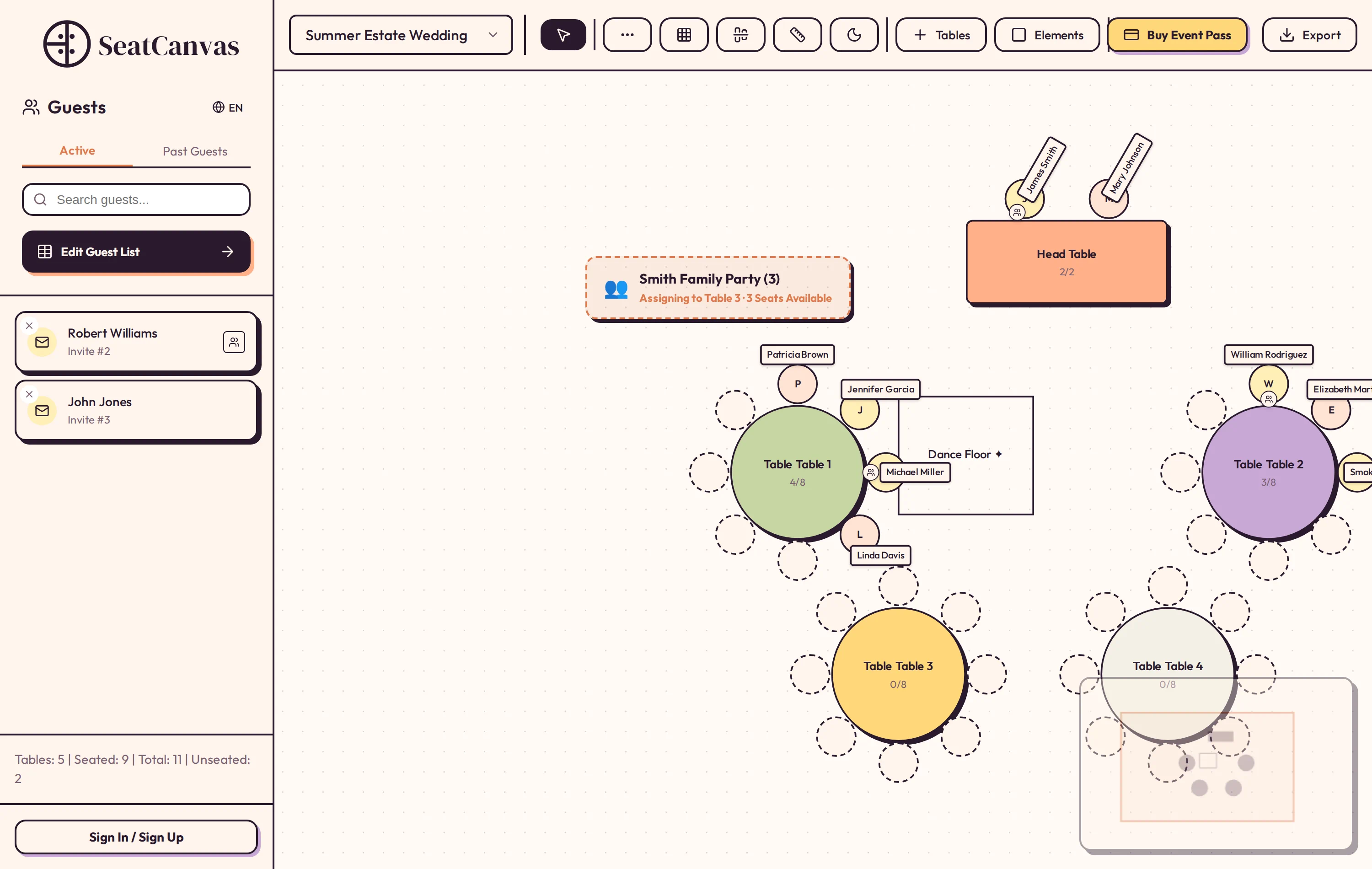
Fifty individual rows don't matter. The relationships do. We use your 'Invitation ID' to bind couples and families under one Carrier guest. When seating, grab the carrier by the group icon. Drag them to Table 4 using our drag & drop layout builder , and their entire party follows. You will never accidentally split up a couple.
Forget Spreadsheets on Friday
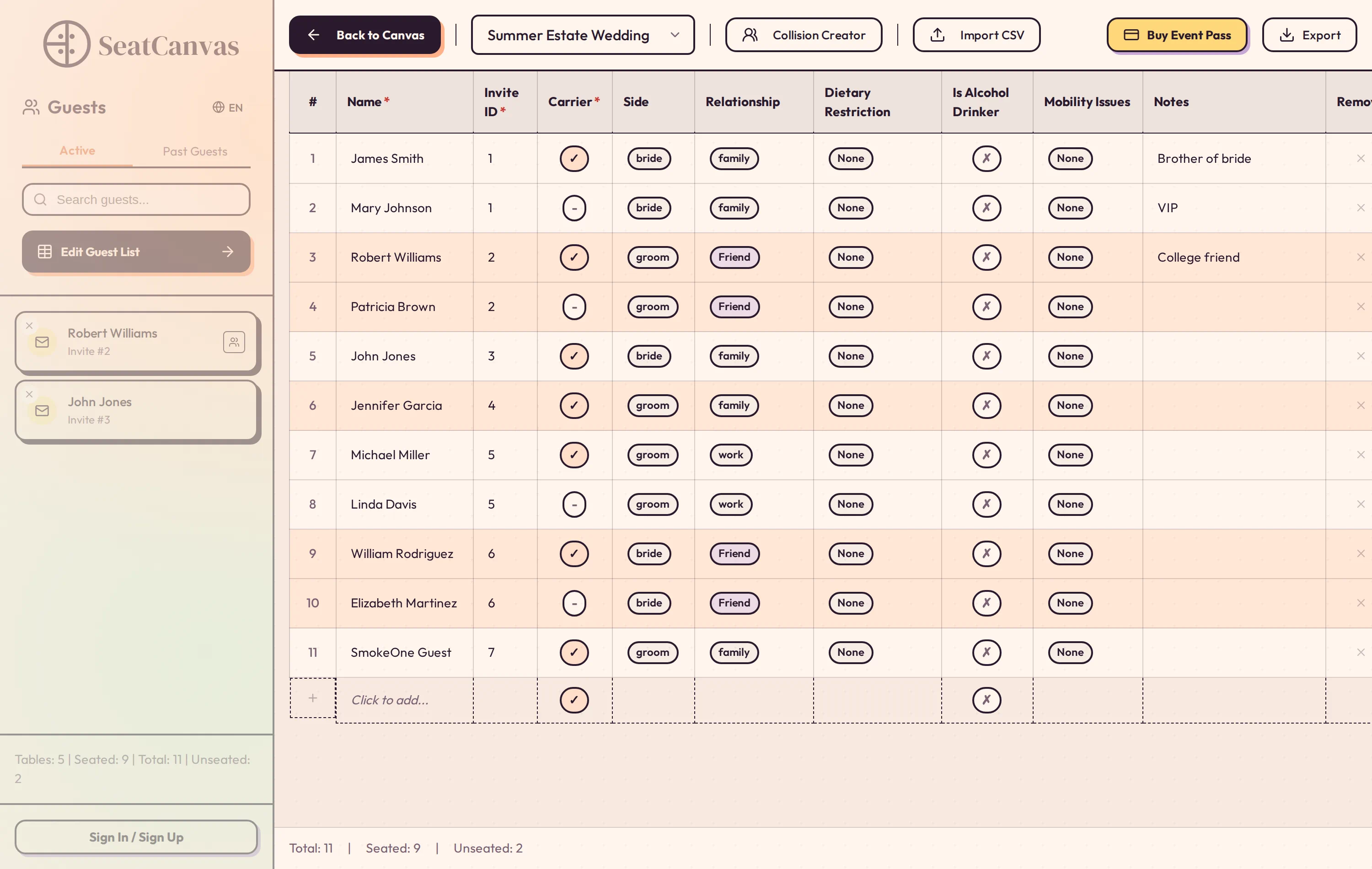
Guest lists shift hourly. The client emails you Friday afternoon to add a plus-one and drop two existing guests. Don't touch the CSV. Just use 'Add Guest' inside SeatCanvas. Add the new guest, link them to the family, or clear an old RSVP in seconds. The plan stays intact.
Frequently Asked Questions
What if my CSV is badly formatted?
You have manual control. Our importer gives you the final say. Pick which column exactly means 'Name' or 'Invitation' before anything hits your chart.
Does it map meals or tags?
No. The importer strict-maps Name, ID, and Carrier status to build the foundation. You apply custom tags and meal choices directly inside your seating canvas.
Can I get the final list out?
Yes. Assign your seats, then export the finished list to a .csv file. This file includes the new Table Numbers. Hand it to the venue or open it in Excel.