WeddingWire Seating Chart: Limitations, Review & Free Alternative (2026)
SeatCanvas is the $19.99 one-time standalone seating chart for couples who want custom tables, CSV spreadsheet import, and vendor-ready PDF exports in any browser without joining a vendor marketplace.
WeddingWire offers a free seating chart bundled inside its comprehensive wedding vendor directory, website builder, registry, and RSVP management suite.
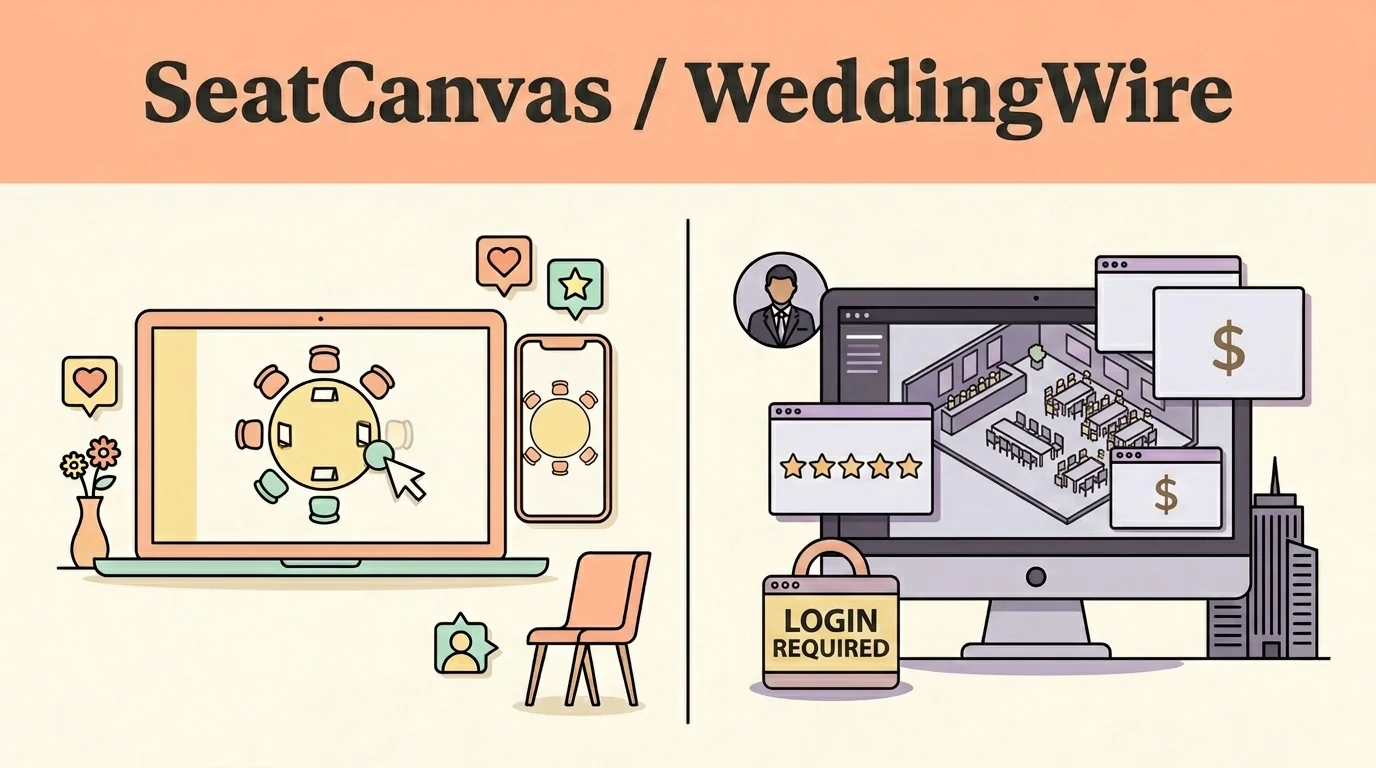
Which one fits you
Choose based on your real event scale and team workflow.
Pick SeatCanvas if
- Couples who want a focused, standalone seating tool without joining an advertising-driven vendor directory
- Planners who already have their guest list in Excel or CSV and want to upload it directly to the room layout
- Events requiring custom table geometries like banquets, serpentine curves, or asymmetrical venue footprints
- Bilingual families and planners needing a complete Spanish-language interface without vendor ads
Pick WeddingWire if
- Couples already planning their entire wedding through WeddingWire's vendor directory, website, and registry
- Anyone looking for an entirely free seating tool with zero guest headcount restrictions on a zero-dollar budget
- Couples who appreciate AI-assisted grouping suggestions to jumpstart table arrangement from scratch
- Multi-event celebrations where rehearsal dinners, welcome drinks, and receptions share one central guest list
The five differences that decide this
The load-bearing distinctions between the two products, stated directly.
| Criterion | SeatCanvas | WeddingWire |
|---|---|---|
| Account requirement | Standalone tool with Google or Microsoft SSO; no marketplace profile created | Requires a full WeddingWire marketplace account and vendor profile access |
| Table geometry | Round, rectangular, oval, serpentine, banquet, and custom head tables | Standard circular and square tables with generic bar/dance-floor blocks |
| Spreadsheet import | Direct CSV upload into the canvas with flexible column header mapping | Pulls guests from WeddingWire's built-in guest list manager only |
| Export formats | Print-ready PDF, high-res PNG image, and CSV seat assignment spreadsheets | Basic visual and summary text PDF printouts formatted for home printing |
| Pricing structure | Free up to 40 guests; $19.99 one-time Event Pass for unlimited seating | Free with no guest limits, supported by vendor marketplace advertising |
What one wedding actually costs
Standardized baseline: One wedding, 120 guests, one person planning it
- Free tier covers up to 40 seated guests permanently
- $19.99 one-time Event Pass unlocks unlimited guests and exports
- No recurring subscription, no marketing ads while planning
- No monetary cost or guest limit for the seating chart
- Ad-supported platform monetized via vendor directory listings
- Requires creating and maintaining a WeddingWire member account
Checked at https://www.weddingwire.com/wedding-planning/wedding-seating-charts.html on 2026-09-17. If it changes, this page changes.
When WeddingWire is the better choice
- WeddingWire is completely free with no guest limits, making it attractive for budget-conscious couples with large lists.
- Built-in AI grouping suggestions provide a helpful starting point when staring at an intimidating blank reception room.
- Direct synchronization across multi-day celebration events (rehearsal dinners, brunches) saves re-entering guests.
If you are already running your entire wedding through WeddingWire's website, vendor contacts, and registry, using their free integrated chart makes practical sense.
Moving your guest list over
What to expect before you spend time switching.
- ✓ Guest first and last names
- ✓ Party sizes and plus-one counts
- ✓ Meal preferences and RSVP confirmation status
- — Canvas table coordinates and visual room arrangements
- — WeddingWire vendor directory message threads
- — Wedding website registry and checklist data
Reversible: Yes. Your original file/account is never modified or locked.
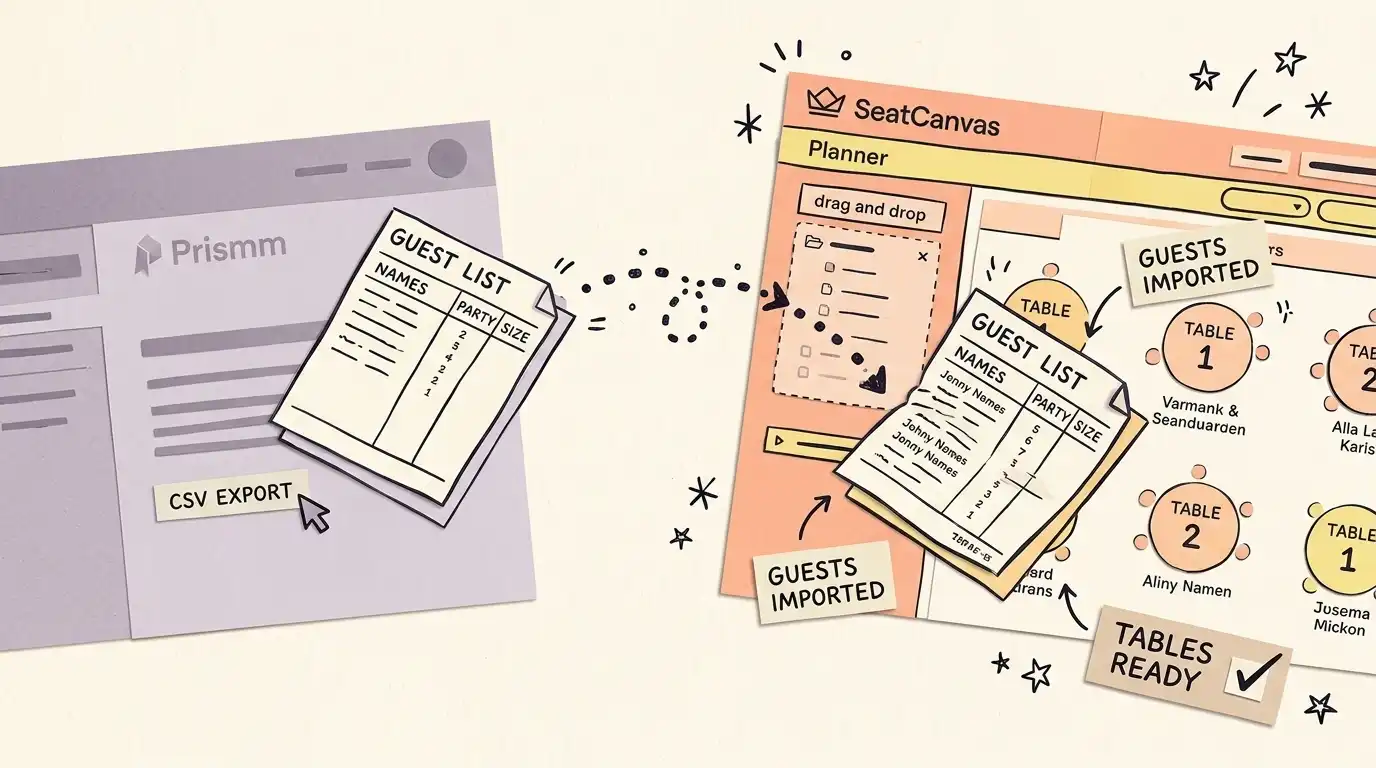
Step-by-step transfer guide
- Log in to WeddingWire, hover over 'Planning Tools', and select 'Guest List'.
- Open your event, click 'Export' on the upper right, and download your guest spreadsheet.
- Open the SeatCanvas planner in any web browser without needing a marketplace account.
- Click the guest list icon, choose Import CSV, and upload your downloaded file.
- In the column-mapping step, match WeddingWire's name and party-size fields to SeatCanvas.
- Draw your room tables, drag guests into their seats, and export your print-ready PDF.
Every feature, side by side Full comparative audit across both platforms Toggle table
| Feature | SeatCanvas | WeddingWire | What that means |
|---|---|---|---|
| SEATING | |||
| Drag-and-drop table layout | ✓ Included | ✓ Included | Arrange tables and assign guests visually on a digital reception floor plan |
| Custom table shapes | ✓ Included | Limited | Support for banquet, oval, and serpentine tables beyond standard circles and squares |
| AI grouping suggestions | Limited | ✓ Included | Automated recommendations for initial guest table clusters based on relationships. SeatCanvas: Smart Seat, the AI seating assistant, pre-sorts wedding guests whose side and relationship are already on your guest list into family, friends and work groups; you adjust the groups, and it seats them (free accounts preview the seating, the Event Pass seats every guest). |
| GUESTS | |||
| External CSV guest import | ✓ Included | Limited | Import spreadsheets directly into the canvas without routing through a portal guest list |
| Permanent free tier | ✓ Included | ✓ Included | Use core planner functionality without paying; SeatCanvas caps at 40 guests, WeddingWire is unlimited |
| EXPORTS | |||
| Print-ready PDF export | ✓ Included | ✓ Included | High-resolution documents suitable for venue floor managers and catering staff |
| PNG and seat assignment CSV export | ✓ Included | Limited | Export graphical image files and tabular seat rosters for stationery printers |
| PRICING | |||
| Ad-free planning workspace | ✓ Included | Not available | Focus strictly on table layouts without sponsored vendor advertisements |
| SUPPORT | |||
| Standalone utility (no directory) | ✓ Included | Not available | Operate independently without signing up for a broader vendor marketplace |
| Bilingual interface (EN/ES) | ✓ Included | Not available | Full native localization in Spanish and English for multicultural wedding parties |
The seating chart inside the marketplace
Yes — the WeddingWire seating chart tool is real, and it’s free. It’s one of the planning tools bundled into WeddingWire’s own vendor marketplace, alongside the guest list, checklist, and website builder.
WeddingWire is a vendor marketplace first. It’s where couples find and book photographers, florists, venues, and caterers, read reviews, and run a wedding website and registry. That’s the product. The seating chart is one of the free planning tools bundled alongside the guest list, the checklist, and the website builder.
And the seating chart is fine. It’s free, it syncs with your WeddingWire guest list, you drag names onto circular or square tables, you carve out custom areas for the bar and the dance floor. There’s even an AI feature that suggests initial groupings when you’re staring at a blank room. For a couple already living inside WeddingWire, opening the seating tool is one more tab in a place they already know.
The catch is the boundary. The chart only works inside the marketplace. You need a WeddingWire account, your guests have to live in WeddingWire’s guest list first, and the tool assumes you’re there to book vendors too. If you just want a seating chart — nothing else — you’re signing up for a marketplace to get one feature.
What the WeddingWire seating chart can and cannot do
WeddingWire’s seating chart is free to use, with no separate paid tier. The catch is that it isn’t a standalone tool — it requires a WeddingWire account, and you work inside the same login you’d use to book vendors, not a piece of software you can open on its own.
On table shapes, WeddingWire’s own tool page describes circular or square tables, plus custom areas for the bar and the dance floor.
On export, WeddingWire lets you print, email or export your chart in a visual or list format — useful if you need to hand something to a vendor or a venue coordinator without pulling them into your account.
What WeddingWire does better
The marketplace itself. Vendor search, verified reviews, a wedding website, a registry, RSVP collection — WeddingWire runs the whole wedding. SeatCanvas does none of that and never will. If you want one login for booking vendors through seating them, WeddingWire is built for exactly that and SeatCanvas isn’t.
The guest list sync is genuinely convenient. Because the seating chart reads straight from your WeddingWire guest list, there’s no import step — your guests are already there when you open the tool. And WeddingWire handles seating across multiple celebration events, not just the reception, which matters for a multi-day wedding.
It’s free with no guest cap. WeddingWire’s seating chart doesn’t meter you by headcount. SeatCanvas is free up to 40 guests and then asks for a one-time Event Pass for unlimited seating. For a large wedding on a strict zero-dollar budget, that’s a real point for WeddingWire.
What SeatCanvas does instead
No marketplace to join. SeatCanvas is the seating chart and only the seating chart. Sign in with Google or Microsoft, draw the room, seat your guests. You’re not creating a vendor-marketplace profile to lay out one reception.
Bring your own guest list. SeatCanvas takes any CSV — from a spreadsheet, from WeddingWire’s own export, from another planner. Import it, map the columns, start seating. WeddingWire can import a spreadsheet too, but into its guest list, which then feeds the chart; SeatCanvas drops your CSV straight into the planner.
More room shapes. Round, rectangular, and custom tables instead of circular and square. For a long banquet layout or an irregular venue, that flexibility is the difference between a chart that matches the room and one that approximates it.
Exports that leave the platform. PDF, PNG, and a CSV of seat assignments. The PDF is print-ready for the venue and the caterer. There’s also a Spanish-language interface — useful for Quinceañeras and bilingual families — and no vendor ads in your face while you work.
Moving your guest list from WeddingWire
WeddingWire’s guest list exports as a spreadsheet, so the transfer is quick.
- Log in to WeddingWire, hover over Planning Tools, and click Guest List.
- Open your event, click Export on the right, and choose the download option to save the guest data as a spreadsheet.
- Open the SeatCanvas planner in any browser. No WeddingWire account needed on this side.
- Click the guest list icon → Import CSV → upload the WeddingWire export. If it downloaded as an .xls, save it as .csv first.
- In the column-mapping step, match WeddingWire’s name column to SeatCanvas’s name field and set party size.
- Draw your room in SeatCanvas, drag guests into seats, and export a PDF for your venue.
The seat positions from WeddingWire don’t carry over — its chart layout doesn’t export to a portable format — but the guest data does, and redrawing the room takes 10 to 15 minutes for most layouts. See the CSV import feature for column-mapping details.
Honest take
WeddingWire and The Knot are the same company now — The Knot Worldwide, formed when the two merged in 2018 — so if you’re weighing WeddingWire you may also be looking at SeatCanvas vs The Knot. They do not run the same play, though: WeddingWire’s free drag-and-drop chart sits as one feature inside a vendor marketplace, while The Knot ships printable seating chart templates and leaves the arranging to you.
If you’re already booking your vendors, building your website, and collecting RSVPs through WeddingWire, use its seating chart. It’s free, it’s right there, and the guest list is already loaded.
But if you want a seating chart without the marketplace around it — your own CSV, custom table shapes, exports that go straight to the venue, no account in a vendor directory — that’s SeatCanvas. Free up to 40 guests, a one-time unlock for more, open in any browser.
For other comparisons, the alternatives hub has the full set — including SeatCanvas vs Zola, the other free-bundled suite, and SeatCanvas vs AllSeated for the enterprise end. Or just see the pricing and start free.
Frequently asked questions
- Does WeddingWire have a seating chart tool?
Yes. WeddingWire's seating chart is a real feature, not a third-party add-on: it lives inside WeddingWire's own planning suite and opens from the same account you'd use to book vendors.
- What are the limitations of WeddingWire's seating chart?
Mainly the account, not the price. The chart requires a WeddingWire account and pulls guests from WeddingWire's own guest list, so it's not something you can use as a quick, standalone tool. Exporting works through the tool's own print, email or export flow, in a visual or list format.
- Does WeddingWire show vendor ads while you plan?
WeddingWire is an ad-supported vendor directory — it sells vendors paid 'Premium placement' in its listings, and vendor discovery is the whole point of the platform. What I can't tell you from the outside is whether ads appear inside the seating-chart tool itself, because the tool sits behind a WeddingWire signup. SeatCanvas has no marketplace and shows no vendor ads at all.
- Is WeddingWire's seating chart free?
Yes. WeddingWire's seating chart is free with no guest cap. It's one tool inside WeddingWire's vendor marketplace, so it requires a WeddingWire account and pulls guests from WeddingWire's own guest list. SeatCanvas is a standalone chart — free up to 40 guests, then a one-time Event Pass for unlimited, with no marketplace account required.
- Can I use WeddingWire's seating chart without a WeddingWire account?
No. The seating chart lives inside the WeddingWire planning suite and syncs from your WeddingWire guest list, so you need an account and your guests entered there first. SeatCanvas works with a Google or Microsoft sign-in and takes any CSV file directly — no rebuilding your guest list inside a marketplace.
- Does WeddingWire's seating chart export a PDF?
Yes. You can print, email, or export the chart in a visual or list format, and download it as a PDF to share with vendors. SeatCanvas exports PDF, PNG, and a CSV of seat assignments, with round, rectangular, and custom table shapes rather than circular and square only.
- How do I move my guest list from WeddingWire to SeatCanvas?
In WeddingWire, hover over 'Planning Tools' and click 'Guest List', open your event, click 'Export', and download the spreadsheet. Then open the SeatCanvas planner, click the guest list icon, choose Import CSV, and upload the file. In the column-mapping step, match WeddingWire's name column to SeatCanvas's name field.
Try SeatCanvas free
Up to 40 guests free. No credit card required. No sales calls.
Cited sources and verification dates
- "WeddingWire seating chart is free with no guest cap"
- "WeddingWire seating chart requires a marketplace account"
- "WeddingWire and The Knot merged in 2018 to form The Knot Worldwide"
Compare other seating chart tools
Detailed, verified breakdowns of how SeatCanvas compares to alternatives.