

Most “best seating chart maker” roundups assume four walls. They picture a hotel ballroom with a fixed floor plan, numbered tables the venue already mapped, and a coordinator who hands you a diagram. An outdoor wedding has none of that. You have a lawn, a rental tent that does not exist yet, a rain plan, and wind.
The seating chart is doing more work outside. Indoors, the room tells you where the tables go. Outside, the chart is the room — it is the only place the layout exists until the rental crew shows up at 7 AM with a truck full of poles. Get the chart wrong and the crew guesses, and a guess on a lawn is expensive.
Here is the honest version for couples and planners doing an outdoor wedding: what the open-air format actually demands from a seating tool, the two charts you need instead of one, and how to keep the whole thing from literally blowing away.
The short version: An outdoor wedding chart has three jobs a ballroom chart never does — map a tent that does not exist yet, hold a rain-plan backup layout, and survive wind on the day. You want a blank canvas you can shape to your real footprint, not a stock template. SeatCanvas seats 40 free with full canvas, import, and export; past 40 it is $19.99 one-time, which matters because outdoor weddings skew large. Build the lawn layout and the rain layout in the same project, export a PDF for the rental company, and keep a copy on your phone for the day a card ends up in the hedge.
Why outdoor is a different chart
A ballroom is a solved space. The venue gives you a CAD diagram, the tables are numbered, the dance floor is where it has always been. You drop names into a grid someone else drew.
An outdoor wedding hands you a blank field. The constraints are real, but none of them are drawn for you yet:
- No walls and no fixed landmarks. Tables float in open space. A guest cannot orient by “the wall with the windows.” The chart and the signage carry the whole load.
- A tent that is still on a truck. The rental company builds the structure to your spec. If your chart and their tent plan disagree on where the poles land, two tables end up wrapped around a pole on setup day.
- A weather fork. Lawn at noon can be a tent or an indoor backup by four. That is two layouts, not one.
- Wind, sun, and slope. Escort cards blow off the table. Golden hour blinds one whole side. The lawn drops two feet from the ceremony arch to the bar.
None of that is a reason to avoid an outdoor wedding. It is the reason the chart has to be better than the one a ballroom would need. The tool you pick should make the open-field problems easy, not pretend they do not exist.

What an outdoor wedding needs from a seating tool
Try SeatCanvas — Free
Build your seating chart visually. Import guests, drag to tables, export a print-ready PDF.
Start Planning Free →Feature-count rankings miss the point here. The outdoor format rewards a specific shortlist of capabilities and ignores most of the rest.
A blank canvas, not a stock room
This is the one that matters most. Template-driven seating tools start you in a pre-drawn rectangle — a ballroom shape with the dance floor already placed. That is the wrong starting point for a lawn. Your space is whatever the rental tent and the property allow, and it is almost never a clean rectangle.
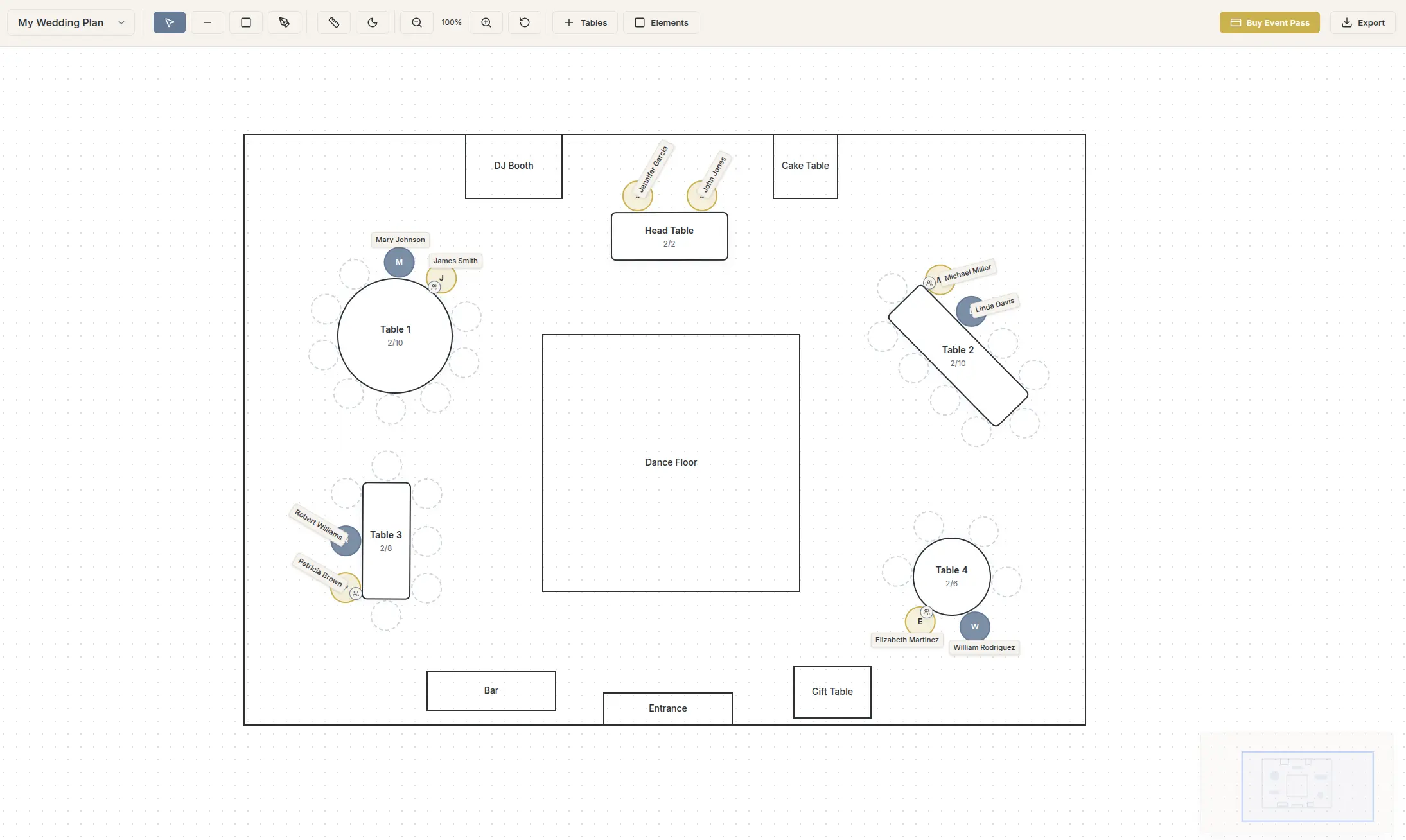
You want a tool that opens to an empty canvas and lets you build the footprint that actually matches the ground. SeatCanvas opens blank. You draw the tent outline, drop round and rectangular tables where the real ones go, and position them against the dance floor and the bar — our 80-guest garden wedding seating chart layout breaks down this exact central dance floor arrangement. A pole at the tent’s center is a real obstacle — block it out and route tables around it the same way the crew will. A drag and drop seating planner is what makes that redraw cheap — tables move as whole objects, so re-routing around a pole takes seconds, not a rebuild.
Two layouts in one project
The rain plan is not optional. If your ceremony moves from the lawn under a tent, or from a tent into a barn, the table positions change and sometimes the table count drops. You need both versions ready before the wedding week, not improvised at 8 AM in a group text.
Build the sunny layout, then duplicate the project and rework the table positions for the backup space. Same guest list, same assignments, different footprint. When the weather call comes, you open the right file, export a fresh PDF, and the rental crew and caterer get the correct plan in five minutes. A tool that makes you rebuild the whole chart for the backup is a tool fighting you on the one morning you cannot afford it.
Import that survives a long guest list
Outdoor weddings run big. Backyards turn into 60-guest parties, estate lawns into 180-guest receptions. A long list is a lot of typing, and retyping a 140-row spreadsheet by hand is a bad use of an evening.
If your RSVPs live in a Google Sheet, the tool should take the sheet. SeatCanvas has a CSV and Excel guest list import that maps your columns and pulls plus-ones in as their own seats. A 140-row sheet lands in a couple of minutes, not an afternoon.
A real export for the rental company
Indoors, the venue owns the floor plan. Outside, you do. The rental company building your tent wants a layout to match table counts and spacing. The caterer wants meal counts by table. The day-of coordinator wants a diagram they can hold while pointing 150 people toward chairs.
That is three handoffs, and they all run on a clean export. SeatCanvas does high-quality PDF and PNG export plus a CSV of the guest-to-table mapping. One file to the tent company, one to the caterer, one printed for the welcome table. No retyping between them.
The shortlist for outdoor weddings
Honest reads on the names that come up, judged against the open-air problems above.
SeatCanvas
Best for: any outdoor wedding where the layout has to be invented from scratch and you want both a sunny plan and a rain plan ready before the week of.
Free up to 40 seated guests with the full canvas, import, and export. $19.99 one-time for unlimited, which covers the 80-to-200-guest estate weddings the outdoor format tends to produce. No subscription, no watermark on the PDF the rental crew works from. With seating chart software built for a blank canvas, drawing a tent instead of a ballroom is the normal case, not a workaround.
The honest limitation: SeatCanvas draws the seating layout, not the tent engineering. It will not tell you the wind load on a 40-by-80 frame tent or where the generator has to sit. That is the rental company’s job. What SeatCanvas gives you is the table plan those vendors build against — which is exactly the artifact an outdoor wedding is missing until you make it.
Pen and paper
Best for: a 20-guest backyard dinner with two long tables and no tent.
Free and fast for a tiny lawn party. The break point is wind and revisions. A paper chart on an open lawn is a paper chart in a hedge by cocktail hour, and the third reshuffle when the rental table count changes turns the draft into an eraser smudge. Past a couple of tables outside, paper loses.
The Knot, Zola, WeddingWire seating tools
Best for: couples already living inside one of these platforms with months of runway.
The seating modules are real, but they assume the indoor template world — a room you fill, not a field you shape. For a tent on a lawn with structural poles to route around, a fixed-room editor fights you. If you are not already inside one of these suites, do not adopt the whole planning ecosystem just for the chart. The Knot seating chart breakdown covers the trade-offs. If Zola is the suite you are half-set-up in, its chart is iOS-only and caps the free tier at 15 guests — the Zola wedding seating chart comparison has the numbers. WeddingWire is the third of the three; the WeddingWire seating chart comparison has that one.
Subscription seating sites
Best for: nothing about a one-day outdoor event.
A monthly bill for a chart you build once is the wrong shape. The wedding is one day. The chart is one project, plus its rain-plan twin. Pay once or pay nothing — a recurring charge that arrives the month after the thank-you cards is not a fit for an event with a hard end date.
The outdoor-wedding playbook
This assumes a guest list in a sheet and a known property with a rental tent on order. Work it in one focused sitting, then a shorter second pass for the rain plan.
Get the tent plan first. Before you place a single table, get the rental company’s tent dimensions and pole layout. A 40-by-60 frame tent and a 40-by-60 pole tent have different obstacles inside. Your chart has to match the structure they are actually building.
Open the canvas and draw the footprint. Go to the SeatCanvas planner. Draw the tent outline to the rental dimensions. Block out the structural poles, the dance floor, the bar, the catering station, and the band or DJ. Those are fixed. Everything else fits in the space left over. (Stocking that bar yourself? The free wedding alcohol calculator turns the same guest count into a shopping list.)
Import the guest list. Drop your CSV or XLSX, map the columns, confirm. Plus-ones come through as their own seats. A long outdoor guest list is exactly the case where import earns its keep — a 150-row sheet lands in a couple of minutes instead of an hour of typing.
Place tables around the obstacles. Rounds for most guests, near the dance floor for the people who will use it. Keep elderly guests off the slope and out of the direct path of the speakers and the generator hum. Leave real aisles — caterers carrying trays need 4-to-5-foot lanes between tables, and a lawn does not forgive a pinched walkway the way a flat ballroom floor does.
Assign guests. Family first, both sides, closest tables. Then friend clusters. Then plus-ones who know no one — seat them next to a talker, not next to each other. Outdoor weddings often have a long cocktail hour on the lawn, so the table assignment matters less for mingling and more for the seated dinner.
Build the rain plan. Duplicate the project. Rework the table positions for the backup space — the tent if your ceremony was open-lawn, or the indoor room if the whole thing moves inside. Same guests, same assignments, new footprint. If the backup space holds fewer tables, this is where you find out, with weeks to solve it instead of hours.
Export everything. PDF to the rental company so the tent build matches the plan. CSV to the caterer for meal counts. A printed, laminated copy for the welcome table. Save the project so you can reshuffle when the last RSVPs land.
A general step-by-step lives in how to create a wedding seating chart, and if your outdoor wedding is running large, the large-wedding seating guide covers the 150-plus mechanics in more depth.
The wind problem nobody warns you about
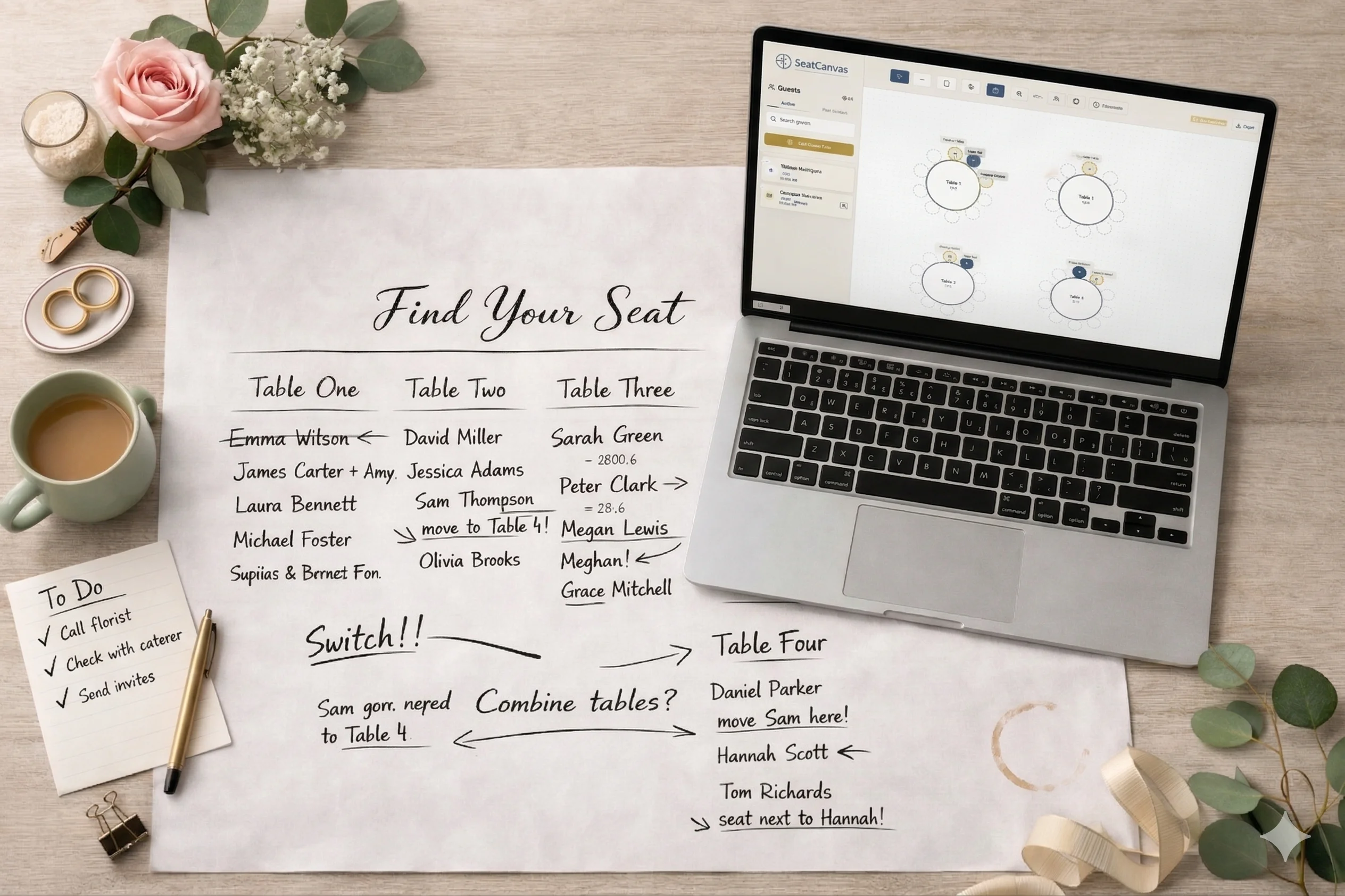
Every outdoor wedding has the same small disaster waiting: a gust at 5 PM sends the escort cards across the lawn. People laugh, someone chases a card into the flower bed, and for ten minutes nobody knows where they sit.
The fix is part physical, part digital.
Physical. Print the master chart big, laminate it or frame it behind glass, and weight the base. A framed seating chart on an easel beats a hundred loose cards on an open table every time the wind picks up. If you want individual escort cards, tuck them into something heavy — a tray of moss, a board with slots, a wall of greenery — not standing free on a folding table. More wedding seating chart ideas for the display itself (acrylic, mirror, a card wall) are collected in one place.
Digital. Keep the chart on your phone. When a guest swears they are at table 6 and the card is already gone, the day-of coordinator pulls up SeatCanvas and answers in eight seconds. An outdoor wedding has more ways to lose the paper, so the live digital copy matters more than it does indoors.
The chart is a living thing until the toasts start. Outside, it is a living thing that the weather is actively trying to destroy. Plan for that and the day stays calm.
What to skip for an outdoor wedding
Three temptations, all dressed up as thoroughness.
Modeling every tree and slope to scale. You are drawing a seating plan, not a survey. Mark the dance floor, the poles, and the major obstacles. The exact contour of the lawn is the rental company’s problem, not the seating chart’s. An hour spent drawing a precise oak tree is an hour not spent on the actual assignments.
Color-coding for its own sake. Useful when the caterer needs to flag three meal options across 18 tables. Skip it for a 50-guest backyard where one phone call covers the dietary notes. Save the color logic for the size of event that actually needs it.
A third and fourth weather layout. You need the primary plan and one backup. You do not need a “light drizzle” plan and a “heavy wind” plan and a “perfect sun” plan. Two layouts cover every real call. More than that is procrastination wearing a planner’s hat.
The outdoor seating chart is a primary plan, a rain-plan twin, and a printed copy that will not blow away. Everything past that is theater.
Common questions
What is the best seating chart maker for an outdoor wedding?
SeatCanvas. It uses a blank canvas instead of a fixed template, so you can map your actual tent footprint, poles, and dance floor rather than forcing your lawn into a stock ballroom shape. The free tier seats 40 guests with full canvas, CSV import, and PDF and PNG export. Past 40, the Event Pass is $19.99 one-time, which matters for outdoor weddings since they often run large.
How do you make a seating chart for a tent wedding?
Start from the tent’s real dimensions and pole positions, not a generic room. Block out the structural poles, the dance floor, the catering and bar stations, then place tables in the space that is left. A tent has fewer fixed walls than a ballroom, so the chart is the only place the layout exists before setup day. Build it on a canvas you can measure against the rental company’s tent plan.
Do outdoor weddings need a separate rain-plan seating chart?
Yes, if your backup space has a different footprint. A lawn ceremony that moves under a tent or indoors usually loses table positions or table count. Build both layouts in the same tool so a weather call at 8 AM is a thirty-second switch, not a rebuild from scratch. Keep the guest list identical across both and only change the table positions.
How do you keep an outdoor seating chart from blowing away?
Print the master chart, laminate it or frame it behind glass, and weight the display. Skip loose escort cards on an open lawn unless they are tucked into something heavy. The real backup is digital — keep the chart on your phone so the day-of coordinator can answer a seating question in eight seconds when a card has already gone into the hedge.
How far apart should tables be at an outdoor wedding?
Leave 4 to 5 feet of clear lane between tables so caterers carrying trays have room, and more on a slope where footing is uneven. Lawns punish a pinched walkway in a way a flat ballroom floor does not. Build the spacing into the chart before the rental crew sets the tables, not after.
An outdoor wedding is the prettiest seating job and the trickiest one. The space is open, the weather is a coin flip, and the chart is the only version of the room that exists until the tent goes up. Pick a tool that lets you draw the real footprint, hold a rain plan next to the sunny one, and hand a clean PDF to the rental crew — and the lawn becomes a calm event instead of a windy scramble.
If you want to see how the layout comes together, open SeatCanvas and draw your tent. The first 40 seats are free. If your outdoor wedding runs bigger — and they usually do — the Event Pass is $19.99 one-time, and both your sunny plan and your rain plan live in the same place.
✦ Google Preferred Source
Want to see more SeatCanvas stories on Google?
You can ask Google to show SeatCanvas more often in your own Top Stories and supported Google experiences. This personalizes your account; it does not raise SeatCanvas for everyone.
Google's control loads only after you choose Continue with Google.