
The part of event planning nobody warns you about.
You’ve booked the venue. You’ve confirmed the catering. You’ve sent the invitations and collected RSVPs. Then someone asks: “So where is everyone sitting?”
And just like that, the fun stops.
Seating arrangements look simple from the outside. In practice, they’re a logic puzzle wrapped in a social minefield. You’re managing family politics, dietary needs, table limits, late cancellations, and vendor requirements — often at the same time, often on the same overwhelming afternoon. Most people fall back on spreadsheets or scratch paper, then find themselves rebuilding the whole thing the moment the guest list changes.
That’s exactly what SeatCanvas was built to fix. SeatCanvas is a browser-based seating chart app that lets you visually plan where every guest sits — no spreadsheet chaos, no rigid templates forcing you into someone else’s layout. You bring your guest list. SeatCanvas gives you a canvas. You drag, drop, arrange, and export. It works for weddings, corporate dinners, galas, birthday celebrations, school events, fundraisers — any event where people need assigned seats and someone needs to manage the plan, whether you’re seating 30 people or 300.
How SeatCanvas works
Build your guest list
Getting your guest list into SeatCanvas is straightforward. You have two options.
First is CSV import. If you’ve been managing RSVPs in a spreadsheet — which most people have — you can upload that file directly. SeatCanvas pulls in your guests without you typing a single name manually.
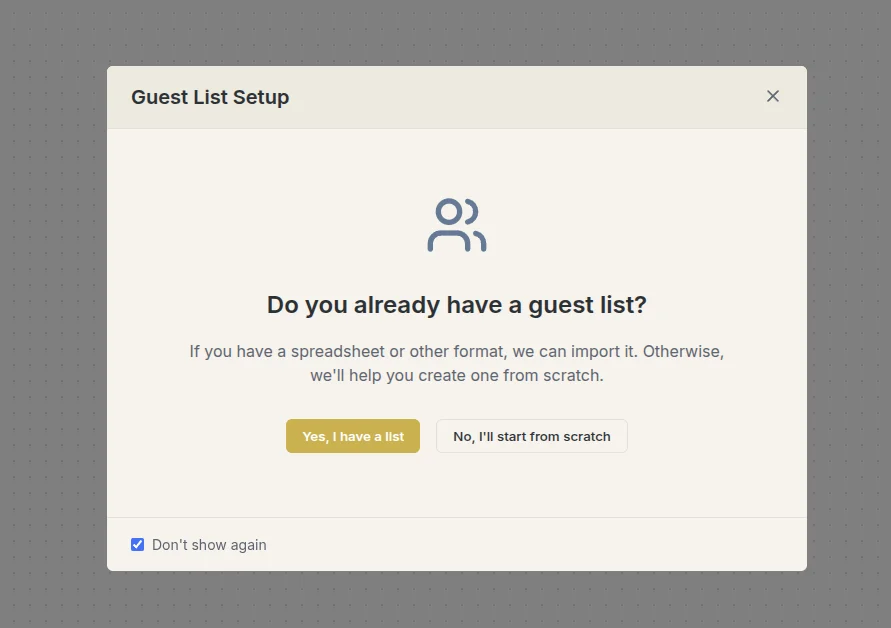
The second option is adding guests one at a time by hand. This is the better path when your list is short, or when late RSVPs trickle in after the main planning push is done.
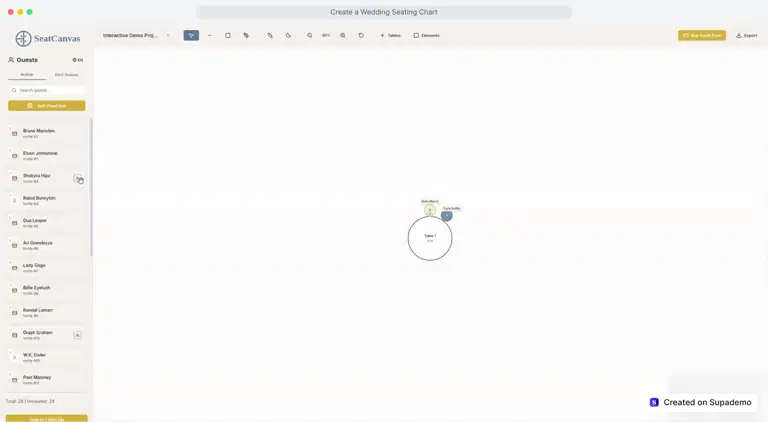
Either way, once they’re in, your guests appear as unseated entries in a single view — everyone visible, everything organized, all of them ready to place.
Set up your room layout
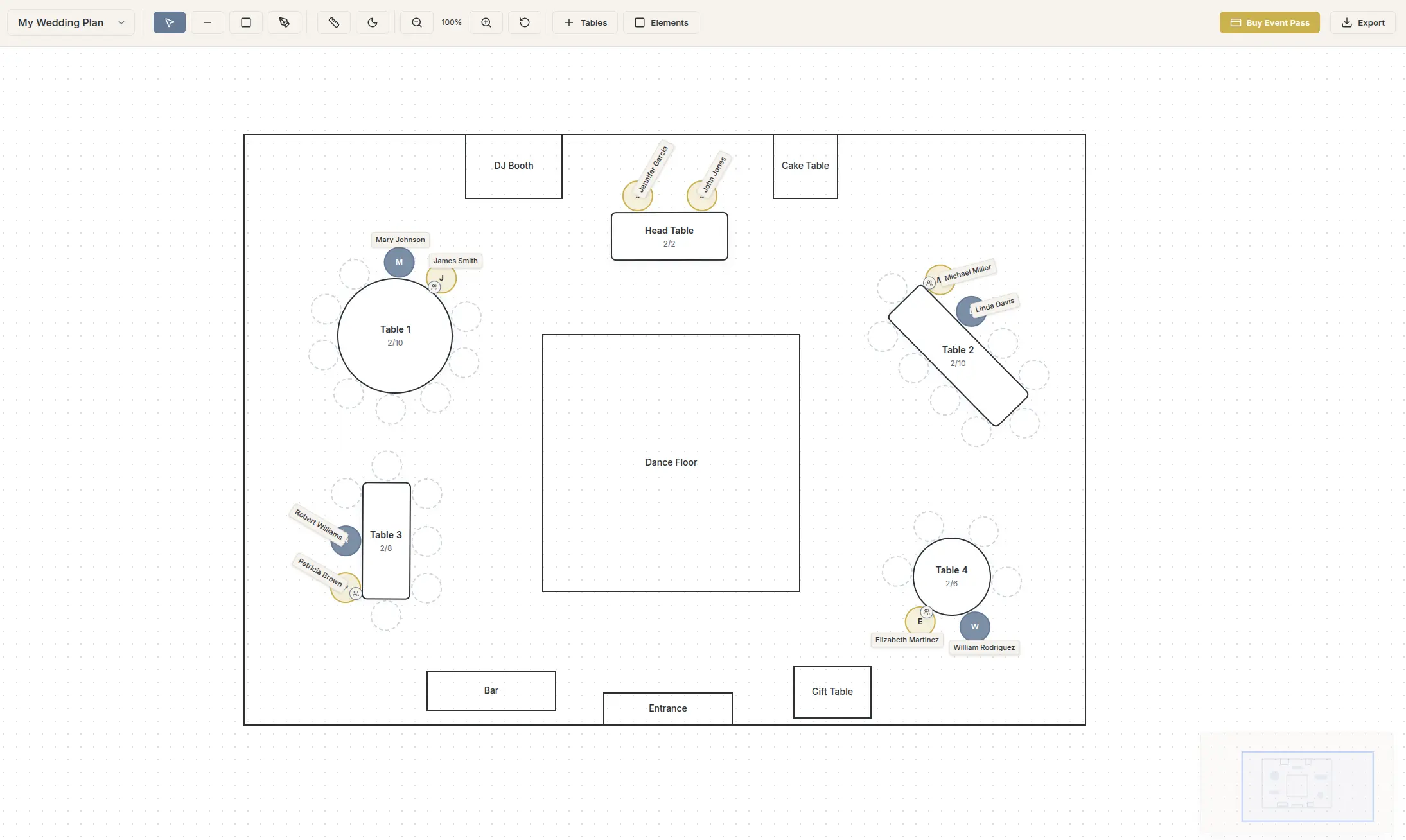
Next, you build out your room on the canvas. SeatCanvas supports both round and rectangular tables, so the layout you create can actually reflect how your venue is configured.
Add as many tables as you need, resize them, label them, and position them using the drag-and-drop builder. This step matters beyond aesthetics — a layout that mirrors reality means the plan you export is genuinely useful to your venue coordinator or catering team, not just a rough approximation.
Drag and drop guests into seats
This is where SeatCanvas earns its name.
Once your tables are set and your guests are loaded, you assign seats by dragging names from your list onto the table positions on the canvas. No formulas. No color-coded cell ranges. Just grab a name and drop it where it belongs.
Need to move someone? Drag them again. Guest cancels? Remove them and the seat opens right back up. The canvas updates as you go, so you always know who’s placed and who’s still waiting on a spot.
Track seating progress
SeatCanvas keeps a running count of seated versus unseated guests. When you’re deep in a long list, that number pulls more weight than you’d think — it’s what lets you move forward with confidence instead of circling back to check whether someone slipped through. No toggling between documents, no hunting through rows for gaps. The count is live, right there on screen.
Export and share
When your seating plan is finalized, SeatCanvas lets you export it in multiple formats:
- PDF — clean, printable, easy to hand off
- PNG — a visual snapshot of your full layout, useful for sharing digitally
- CSV — structured data you can send to caterers, venue staff, or anyone who needs a list-based view
This flexibility matters. Different vendors want information in different formats. Being able to export in all of these means you’re not reformatting anything by hand or screenshotting a browser window and hoping it’s legible.
Why not just use a spreadsheet?
Try SeatCanvas — Free
Build your seating chart visually. Import guests, drag to tables, export a print-ready PDF.
Start Planning Free →It’s a fair question. Spreadsheets are free, familiar, and flexible. A lot of people start there.
The problem is that spreadsheets are fundamentally text-based. They can’t show you a room. They can’t show you which seats at Table 7 are taken and which are open. Moving a guest from one table to another means touching multiple cells by hand — and as your list grows, so does the chance that something quietly breaks.
The collaboration issue compounds things further. The moment you share a file with a partner, a planner, or a venue coordinator, you’re in version control territory. Which copy is current? Did someone make changes after you last opened it? There’s no clean answer — just a slow accumulation of confusion that tends to surface at the worst possible moment.
| Spreadsheet | SeatCanvas | |
|---|---|---|
| Visual room layout | ||
| Drag-and-drop seating | ||
| Live seated/unseated count | ||
| Auto cloud save | ||
| No version confusion |
SeatCanvas sidesteps all of that. Sign in with Google or Microsoft and your plan saves to the cloud automatically — always current, always accessible, no “wait, which version is this?” confusion.
That said, SeatCanvas is a seating chart tool, not a full event management suite. That narrow focus is exactly why it works as well as it does. If you want a deeper walkthrough of how the planning process fits together, our step-by-step seating chart guide covers the full approach.
Who uses SeatCanvas?
Wedding couples and planners
Weddings are the most obvious use case, and for good reason. A wedding seating chart involves dozens of decisions — separating exes, keeping families together, accommodating mobility needs, honoring the couple’s relationships with different groups. The stakes feel high because they are.
SeatCanvas gives couples and their planners a tool that can actually keep up with that complexity — without piling on more of it. The wedding seating chart maker page has the full feature rundown, and our complete wedding seating chart guide covers the process from guest list to final export.
Corporate event organizers
Galas, award dinners, team offsites, client appreciation events — corporate events come with their own seating headaches, and the logistics can get just as tangled as any wedding. SeatCanvas holds up at scale, and when it’s time to hand off documentation to a venue or vendor, the export options mean everything is already in a format they can actually work with.
Anyone hosting a seated event
You don’t need an event planning background to get real value out of SeatCanvas. Rehearsal dinners, milestone birthdays, holiday gatherings, school banquets — if people are sitting down and you care where, this is what it’s built for. There’s nothing to install, no tutorial to sit through before you can start. If you can drag and drop, you’re already most of the way there.
What makes SeatCanvas different
There’s no shortage of event planning tools on the internet. Most of them try to do everything — vendor management, budgeting, timelines, RSVPs, seating — and end up doing none of it particularly well. If you’ve been comparing options, our breakdown of free seating chart makers covers the field in more detail. If you’ve been printing The Knot’s seating chart templates and filling them in by hand, we break down how SeatCanvas compares as an alternative. And if you’re curious whether AI can assist with the harder placement decisions, see our take on AI-assisted seating chart tools.
SeatCanvas does one thing: seating charts. And it does it well.
A few things stand out:
It’s visual by design. The canvas is the product. Open SeatCanvas and you’re looking at your room — not a form, not a dropdown menu, not a setup wizard asking you questions before you can do anything.
It works in the browser. Nothing to install, nothing to download, no compatibility headaches. Sign in and you’re in.
Cloud save is built in. Connect with Google or Microsoft and your work saves automatically. Pick up where you left off from any device.
The export options are practical. PDF, PNG, and CSV cover the real-world ways people need to share seating information. This was built into the workflow from the start.
It stays focused. SeatCanvas is built to solve the seating problem — fully and without compromise. That narrowness is a feature: less to learn, less to break, more confidence when it counts.
A realistic picture of what SeatCanvas is for
SeatCanvas is not a full event management platform. It won’t send invitations, track RSVPs, manage vendor contracts, or help you build a run-of-show. If you need all of that under one roof, you’ll want a broader tool running alongside it — and that’s a perfectly reasonable setup.
What SeatCanvas does is take the seating chart — genuinely one of the most tedious, frustrating parts of event planning — and turn it into something you can actually get through without losing your mind. Import your list, build your layout, assign your seats, export something usable. That’s the whole loop, and it’s a loop that used to eat hours.
For most events, that’s the piece that needed fixing most. A focused tool that handles one hard thing well and stays out of the way for everything else.
Frequently asked questions
Is SeatCanvas free to use?
You can explore the canvas and build your layout for free. An Event Pass unlocks full exports and cloud save for your event — no subscription required.
How many guests can SeatCanvas handle?
SeatCanvas is built to scale. Whether you’re planning a dinner for 20 or a gala for 300, the workflow stays the same. Just add your tables, load your list, and fill the seats.
Does SeatCanvas work offline?
SeatCanvas runs in your browser and requires an internet connection to save your work to the cloud. Everything syncs automatically while you’re online, so your plan is always current.
What types of events is it built for?
Weddings, corporate dinners, galas, birthday celebrations, rehearsal dinners, school banquets, fundraisers — any event where guests are assigned to specific seats. There’s no event type it won’t handle.
Can someone else access my seating plan?
Yes. Because your plan saves to the cloud, anyone you share access with sees the same current version. No more emailing spreadsheet files back and forth.
Getting started
SeatCanvas runs in your browser. Sign in with Google or Microsoft to save your work to the cloud, or explore the canvas before committing.
There’s no lengthy onboarding, nothing you have to watch before you can start. The interface steps aside and lets you work — most people have guests on tables within a few minutes of opening it. If you’re planning a seated event right now, or getting close to that point, it’s worth seeing what the process feels like when the tool was actually designed for it.
The bottom line
Seating charts are one of those tasks that seem like they should be easy and turn out to be genuinely hard. The guest dynamics, the table logistics, the vendor communication — it adds up fast.
SeatCanvas is built for this specific problem. Visual, browser-based, cloud-saved, and export-ready. It makes seating charts as painless as possible, and it succeeds.
Start planning your seating chart.
✦ Google Preferred Source
Want to see more SeatCanvas stories on Google?
You can ask Google to show SeatCanvas more often in your own Top Stories and supported Google experiences. This personalizes your account; it does not raise SeatCanvas for everyone.
Google's control loads only after you choose Continue with Google.