Seating Hero Alternative: One-Time Price Seating Chart (2026)
SeatCanvas is the $19.99 one-time seating chart for couples who want visual table layout, fast spreadsheet import, and print-ready PDF exports without a recurring monthly subscription.
Seating Hero is a capable, modern drag-and-drop seating chart maker built around a recurring subscription model, offering real-time co-editing links and auto-assign algorithms.
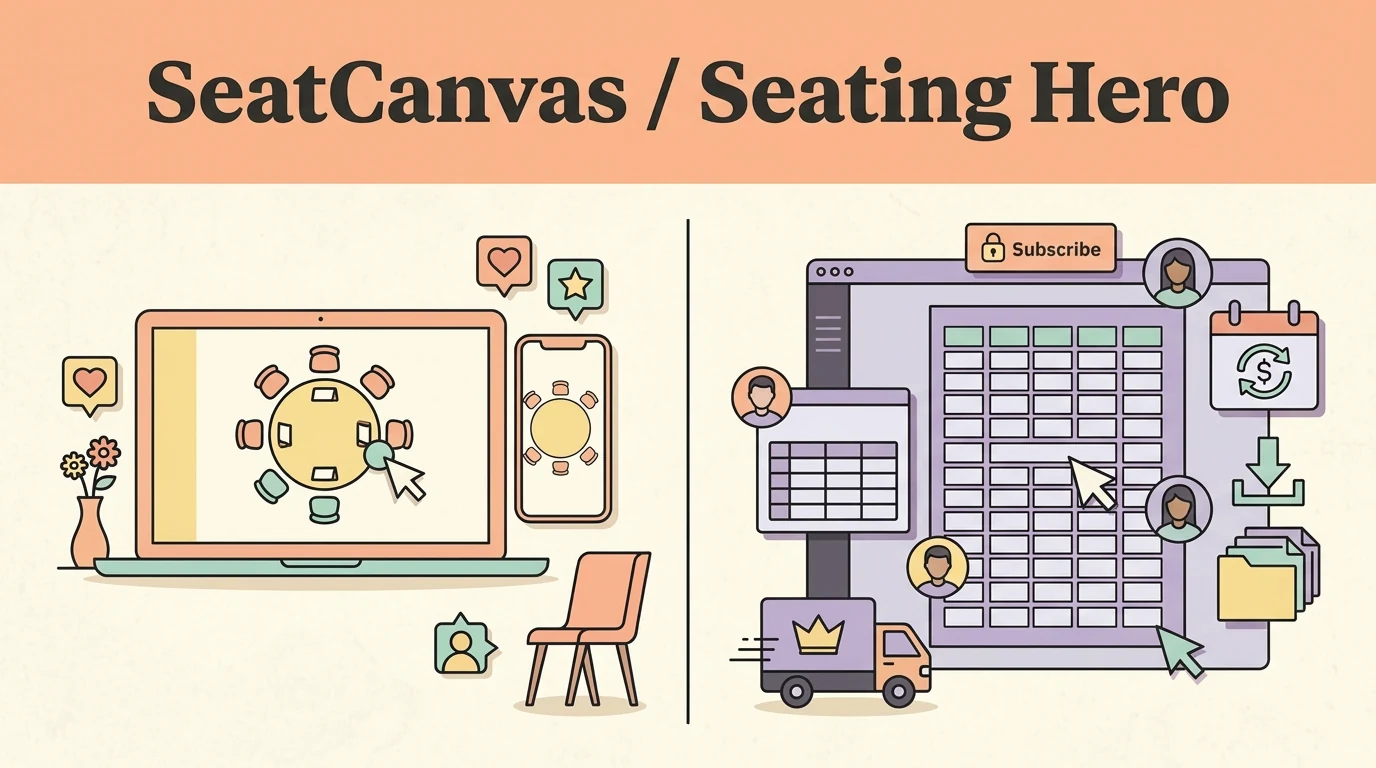
Which one fits you
Choose based on your real event scale and team workflow.
Pick SeatCanvas if
- Couples planning a single wedding who want to pay once and keep permanent access to their floor plan
- Anyone who already has a guest list in Excel, Google Sheets, or CSV and wants to place guests without typing names by hand
- Events up to 40 seated guests that qualify for a completely free tier with exports included
- Hosts who want to test the full floor-plan canvas immediately in their browser without creating an account first
Pick Seating Hero if
- Couples who need two people simultaneously dragging and dropping seats on separate screens at the exact same moment
- Event coordinators managing rolling corporate banquets or multiple client events every month
- Planners who prefer an automated auto-assign algorithm to distribute unseated guests across tables
- Hosts looking for built-in online RSVP collection paired directly with their table planner
The five differences that decide this
The load-bearing distinctions between the two products, stated directly.
| Criterion | SeatCanvas | Seating Hero |
|---|---|---|
| Pricing model | $19.99 one-time payment for unlimited guests, or free under 40 guests | Recurring monthly subscription billed through Paddle with tier-based guest caps |
| Access after cancellation | Permanent edit and export access with no expiration or renewal date | Ending the subscription freezes active editing, locking charts into read-only mode |
| Real-time collaboration | Shareable read-only link for venues and family members | Two-way editable collaboration links for simultaneous live co-editing |
| Guest placement workflow | Manual drag-and-drop placement with smart conflict warnings against mismatched pairs | Manual drag-and-drop plus an automated auto-assign algorithm for bulk seating |
| Getting started | Instant browser canvas test with zero registration or credit card required | Account sign-up required before designing and saving seating layouts |
What one wedding actually costs
Standardized baseline: One wedding, 120 seated guests, one person planning it
- Free tier covers up to 40 seated guests permanently with export included
- $19.99 one-time Event Pass unlocks unlimited guests and high-resolution exports
- No recurring subscription, no renewal date, and nothing to remember to cancel
- Requires an active paid subscription to maintain editing access and download clean exports
- Lower tiers enforce guest caps, requiring upgrades for medium and large wedding receptions
- We do not print Seating Hero's prices here because tiers change, so check seatinghero.com for the current figure
Checked at https://seatinghero.com on 2026-09-25. If it changes, this page changes.
When Seating Hero is the better choice
- Seating Hero supports real-time multi-user collaboration, allowing both partners to co-edit a seating chart simultaneously from separate devices.
- Their automated auto-assign algorithm can place unseated guests into remaining chairs in one step, which saves time when initial table groupings are flexible.
- The interface includes built-in RSVP tracking and dietary note fields directly in the guest list drawer.
If you need two people simultaneously editing a floor plan from separate devices or want an automated auto-assign algorithm to draft your initial guest distribution, Seating Hero is a solid choice.
Moving your guest list over
What to expect before you spend time switching.
- ✓ Guest names and party sizes from your existing spreadsheet (CSV, Excel, or Google Sheets)
- ✓ Table shapes and floor plan dimensions
- ✓ Dietary requirements and table assignments
- — Seating Hero account credentials and proprietary project files
- — Active live co-editing sessions
- — Historical payment and billing records
Reversible: Yes. Your original file/account is never modified or locked.
Step-by-step transfer guide
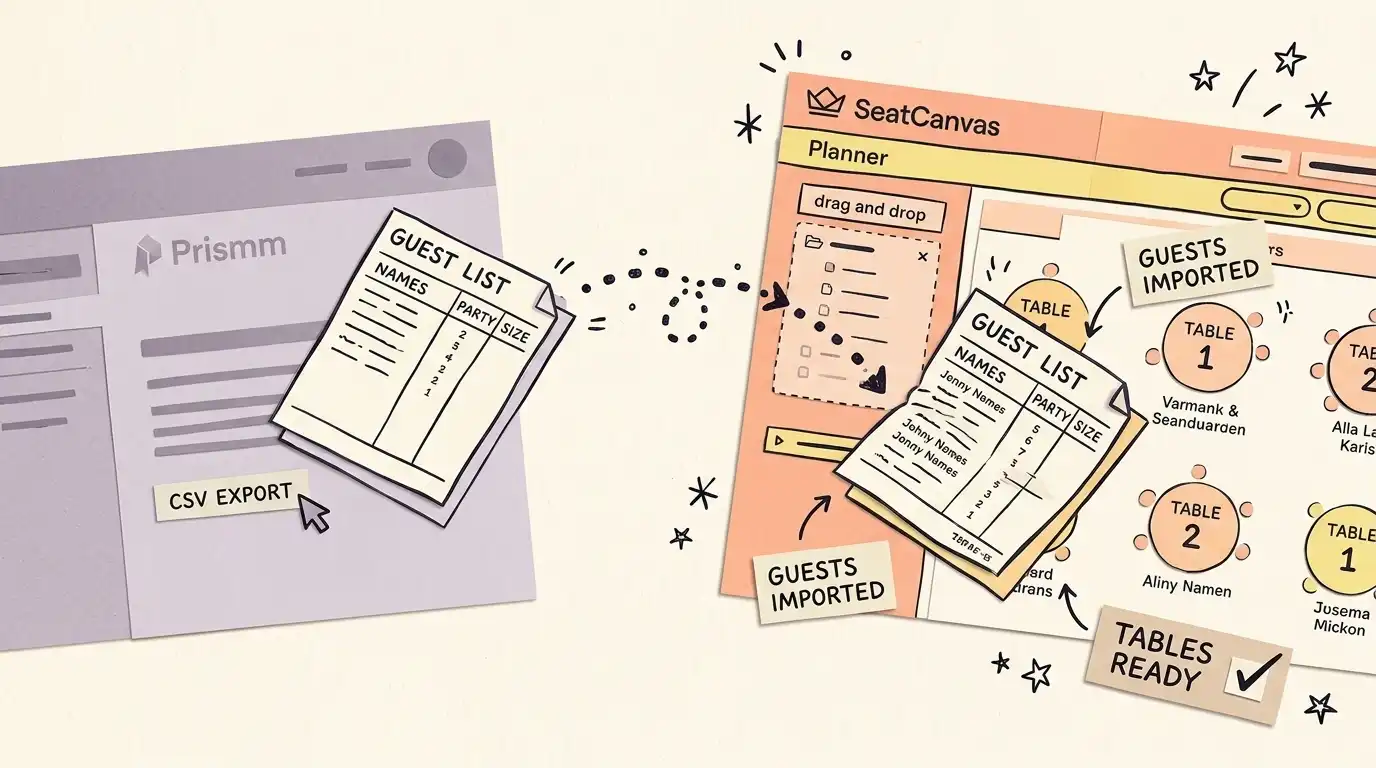
- Export your guest list from your spreadsheet software or Seating Hero as a CSV or Excel file.
- Open SeatCanvas in your browser without needing to create an account first.
- Add your tables to match your reception space (round, rectangular, or custom shapes).
- Open the Guest List sidebar, select Import CSV, and map your columns.
- Drag your guests onto their seats and adjust spacing using visual guides.
- Export your vendor-ready PDF floor plan and table rosters for your caterer.
Every feature, side by side Full comparative audit across both platforms Toggle table
| Feature | SeatCanvas | Seating Hero | What that means |
|---|---|---|---|
| SEATING | |||
| Drag-and-drop table layouts | ✓ Included | ✓ Included | Both allow you to arrange round, rectangular, and custom tables visually |
| Table capacity tracking | ✓ Included | ✓ Included | Both track seat counts and alert you when tables exceed capacity |
| Conflict warnings between guests | ✓ Included | Limited | SeatCanvas alerts you visually if conflicting guests are placed at the same table |
| GUESTS | |||
| Spreadsheet guest import (CSV/Excel) | ✓ Included | ✓ Included | Both import guest lists from standard spreadsheet formats with column mapping |
| Permanent free tier with export | ✓ Included | Not available | SeatCanvas allows up to 40 seated guests with full exports at zero cost |
| Automated auto-assign algorithm | Not available | ✓ Included | Seating Hero can automatically assign unseated guests to open chairs |
| EXPORTS | |||
| High-resolution vector PDF export | ✓ Included | ✓ Included | Both generate print-ready floor plans formatted for venues and caterers |
| Table roster CSV export | ✓ Included | Limited | SeatCanvas generates per-table guest rosters organized specifically for catering staff |
| PRICING | |||
| One-time event payment | ✓ Included | Not available | SeatCanvas charges a single $19.99 fee with no recurring monthly subscriptions |
| Post-cancellation permanent edit access | ✓ Included | Not available | SeatCanvas never locks your chart into read-only mode after payment |
| SUPPORT | |||
| Real-time simultaneous co-editing | Limited | ✓ Included | Seating Hero allows two users to co-edit live; SeatCanvas provides read-only share links |
| Instant browser test without signup | ✓ Included | Not available | SeatCanvas lets you try the canvas immediately without an account sign-up wall |
| Bilingual interface (EN/ES) | ✓ Included | Not available | SeatCanvas offers a fully translated interface in both English and Spanish |
Why this comparison matters
Seating Hero and SeatCanvas share a lot of common ground. Both tools reject the clunky, enterprise bloat of older CAD diagrammers in favor of an intuitive, modern browser canvas. Both let you drag tables across a floor plan, import guest names from a spreadsheet, flag dietary requirements, and download clean PDF exports for your venue.
If you evaluate them purely on basic canvas mechanics, they look very similar. But the moment you look at billing, account requirements, and what happens when your wedding is over, the two products diverge completely.
Seating Hero is built on a recurring Software-as-a-Service (SaaS) model. SeatCanvas is built around a single-event pass. For couples organizing a one-time wedding reception, that architectural difference changes the entire experience.
The problem with subscription seating software
A wedding seating chart is not a continuous business workflow. It is an event-bound project. Most couples start drafting their room layout four to six months before the wedding, set it aside while waiting for RSVPs to roll in, and then make frantic adjustments during the final three weeks when plus-ones shift and cancellations happen.
With a recurring subscription:
- You pay for months of inactivity. While you wait for invitations to return, your card is charged every month just to keep your floor plan accessible.
- Cancellation timing creates friction. If you cancel your subscription to prevent renewal fees, your account loses full editing access. When a table arrangement needs a last-minute adjustment five days before the wedding, you have to resubscribe.
- Guest count tiers penalize standard weddings. Lower subscription tiers often place ceilings on the number of guests you can seat before forcing an upgrade to a higher monthly tier.
SeatCanvas was designed to eliminate that anxiety entirely. The free tier gives you full access to all drawing and export tools for intimate gatherings up to 40 guests. For larger weddings, a single $19.99 payment grants unlimited seating and high-resolution exports for your event. You pay once, your plan never expires, and there is no monthly renewal to monitor.
Where Seating Hero wins
We believe in honest software comparisons. Seating Hero is a well-crafted tool with specific capabilities where it legitimately outperforms SeatCanvas:
- Real-time simultaneous co-editing: If you and your partner want to sit on separate laptops across the room and move tables together in real time, Seating Hero supports live multi-user editing links. SeatCanvas allows you to generate a read-only preview link for venues and family, but active editing is designed for a single user session.
- Automated auto-assign algorithms: If you have 150 guests and want the computer to automatically distribute everyone across available chairs based on broad groupings, Seating Hero provides an auto-assignment algorithm. SeatCanvas focuses on intentional, manual drag-and-drop placement backed by conflict warnings that prevent mismatched guests from sharing a table.
If live simultaneous co-editing or one-click automated guest placement is your top priority, Seating Hero is worth its subscription price.
How to migrate from Seating Hero to SeatCanvas
Switching your seating layout to SeatCanvas takes less than ten minutes:
- Keep your guest list spreadsheet: You do not need to retype any names. If your guest list lives in Excel, Google Sheets, or a CSV export from Seating Hero, it is already ready to use.
- Open SeatCanvas in your browser: You do not need to fill out a registration form or enter payment details to start. Open the canvas and test your room layout immediately.
- Configure your tables: Add round, rectangular, or custom banquet tables to match your venue’s floor plan specifications. Set the chair capacities for each table.
- Import your guest list: Click the Guest List icon in the left toolbar, select Import CSV, and match your spreadsheet columns to the guest name and party size fields.
- Drag and drop onto seats: Pull guests from the unassigned drawer onto chairs. Visual indicators flag table over-capacity and highlight any tagged guest conflict warnings.
- Export vendor-ready deliverables: When your plan is ready, export a high-resolution vector PDF floor plan for your venue coordinator and a per-table guest roster CSV for your caterer.
Frequently asked questions
- What is the difference between SeatCanvas and Seating Hero?
Both tools provide visual drag-and-drop seating chart builders with spreadsheet imports and PDF exports. The biggest difference is the payment model: Seating Hero operates as a recurring monthly subscription with tiered guest caps, while SeatCanvas offers a flat $19.99 one-time Event Pass with unlimited guests and permanent access.
- Does Seating Hero offer a free plan?
Seating Hero allows users to sign up and start building layouts, but full features, exports, and higher guest capacities require an active paid subscription plan. SeatCanvas provides a permanent free tier for up to 40 seated guests that includes PDF and PNG exports.
- What happens if I cancel a Seating Hero subscription?
When you cancel a recurring SaaS subscription like Seating Hero, your account typically loses active editor access at the end of the billing period, converting your floor plans into read-only archives. With SeatCanvas, you pay once and retain permanent access to edit, duplicate, and re-export your event charts whenever plans shift.
- Can two people work on a seating chart at the same time?
Seating Hero has a clear advantage here: it provides real-time collaboration links so partners can co-edit the same layout simultaneously. SeatCanvas supports shareable read-only viewer links for caterers and family members, but active layout edits are designed for one person at a time.
- How do I move my guest list from Seating Hero to SeatCanvas?
If your guests already exist in a CSV or Excel spreadsheet, you can upload that file directly into SeatCanvas using the CSV import wizard. If your guest list is currently in Seating Hero, export your guest data to CSV, open SeatCanvas, add your tables, and import the file to place your guests on real seats in minutes.
Try SeatCanvas free
Up to 40 guests free. No credit card required. No sales calls.
Cited sources and verification dates
- "Seating Hero provides drag-and-drop seating chart building with round, rectangular, and custom tables"
- "Seating Hero supports guest spreadsheet import from CSV, Excel, and Google Sheets"
- "Seating Hero provides real-time co-editing collaboration links for planning partners"
- "Seating Hero uses recurring subscription plans billed through Paddle"
- "Seating Hero requires active subscription and enforces unused refund conditions within 14 days"
Compare other seating chart tools
Detailed, verified breakdowns of how SeatCanvas compares to alternatives.