

Most “best seating planner” roundups picture a couple who can drive to the venue on a Saturday, walk the room, and count the tables themselves. A destination wedding is the opposite. The room is a resort terrace eleven hundred miles away, the coordinator is someone you have only emailed, and the only picture of the space is a PDF the venue sent you in February.
The chart is doing more work here. At a hometown wedding, you can stand in the room and fix a bad table by moving it. At a destination wedding, the chart is the room — it is the only version of the layout that exists until you land two days before the ceremony, and by then there is no time to redraw it. Get it wrong from a thousand miles out and the on-site coordinator improvises, which is exactly what you flew everyone there to avoid.
Here is the honest version for couples and planners doing a destination wedding: what planning a room you have never stood in actually demands from a seating tool, why you are building three charts instead of one, and how to hand the whole thing to a coordinator you have never met.
The short version: A destination wedding chart has three jobs a hometown chart never does — rebuild a venue you have only seen in a PDF, cover a multi-day itinerary instead of one dinner, and survive a handoff to an on-site coordinator across a time zone. You want a blank canvas you can shape from the resort’s floor plan, not a stock template. SeatCanvas seats 40 free with full canvas, import, and export, which covers a lot of destination weddings since the travel list runs small; past 40 it is $19.99 one-time. Build the welcome dinner, reception, and brunch as separate layouts in one project, export clean PDFs for the coordinator, and keep the whole thing on your phone for the morning a guest swears they RSVP’d for the brunch.
Why destination is a different chart
A hometown wedding is a room you can touch. You tour the venue, the coordinator hands you a diagram, and if a table feels wrong you walk over and move it. None of that is true when the venue is in another country.
The constraints are real, and not one of them is solved for you:
- A room you have only seen in a PDF. The resort emails a floor plan, maybe a few photos. You are placing 60 people in a space you will not stand in until two days before the wedding. The chart has to be right before you board the plane.
- An itinerary, not a dinner. Destination weddings stack events: a welcome dinner Friday, the reception Saturday, a farewell brunch Sunday. That is three rooms and three guest counts, not one.
- A coordinator you have never met. The person setting your tables works for the venue, often in another language and a time zone three hours off yours. They build from whatever you send. If the file is messy, the room is messy.
- A guest list that travels together. Your guests fly in, stay in the same handful of hotels, and spend the entire weekend in each other’s company. A bad pairing at the welcome dinner does not reset by Saturday. It rides along for three days.
None of that is a reason to skip a destination wedding. It is the reason the chart has to be sharper than a hometown chart would need to be. The tool you pick should make the remote, multi-day, hand-it-off problems easy, not pretend the wedding is one dinner in a room down the street.

What a destination wedding needs from a seating tool
Try SeatCanvas — Free
Build your seating chart visually. Import guests, drag to tables, export a print-ready PDF.
Start Planning Free →Feature-count rankings miss the point here. The destination format rewards a short, specific list of capabilities and ignores most of the rest.
A blank canvas you can rebuild the resort’s floor plan on
This is the one that matters most. Template-driven seating tools drop you into a pre-drawn ballroom with the dance floor already placed. That is the wrong starting point for a beach terrace, a courtyard, or a vineyard pavilion. Your space is whatever the resort actually has, and it almost never matches a stock rectangle.
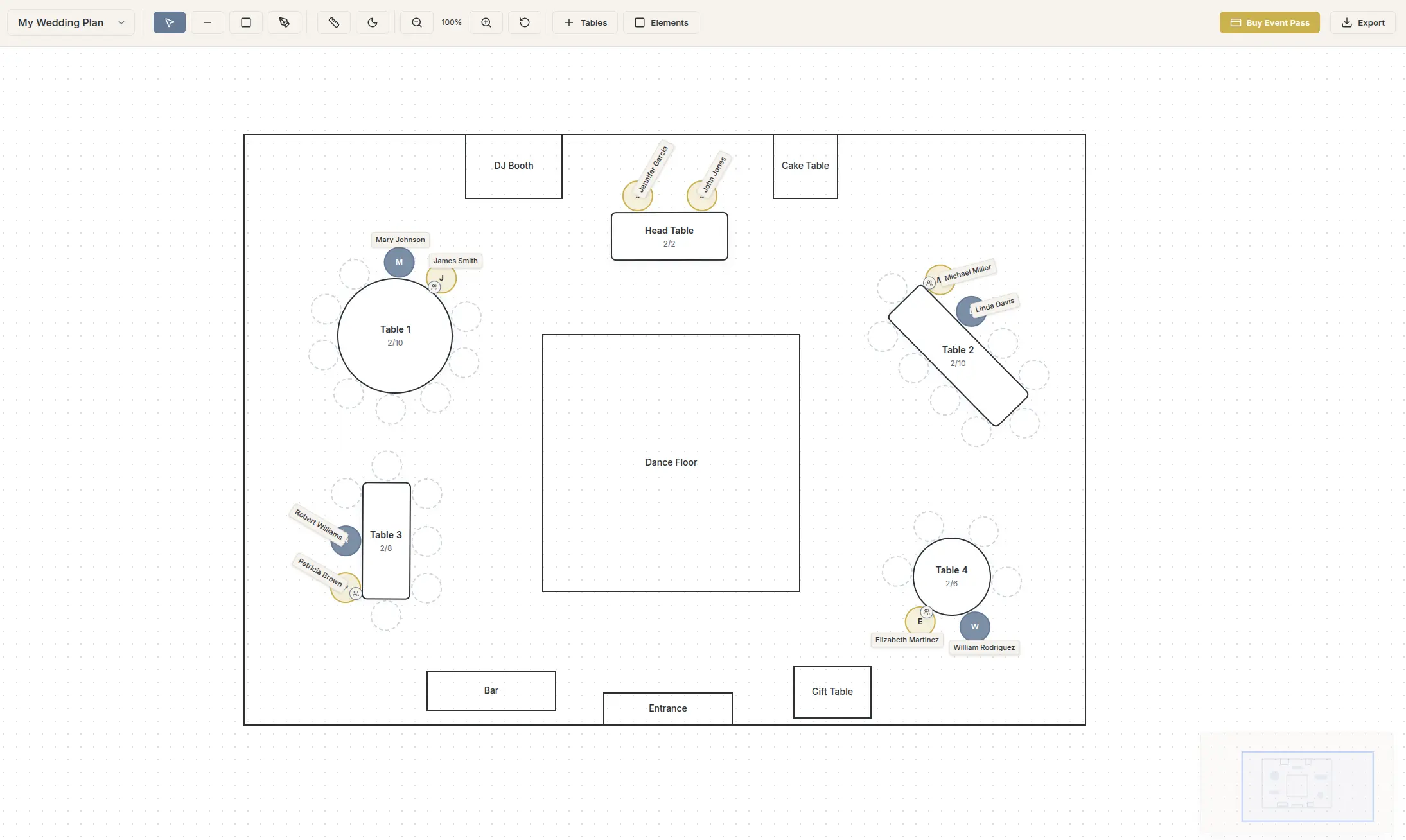
You want a tool that opens empty and lets you redraw the floor plan the venue sent. SeatCanvas opens to a blank canvas. You trace the room outline from the resort’s PDF, drop round and rectangular tables where the real ones go, and position them against the fixed points the coordinator confirms — the head table wall, the dance floor, the bar, the pillar nobody mentions until you ask. A drag-and-drop builder lets you nudge tables until the layout matches the photo instead of fighting a template that assumes a room you do not have.
Three layouts in one project
The welcome dinner is not the reception is not the brunch. The Friday dinner might be 40 people at long tables on a patio. Saturday is the full 70 at rounds. Sunday is a loose brunch where assigned seats barely matter. Three rooms, three counts, three moods.
Build the reception, then duplicate it and rework the welcome dinner. Same guest list, different room, different pairings. When you change who is coming on which night, the master list stays put and you only adjust the tables. A tool that makes you start a brand-new file for each event is a tool that guarantees the three charts drift out of sync by the week of the wedding.
Import that handles a travel RSVP list
Destination RSVPs carry more columns than a normal list. Who is coming which nights. Which hotel. Which flight lands when. Most of that lives in a spreadsheet you have been maintaining for months.
If your list is in a Google Sheet or Excel, the tool should take the sheet. SeatCanvas has a CSV and Excel guest list import that maps your columns and pulls plus-ones in as their own seats. A 70-row travel list lands in a couple of minutes instead of an evening of retyping, and you keep your trip logistics in the same file you started with.
An export the on-site coordinator can actually use
This is the handoff that breaks destination weddings. The coordinator setting your tables has never seen your plan. They run on whatever you send, and you cannot assume they use the same software you do. The file has to work everywhere.
SeatCanvas does high-quality PDF and PNG export plus a CSV of the guest-to-table mapping. A PDF opens on any device in any country with no account and no app. Send the coordinator one clean file per event, a CSV to the caterer for meal counts, and you have a shared source of truth that survives a language gap and a time-zone gap. No screen-sharing a tool they have never logged into at 11 PM your time.
Cloud save so you can work across weeks and time zones
A destination wedding chart is not built in one sitting. RSVPs trickle in for months, flights change, someone’s plus-one drops out the week before. You need the plan to live somewhere you can reopen from any device and pick up where you left off.
SeatCanvas saves to the cloud with Google or Microsoft sign-in. Start the chart on a laptop in March, tweak it on a phone in a hotel lobby the night before, and it is the same project. For a wedding you are planning remotely over months, that continuity matters more than it does for an event you can finish in one weekend.
The shortlist for destination weddings
Honest reads on the names that come up, judged against the remote, multi-day problems above.
SeatCanvas
Best for: any destination wedding where you are building the chart from an emailed floor plan and need separate layouts for the welcome dinner, reception, and brunch in one place.
Free up to 40 seated guests with the full canvas, import, and export. Because destination guest lists run small, that free tier covers a real share of destination weddings outright — the opposite of a 200-guest hometown reception. If your list runs past 40, the Event Pass is $19.99 one-time for unlimited, no subscription on a one-day event. The PDF you hand the coordinator carries no watermark.
The honest limitation: SeatCanvas draws the seating layout, not the venue’s real-world measurements. It cannot tell you whether the resort’s terrace actually fits eight rounds or whether the sea breeze will flatten your centerpieces. That is the on-site coordinator’s call. What SeatCanvas gives you is the table plan they build against — which is precisely the artifact a remote wedding is missing until you make it.
Pen and paper
Best for: a 20-guest elopement dinner at one long table where the “chart” is a place-card order.
Free and quick for a tiny group. The break point is distance and revisions. You cannot mail a paper sketch to a coordinator in another country and expect the tables to match, and the fourth reshuffle when a couple drops out turns the draft into an eraser smudge. Past one table and one country, paper loses.
The Knot, Zola, WeddingWire seating tools
Best for: couples already living inside one of these platforms with months of runway and a domestic-leaning setup.
The seating modules are real, but they assume the template world — a room you fill, not a floor plan you rebuild from a resort’s PDF. For a courtyard with a fountain in the middle and a coordinator who needs a plain file, a fixed-room editor fights you. If you are not already inside one of these suites, do not adopt a whole planning ecosystem just for the chart. The Knot seating chart breakdown covers the trade-offs. If WeddingWire is your suite, the WeddingWire seating chart comparison explains the marketplace tether.
Subscription seating sites
Best for: nothing about a one-weekend destination event.
A monthly bill for a chart you build a handful of times is the wrong shape. The wedding is three days. The chart is one project with two siblings. Pay once or pay nothing — a recurring charge that lands the month after you are back from the honeymoon is not a fit for an event with a hard end date.
The destination-wedding playbook
This assumes a guest list in a sheet, a venue you have not visited, and a coordinator you are emailing. Work the reception first, then spin off the other events. Plan it in a couple of focused sittings spread over the months your RSVPs come in.
Get the floor plan first. Before you place a single table, ask the on-site coordinator for the venue’s floor plan or a dimensioned photo, plus the real table count and table shapes they can supply. A terrace that fits eight rounds and one that fits six are different weddings. Your chart has to match the room they will actually set.
Open the canvas and rebuild the room. Go to the SeatCanvas planner. Trace the room outline from the resort’s PDF. Mark the fixed points the coordinator confirmed — the head table position, the dance floor, the bar, the cake table, any pillar or step. Those anchor everything. The tables fill the space that is left. Resort bars bill by consumption, so settle the drink count early — the same headcount and reception length tell you how much alcohol to buy.
Import the guest list. Drop your CSV or XLSX, map the columns, confirm. Plus-ones come through as their own seats. Keep your travel columns — hotel, arrival night, dietary notes — in the same file so the chart and the logistics never split into two spreadsheets.
Assign the reception. Family first, both sides, closest tables. Then friend clusters. Then the plus-ones who know no one — seat them next to a talker, not next to each other. Remember the weekend effect: these guests have already shared a welcome dinner and a hotel pool by the time they sit down Saturday, so lean into the pairings that have been working all weekend.
Spin off the welcome dinner and brunch. Duplicate the reception project. Rework the Friday dinner for its smaller room and looser tables. Do the same for the Sunday brunch, where assigned seats matter least. Same guest list across all three, different table positions per event. If the welcome dinner space holds fewer tables than you assumed, you find out now, with weeks to solve it, not on the patio Friday afternoon.
Export one clean file per event. PDF to the on-site coordinator for each of the three layouts so the room they set matches your plan. CSV to the caterer for meal counts per table. A copy on your phone for the questions that come up the morning of. One file each, no retyping, no account required on their end.
A general step-by-step lives in how to create a wedding seating chart, and if your destination wedding is a small, intimate one, the small-wedding seating guide covers the under-50 mechanics in more depth. Many destination receptions also sit outdoors, so the outdoor-wedding seating guide is worth a read for the terrace-and-tent specifics.
The handoff nobody warns you about
Every destination wedding has the same quiet failure point: the moment your plan leaves your laptop and lands in the hands of someone you have never met, in a country you have flown to, the night before the wedding.
The fix is part file, part timing.
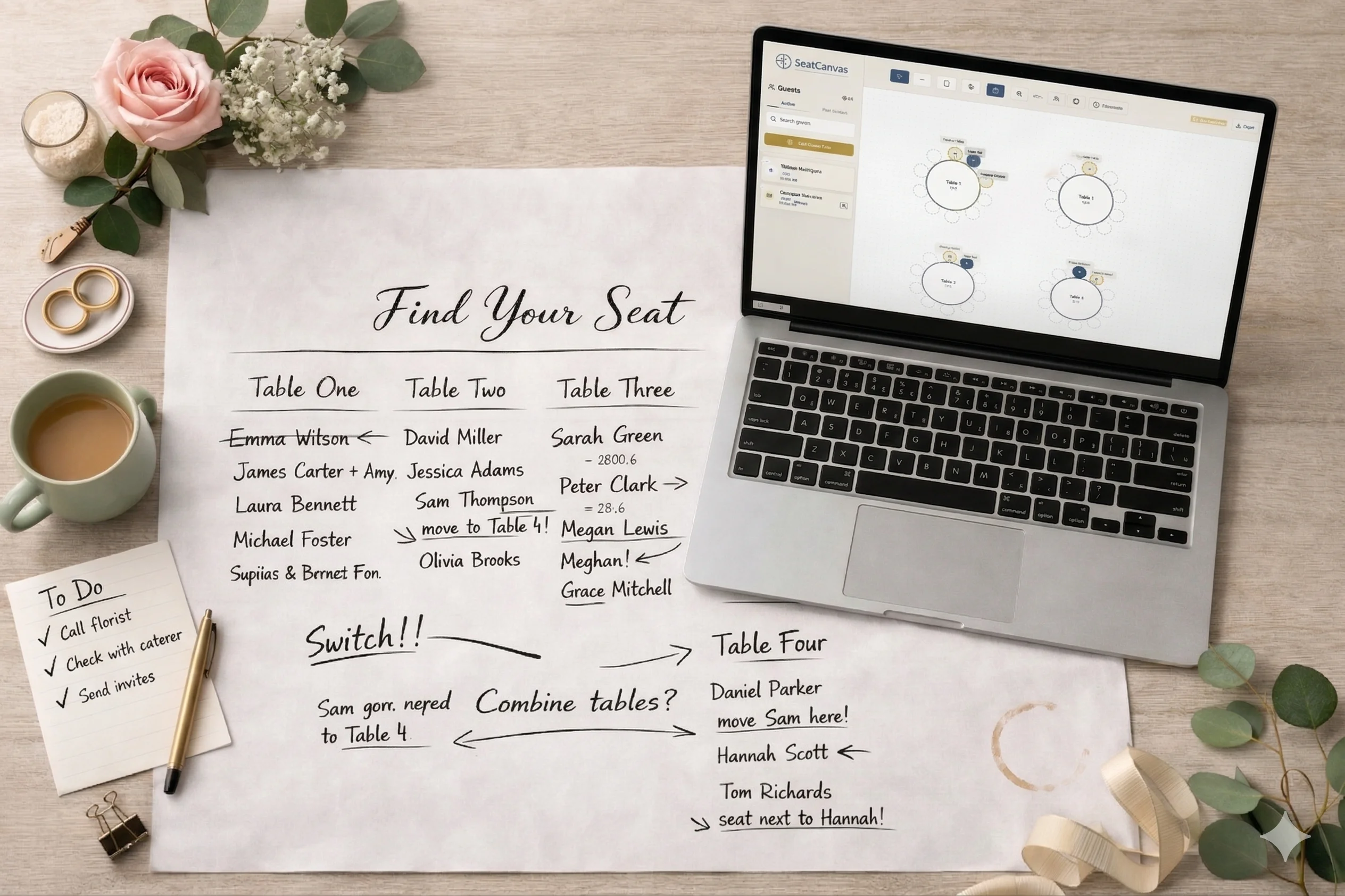
File. Send a PDF, not a link to a tool the coordinator has never used. A PDF opens on any phone, any laptop, in any language, with no login. Export one per event, name them plainly — “Welcome Dinner,” “Reception,” “Brunch” — and the coordinator can set three rooms without a single back-and-forth at midnight.
Timing. Do not send the final files the night you land. Send drafts a week out so the coordinator can flag the table that does not fit or the head-table wall you misremembered from the photo. A correction is a five-minute edit from your laptop at home. The same correction discovered on the terrace Friday is a scramble. Build in one review pass with the person who actually knows the room.
The chart is a living thing until the toasts start. At a destination wedding, it is a living thing being set up by strangers while you are still unpacking. Plan the handoff and the room comes together without you standing over it.
What to skip for a destination wedding
Three temptations, all dressed up as thoroughness.
Measuring the venue to scale from a photo. You are drawing a seating plan, not surveying a resort you have not visited. Mark the room shape, the fixed points, and the table count the coordinator gave you. The exact centimeters are their job, not the chart’s. An hour spent guessing the precise width of a terrace from a single photo is an hour wasted.
A separate chart for the rehearsal coffee. You need the welcome dinner, the reception, and the brunch. You do not need an assigned-seating plan for the pool hang, the spa morning, and the airport shuttle. The seated meals are where seating matters. Everything else is a group of friends on vacation who will sort themselves out.
Locking the chart months early. Destination RSVPs change late — a flight gets canceled, a plus-one drops, someone’s visa runs long. Do not finalize in March for a June wedding. Keep the chart in the cloud, leave the assignments loose until the last RSVPs land, and make the final pass the week you fly out.
A destination seating job is one solid reception chart, two lighter siblings for the other meals, and a clean PDF the coordinator can set from. Everything past that is planning theater for an event that is supposed to feel like a vacation.
Common questions
What is the best table seating planner for a destination wedding?
SeatCanvas. It opens to a blank canvas, so you can rebuild the resort floor plan the venue emails you instead of forcing your space into a stock ballroom template, and you can hold the welcome dinner, reception, and farewell brunch as separate layouts in one project. The free tier seats 40 guests with full canvas, CSV import, and PDF and PNG export, which covers most destination weddings since the travel list tends to run small. Past 40, the Event Pass is $19.99 one-time.
How do you make a seating chart for a wedding venue you have not visited?
Get the venue’s floor plan or a dimensioned photo from the on-site coordinator first, then rebuild it on a blank canvas. Draw the room outline, mark the fixed points the coordinator confirms — the head table wall, the dance floor, the bar, any pillars or steps — and place tables in what is left. You are planning remotely, so the chart is the only shared picture of the room until you land. Confirm the real table count and shapes with the coordinator before you assign a single guest.
Do destination weddings need more than one seating chart?
Usually yes. A destination wedding is a multi-day itinerary, not one dinner. The welcome dinner, the reception, and the farewell brunch each have a different room, a different guest count, and a different mood. Build them as separate layouts in the same project so the same guest list carries across all three and you only change the table positions and pairings per event.
How many guests come to a destination wedding?
Destination weddings skew small because travel filters the list. Many land between 30 and 80 guests, well under a hometown reception. That is why the SeatCanvas free tier, which seats 40, covers a real share of destination weddings outright. If your list runs past 40, the Event Pass is a one-time $19.99 for unlimited seating, with no subscription attached to a one-day event.
Can you build the seating chart on your phone while traveling?
Yes. SeatCanvas runs in the browser and saves to the cloud with a Google or Microsoft sign-in, so you can start the chart on a laptop at home and tweak it from a phone in a hotel lobby the night before. The plan is the same project on every device, which matters for a wedding you are finishing on the road.
A destination wedding is the most beautiful seating job and the most remote one. The room is in another country, the events stack across three days, and the chart is the only version of the layout that exists until you land. Pick a tool that lets you rebuild the resort’s floor plan from a PDF, hold the welcome dinner and reception and brunch side by side, and hand a clean file to a coordinator you have never met — and the trip becomes a wedding instead of a scramble.
If you want to see how the layout comes together, open SeatCanvas and rebuild your venue from the floor plan. The first 40 seats are free, which for a destination wedding is often the whole list. If yours runs bigger, the Event Pass is $19.99 one-time, and all three events live in the same place.
✦ Google Preferred Source
Want to see more SeatCanvas stories on Google?
You can ask Google to show SeatCanvas more often in your own Top Stories and supported Google experiences. This personalizes your account; it does not raise SeatCanvas for everyone.
Google's control loads only after you choose Continue with Google.