

Most “best seating chart maker” guides are written for 200-person weddings. They open with talk of scale, vendor handoffs, and dietary tracking spreadsheets the size of a small business. None of that applies to a 38-guest wedding with four round tables and a borrowed barn.
A small wedding is a different problem. The chart is short. The guest list is short. The risk of a tool eating your weekend is bigger than the risk of the seating itself going wrong. The trap is buying a monthly subscription to seat thirty people you already know by name.
Here is the honest version for couples and planners working a guest list under 50: what actually helps, what is overkill, and how to finish the chart in one sitting.
The short version: For weddings under 50 guests, the seating chart is a 30-to-45-minute job that should never cost you a subscription. SeatCanvas seats 40 on the free tier with full canvas, import, and export — that covers most small weddings entirely free. Past 40, the Event Pass is $19.99 one-time. Avoid trial-locked tools and anything that wants a credit card before showing you the canvas. The chart for a small wedding is the easiest chart you will ever build. Do not let the tool turn it into a project.
What “under 50 guests” actually means
“Small wedding” is three weddings, not one. The right tool depends on which one you are planning.
16 to 24 guests. This is one long table, or two round tables with a single arrangement. The seating chart is name cards on plates and a sticky note on the fridge. Skip the software entirely unless you want a PDF for the venue coordinator. The chart should take fifteen minutes.
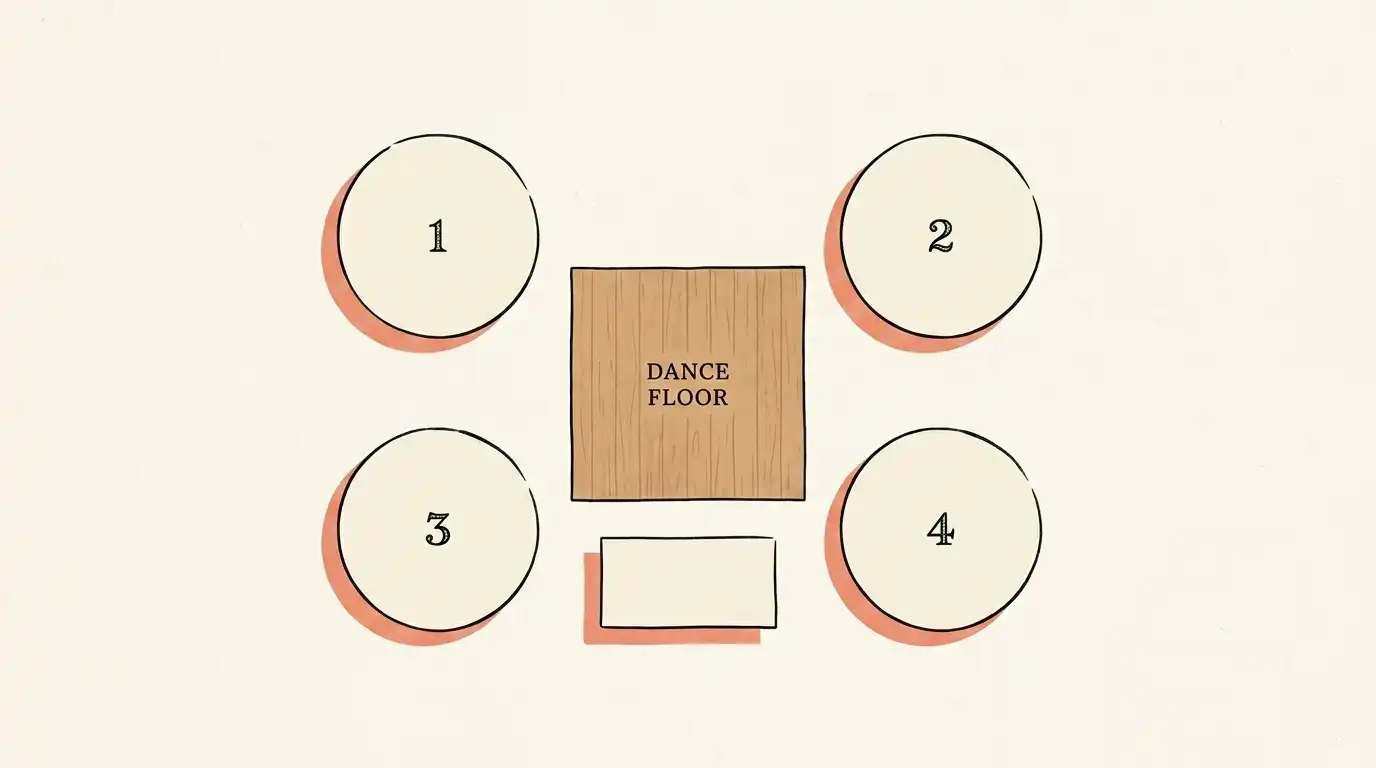
25 to 40 guests. Three to four tables. Some family politics, a few plus-ones, a couple of dietary notes. This is the sweet spot for a free seating chart tool. You want a real canvas because you cannot hold four tables and their adjacency to the dance floor in your head, and you want a PDF because the venue almost certainly wants one. SeatCanvas free tier covers this band end-to-end.
40 to 49 guests. Five tables, maybe six. The chart is still short, but you crossed the free tier on most tools. Decide once whether you want to pay a one-time $19.99 or compress the guest list — both are reasonable answers, but the math here is one round of fries at the welcome dinner, not a subscription. Almost any couple should pay the once.
A seating chart maker that ignores this gradient — the one that markets the same product to a 22-guest courthouse reception and a 220-guest hotel ballroom — is the wrong shape of tool for a small wedding. You want something that gets small jobs small.
The “do I even need a chart” question
Try SeatCanvas — Free
Build your seating chart visually. Import guests, drag to tables, export a print-ready PDF.
Start Planning Free →This question comes up for every small wedding. The real answer is shorter than the debate.
Under 16 guests at one table: no chart. Use place cards or let guests pick. The chart adds friction with no benefit.
16 to 24 guests at two tables: optional. If your two tables are “her family + her friends” and “his family + his friends,” the chart is implicit. If the room is mixed, write it down. Five minutes of work, real payoff.
Past 25 guests at three or more tables: chart. The day cocktail hour ends and 30 people walk into the room without a plan is the day three guests stand in the doorway counting empty seats, four people sit at the wrong table, and at least one person ends up next to their ex’s college roommate. The chart prevents the slow social tax of a leaderless room.
The chart is not for the bride. The chart is for the guests. Once the guest count is past 25, somebody has to point everyone to a chair, and the chart is what does that without you doing it in person between hugs.
What a small wedding needs from a seating tool
Most “best of” lists rank tools by feature count. For a small wedding, the opposite metric matters. The tool with fewer features that does its job in ten minutes beats the tool with seventeen features and an onboarding video.
Three things matter. Everything else is theater.
A canvas you do not have to learn
You are seating thirty people. You should not need a YouTube tutorial. The test: open the planner cold, drop one round table, place one guest, export a PDF. If that takes more than five minutes from a blank browser tab, the tool was built for a bigger wedding than yours.
SeatCanvas opens to a blank canvas. Tables are buttons. Drag a table, click a guest, drag the guest onto a seat. There is no project wizard, no template gallery, no required account creation before the canvas appears. That is the only correct shape for a small-wedding tool. SeatCanvas is a seating chart app you open in a browser tab, not a program you install.
A free tier that actually covers your guest count
The phrase “free seating chart maker” hides a lot. Most “free” tiers cap at 20 or 25 guests, watermark the export, or convert to a subscription on day fifteen.
The honest free tier for a small wedding is one that:
- Covers the actual guest count without a cap inside your range
- Exports a full-resolution PDF without a watermark
- Does not ask for a credit card to start
- Does not start a trial clock that ends the week of the wedding
SeatCanvas seats 40 on the free tier with the full export and no watermark. For a 35-guest wedding, that is the whole chart at zero cost. For a 45-guest wedding, the cap nudges you into the Event Pass at $19.99 one-time — that is a paid product priced like a coffee, not a paid product priced like a SaaS. The full breakdown lives in our free seating chart maker comparison.
Import that skips retyping
A 30-guest list is small but not trivial. Twenty minutes of typing is twenty minutes you could spend on the cake order.
If your RSVPs are in a Google Sheet, the tool should accept that sheet. Drop the file, map the columns, done. SeatCanvas has a CSV/Excel guest list import that handles a 30-row sheet in about ninety seconds, plus-ones included.
For weddings under 24 guests, this matters less. You can type 22 names in a few minutes. Past 25 guests, it starts to matter. Past 40, retyping is a bad use of an afternoon.
The short list for small weddings
These are the names that come up most. Honest reads, not affiliate copy.
SeatCanvas
Best for: any small wedding where you want the chart finished today and you do not want a monthly bill chasing you after the honeymoon.
Free up to 40 seated guests with the full canvas, import, and export. $19.99 one-time for unlimited, which covers every wedding in the 41 to 49 range and beyond. No trial, no recurring charge, no watermark on the PDF.
The honest limitation: SeatCanvas is a seating chart tool. It does not run your registry, your budget, or your vendor checklist. For a small wedding that probably matters less than it would for a 200-person ballroom event — most small weddings are run from a couple of group texts and a single shared Google Doc, not a full planning suite.
Pen and paper
Best for: 16-to-22-guest weddings where the chart is one long table or two rounds.
Free, universal, no software. Place cards on plates does the same job a canvas would. If the venue wants a PDF, take a phone photo of the paper draft and PDF the photo — fine for a small event, weird for anything bigger.
The break point: past 25 guests, paper starts losing to digital. The third reshuffle when your aunt switches tables is when the eraser smudges and the chart becomes unreadable.
Google Sheets
Best for: tracking the guest list before the chart starts. Not the chart itself.
I keep saying this and I will say it again — a spreadsheet is the input to a seating chart, not the chart. You cannot see that grandma is seated next to the speaker stack in a spreadsheet. You can only see that grandma is in row 12.
Keep the sheet for the guest list. Move the chart into a real canvas the day the guest count crosses 25.
The Knot, Zola, WeddingWire seating tools
Best for: couples already living inside one of these planning platforms with months of lead time.
The seating modules inside these suites are real. They are also wrapped in a planning ecosystem that takes a full evening to set up — vendor profiles, registry pages, wedding website builders, the works. For a 30-guest wedding, you are paying onboarding cost for features you will never touch. If you are not already in one of these platforms, do not start there for the chart alone. The Knot seating chart breakdown covers the trade-offs in more detail. Zola’s chart adds its own catch — iOS-app-only, free to 15 guests, which even a 30-guest wedding blows past; SeatCanvas vs Zola runs the comparison. For the third suite, the WeddingWire seating chart comparison covers the same ground.
Subscription seating chart sites
Best for: nothing in the small-wedding band.
A monthly subscription is the wrong shape of bill for a 30-guest wedding. The chart takes one afternoon. You should not pay a monthly fee for one afternoon. The same goes for 14-day trials that convert silently after the wedding — that is a surprise bill arriving the week of the thank-you cards. The budget seating chart comparison walks through the pricing math.
The 45-minute small-wedding playbook
This assumes a clean guest list in a sheet and a known venue. If both are true, the chart takes one focused sitting.
Minutes 0 to 5: Open the tool. Go to the SeatCanvas planner. The canvas appears. Skip every onboarding popup. You do not need them for thirty people.
Minutes 5 to 10: Import the guest list. Drop your CSV or XLSX. Map the columns. Confirm. The guests appear as a list in the sidebar. Plus-ones come through as their own seats. A 30-row sheet takes about ninety seconds end-to-end.
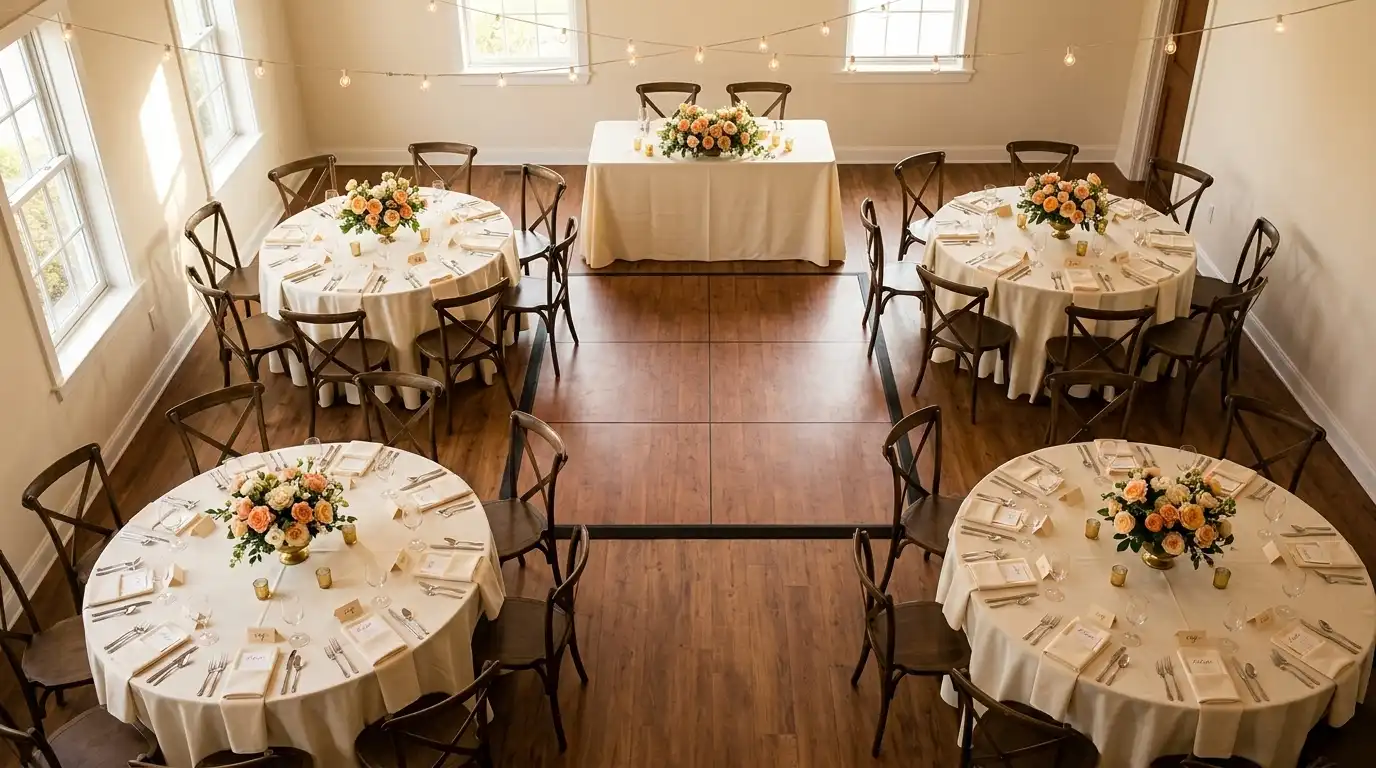
Minutes 10 to 20: Place the tables. Round tables for most of the guests. One head or sweetheart table near the dance floor if you want one — small weddings often skip the head table and let the couple sit at a regular table, which works fine and reads warmer. Match the count to the venue’s actual setup, not the version in your head from the site visit four months ago.
Minutes 20 to 35: Assign guests. Family first. Both sides, oldest at the closest tables. Then friend clusters. Then plus-ones who do not know anyone — seat them next to someone who can carry a conversation, not next to other plus-ones who also do not know anyone. That table becomes its own awkward island.
Minutes 35 to 45: Export the first round. PDF for the venue. CSV for the caterer if you have one. Save the project to your account so you can come back to reshuffle when the last two RSVPs land.
That is the chart. Forty-five minutes of focused work, less than a movie. If you have weeks until the wedding, this is one Tuesday evening. If you have days, it is one morning. The bar order is the other number worth pinning down while the guest list is in front of you — an alcohol calculator for a smaller wedding stops you buying for a crowd twice the size.
A more general step-by-step lives in how to create a wedding seating chart — that guide assumes a larger guest count, but the steps map cleanly onto smaller weddings if you scale the numbers down.

The day-of safety net for small weddings
Big-wedding advice — buffer tables, live reseating, vendor PDFs — is overkill for 30 people. But the small-wedding version of the safety net is still real.
Keep one buffer seat per table. Not a buffer table — that is large-wedding logic. Just one open seat on the round of eight or ten, in case someone shows up with an undisclosed plus-one or a friend’s roommate. Almost every small wedding I have seen has one of these. Build for it.
Re-export the day before. Drag the no-shows off, place the surprise yeses, export a fresh PDF. Email it to the venue that night, not the morning of. A 30-guest wedding has fewer vendors but the same need for a final version.
Bring a phone copy. Pull up SeatCanvas on your phone. If a guest insists they are at the wrong table — and at small weddings the guest is often wrong because they remember the original draft, not the final — you can check in eight seconds.
The chart is a living thing until the toasts start. A small wedding lives by the same rule, just on a shorter clock.
What to skip when the wedding is small
Three temptations. All of them are dressed up as “doing it right.”
Custom table shapes for aesthetic. Your venue gave you round tables. The chart uses round tables. Do not lose an hour rotating a custom hexagon. Guests are not photographing the chart.
Color-coding by family side. Useful for a 200-guest wedding where the caterer needs to identify who gets the kosher meal. For 32 guests, you and the caterer can hold the data in your head over one phone call. Skip the color logic, save the half hour.
Detailed table numbering schemes. Tables one through six. That is the system. You do not need “Family Round A” and “Friends Rectangle B.” A small wedding is small enough that names work fine, but numbers are easier for the caterer.
A second draft from scratch. Once the first chart is built, edit it. Do not rebuild it because you read a different blog post. Three reshuffles on top of a working chart beat two clean rebuilds every time.
The small-wedding seating chart is a draft, then a few edits, then a final. Anything in between is procrastination dressed up as planning.
How a small wedding chart actually saves you time
The pitch for a seating chart tool sounds like “save hours of work.” For a small wedding, that is mostly wrong. The chart itself does not take hours — it takes 45 minutes. The hours come from the second-order effects.
Caterer meal counts. Your caterer wants meal counts by table, with dietary flags. A CSV export from a seating tool gives them that in one email. Without a tool, the meal-count step is a 25-minute spreadsheet rebuild.
Day-of confusion. A printed chart at the welcome table costs you ninety seconds of standing next to it pointing once. No chart costs you twenty minutes of being asked the same question by ten different guests while you are trying to eat the canapés you paid for.
The phone call from the venue coordinator. The venue almost always asks for a layout PDF, even for a 30-guest event. Sending it within five minutes versus rebuilding it from a paper draft is the difference between a calm Wednesday evening and a stressed Friday morning.
For a 30-guest wedding, the tool saves you maybe two hours across the week. That is not a season-changing time savings, but it is two hours back at a moment when you do not have many.
Common questions
Do I need a seating chart for a wedding under 50 guests?
For 12 to 18 guests, no. Past 25, yes. The break point is when the room has more than one table — once guests have to choose where to sit, the chart saves you a slow ten minutes of milling and an awkward triangle of strangers. A small-wedding chart is roughly 30 to 45 minutes of work and pays for itself the second cocktail hour ends.
What is the best free seating chart maker for a small wedding?
SeatCanvas. The free tier seats 40 guests with the full canvas, full CSV import, and full PDF and PNG export. For a wedding of 40 or fewer, there is no upgrade pressure, no trial expiration, no watermark on the print. Past 40, the Event Pass is $19.99 one-time, not a recurring bill.
Is it worth using a digital tool for 30 guests instead of paper?
Yes, once you have to share the chart with a caterer or venue. Paper is fine for a kitchen-table draft. The day you need to send a PDF to the venue coordinator or a CSV to the caterer, the paper version costs you forty minutes of retyping. A digital tool with a real export skips that.
How small is too small for a seating chart?
Under 16 guests at one table, skip the chart. Place name cards instead, or let everyone pick a seat. Above 20 guests, or any wedding with more than one table, build the chart. The work is small and the social payoff is real — no one stands in the doorway counting empty seats.
Should we have a head table at a small wedding?
Often no. At 30 guests, a head table can feel staged. Many small weddings work better when the couple sits at a regular round of eight with their closest people. The seating chart should reflect the room you actually want, not the room a 250-guest hotel ballroom would want.
Do small weddings need a buffer table?
No. A buffer table is large-wedding logic. For under 50 guests, leave one open seat per table for surprises and you are covered. A whole reserved buffer table for 30 guests reads as overbuilt and eats venue space you do not have.
A small wedding is one of the kindest planning jobs there is — short list, short ceremony, short reception, short chart. The mistake is letting the tools you pick treat it like a bigger event than it is. The seating chart for 32 people is not a project. It is one focused afternoon, free for most couples, and finished before the cake arrives.
If you want to test the timeline, open SeatCanvas with whatever guest list you have so far. Drop it in. The first 40 seats are free. If your wedding is bigger than that, $19.99 one-time covers the rest, and the chart is done before lunch.
✦ Google Preferred Source
Want to see more SeatCanvas stories on Google?
You can ask Google to show SeatCanvas more often in your own Top Stories and supported Google experiences. This personalizes your account; it does not raise SeatCanvas for everyone.
Google's control loads only after you choose Continue with Google.